glyndavid
Participant
August 17, 2018
Question

LR radial filters

  • August 17, 2018
  • 3 replies
  • 326 views

I'm 68 and starting to find my way around LR. When I add a new linear filter to a shot it applies adjustments that I don't want, help! I thought I was putting this question on a Lightroom forum, no idea where it's going to end up.
    This topic has been closed for replies.

    3 replies

    elie_dinur
    Participating Frequently
    August 17, 2018

    68 is a good age to start working with Lightroom!

    This gave me a chuckle. I also started with LR at age 68, ten years ago.

    Abambo
    Community Expert
    Community Expert
    August 17, 2018

    elie_di  wrote

    68 is a good age to start working with Lightroom!

    This gave me a chuckle. I also started with LR at age 68, ten years ago.

    In fact, after much reflection, any age is a good age to start with Lr. But I find that people having heard of or seen one or may be even worked with a real darkroom understand the concept of RAW files better.

    ABAMBO | Hard- and Software Engineer | Photographer
    Abambo
    Community Expert
    Community Expert
    August 17, 2018

    Discussion successfully moved from Adobe Creative Cloud to Lightroom Classic CC — The desktop-focused app

    68 is a good age to start working with Lightroom! Welcome to the forum.

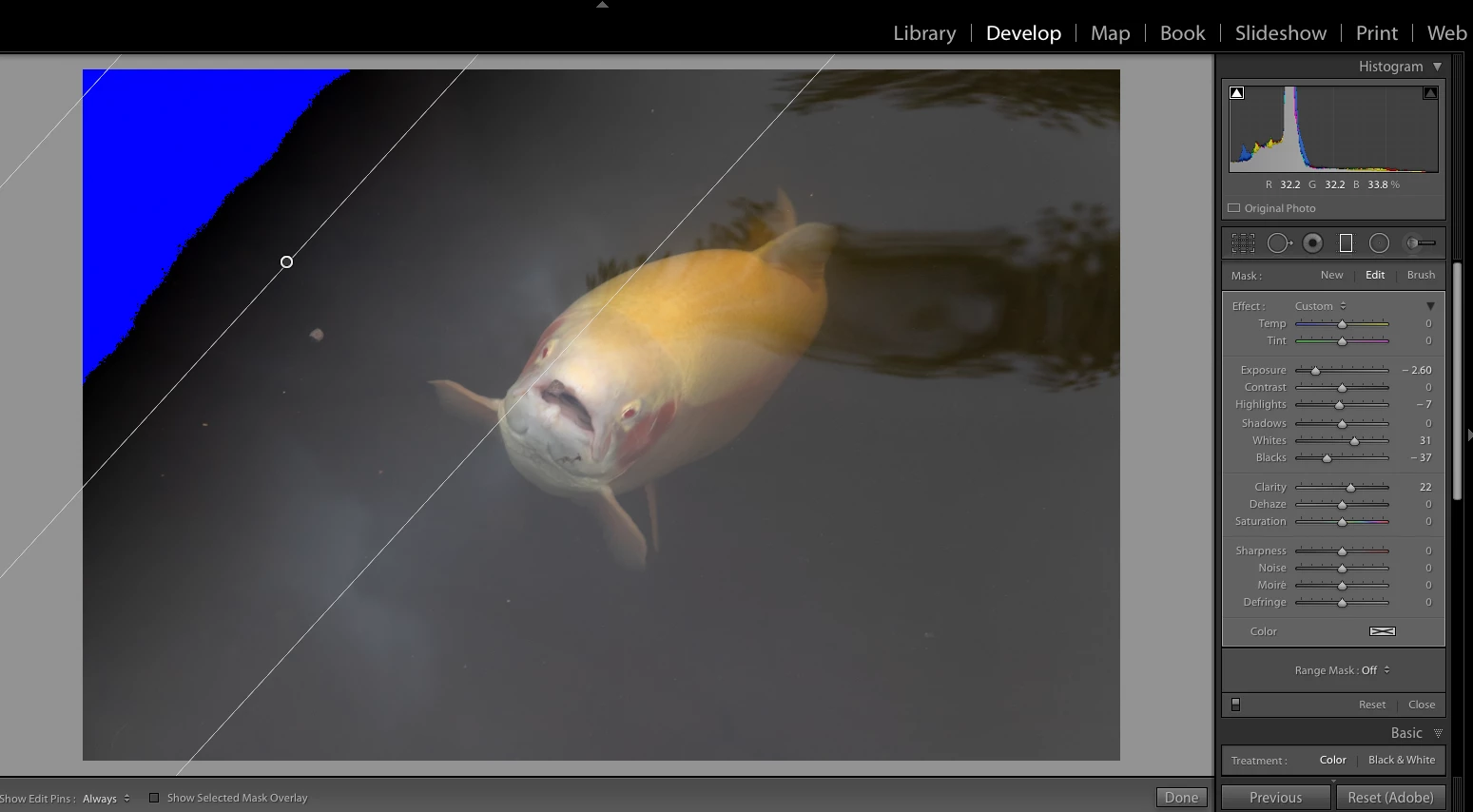
    The title says RADIAL filter, your text says LINEAR filter but fortunately your screenshot shows the "problem" that fits both.

    I suppose you are talking about the blue colour on the screen. This is only a marker, showing on screen, where clipping occurs with the current settings.

    On the histogram, you have 2 triangles, one left for black clipping (blue), one right for white clipping (red). for the moment you have black clipping on (white colour on the triangle).

    Clipping is where image detail gets "lost" because the concerned area gets completely black or completely white. Normally you want to avoid that.

    ABAMBO | Hard- and Software Engineer | Photographer
    dj_paige
    Legend
    August 17, 2018

    This is a clipping warning, that all of the blue area is completely black. To turn it off, press J once or twice, or click on the triangle in the histogram.