


질문
Metadata are not saved in jpg files, even if the option is checked in Catalogue settings. Version 15.2. Content credentials are not active
I noticed that the metadata (Develop settings) are not included in the jpg files, from a Lumix TZ-101 camera. In this way, develop settings are lost if the file is, e.g., moved to another directory and then synchronized back to the LR Classic catalogue. The file is not protected. If I force saving (CTRL+S) the process is sometimes veeeery slow. Also the scanning for metadata update is veeeeeeeeery slow. The disk where files are store is a NVMe, should be fast, and it is actually very fast for all other operations.
OS is Windows 11, up to date.
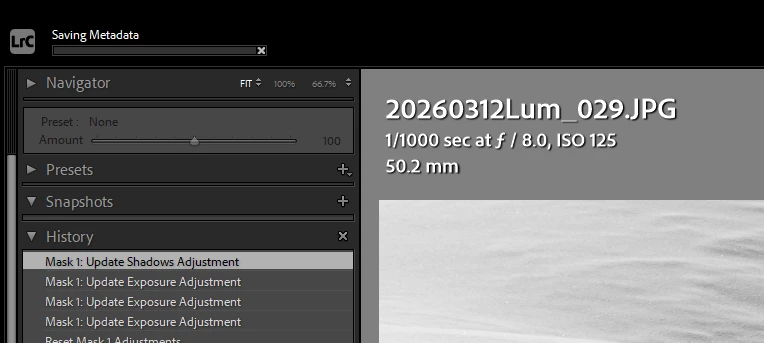
I enclose a screenshot to show the upgrade bar for the save metadata (stuck there for 1 minute or more, for a single file!).
May it depend from the amount of adjustments?
 AdChoices