


Participating Frequently
Apr 23, 2023 3:39 PM UTC
Question

NAS Server disconnecting from Lightroom classic

Hello


I use lightromm classic with the catalog stored on my mac.

I have photos on the loca drive of the mac (no problem there) and older photos only stored on the NAS Server (Synology - 4To of photos)

My problem is that the connection is lost every few minues with the nas server. 
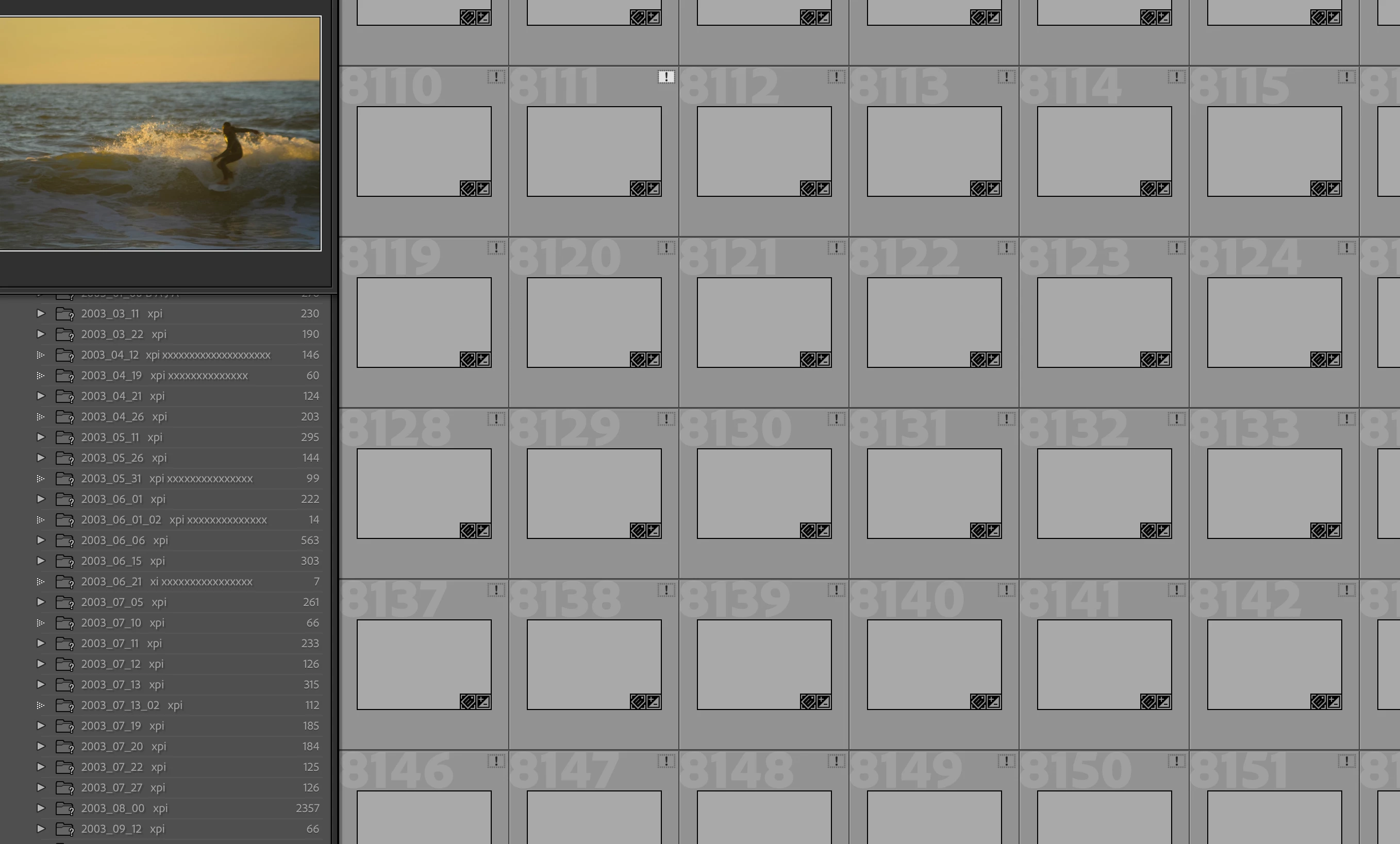
 Photos appear with a ! (original file cannot be found)

folders appear with a ?

When I click on any ! of any image and start looking of the file on the NAS server, everything goes back to normal. the ? disappear, the ! asol and the image preview appear.

But after a few minutes... the connection is lost. the ? and ! appear again.

I redo the search to gain a few minues but this is annoying.


How can I get a stable connection with the NAS Server ?


Nota : in the finder, the nas appears all the time connected, even when lightroom looses connection.

I did not find suitable info in the ather omunity posts.

Thank you in advance for your help

This topic is closed to new replies. Start a new post to keep the conversation going.

5 replies

Community Expert
Apr 23, 2023 4:41 PM UTC

This sounds like a networking issue. Is your NAS connected through SMB as it should? AFP is deprecated in Mac OS X so best to not connect through just that. You can enable both on the synology in which case Mac OS X should automatically connect through SMB. Are you connecting through wifi or through ethernet (highly recommended you only go through ethernet if you're using a NAS)? 

I use a Synology NAS with my Classic setup and it works great with zero issues so you should be able to get this to work.

Translate
3POMAuthor
Participating Frequently
Jun 9, 2023 5:19 PM UTC

Hello

Took me some time to review and investigate... but I'm back to it... and thank you both !... I found my way using parts of your replie and digging from there...

Actually, I had SMB active but the issue that I had both SMB and AFP active. I just needed to uncheck AFP and the problem was solved...

Usefull also one of John's tip to set a longer hibernation time. 

All is fine now. thank you so much for your support.

Best regards

Pierre-Olivier

Translate