2Charlie
Inspiring
October 12, 2022
Question

Not updating previews?

  • October 12, 2022
  • 3 replies
  • 264 views

I can see that the .psd file open in Photoshp has the latest update but the preview in the Lightoom Classic is not. I already tried selected the file and go to Library --> Previews --> Build Standard - Sized Previews

And this is the window I see.
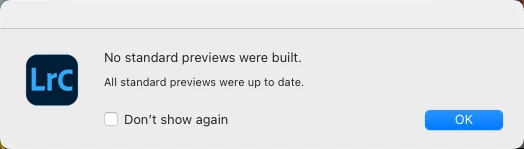
However, the preview is still not updating. In Photoshop, I save the image with different name in .tiff extension and then in LR, I Syncrhonize Folder and it found the .tiff file but the preview is still incorrect.


I'm on MacOS Monterey version 12.6 with Lightroom classic version 11.5 and Photoshop version 23.5.1.

Any suggestion? Thanks!

This topic has been closed for replies.

3 replies

2Charlie
2CharlieAuthor
Inspiring
October 12, 2022

So, here's what I did. I remvoed the .psd file out of the folder and open LR Classic. Then I reimport that .psd file back into LR. Here's what it looks like in "group" view...noticed the sky.

Okay, so I go into Develop mode and this is what it looks like...the sky is totally gone. It's basically revert back to an older version that probably LR cached.

2Charlie
2CharlieAuthor
Inspiring
October 12, 2022

Here's another weird thing...from the Libray, if I select the image and hit F for full screen preview, it shows the correct changes. However, from the Library if I hit "D" to go into Develop and then hit F for full screen preview then the changes are not there.

dj_paige
Legend
October 12, 2022

Another person (maybe even two) has reported this with 11.5. I would submit it as a bug to Adobe.

https://community.adobe.com/t5/lightroom-classic-bugs/how-do-i-write-a-bug-report/idi-p/12386373

JohanElzenga
Community Expert
Community Expert
October 12, 2022

What happens when you zoom in to 100%?


-- Johan W. Elzenga
2Charlie
2CharlieAuthor
Inspiring
October 12, 2022

Zoom in 100% or zoom out it doesn't matter..nothing's changed.