



hyund39164868
Participant
April 1, 2024
Answered

P: (GPU) Develop/Edit view & Export artifacts after 14.4.1 Update (AMD-only) (affects Cr, LrC & LrD)

  • April 1, 2024
  • 139 replies
  • 100159 views

Hi,


Since just now, I've been experiencing a weird bug / crash in Lightroom Classic (on a Mac), where ALL my photos suddenly are fully covered in artefacts in the Develop module.
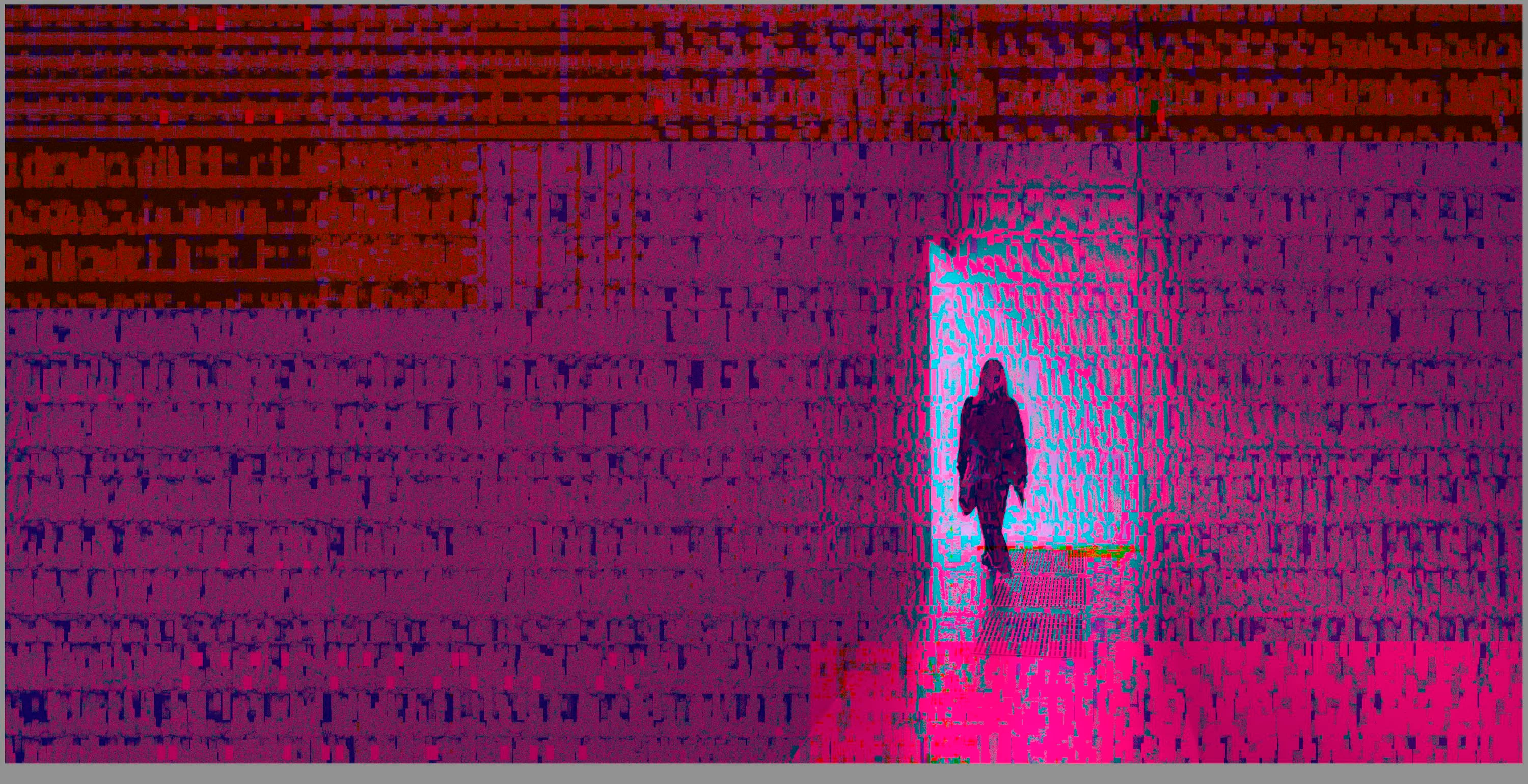
 

(Screengrab from the Develop module in Lightroom Classic)


When I check the linked RAW + JPEG source files in Finder, they all seem ok (they don't look corrupted, nor show any artefacts here), meaning the issue is within Lightroom.
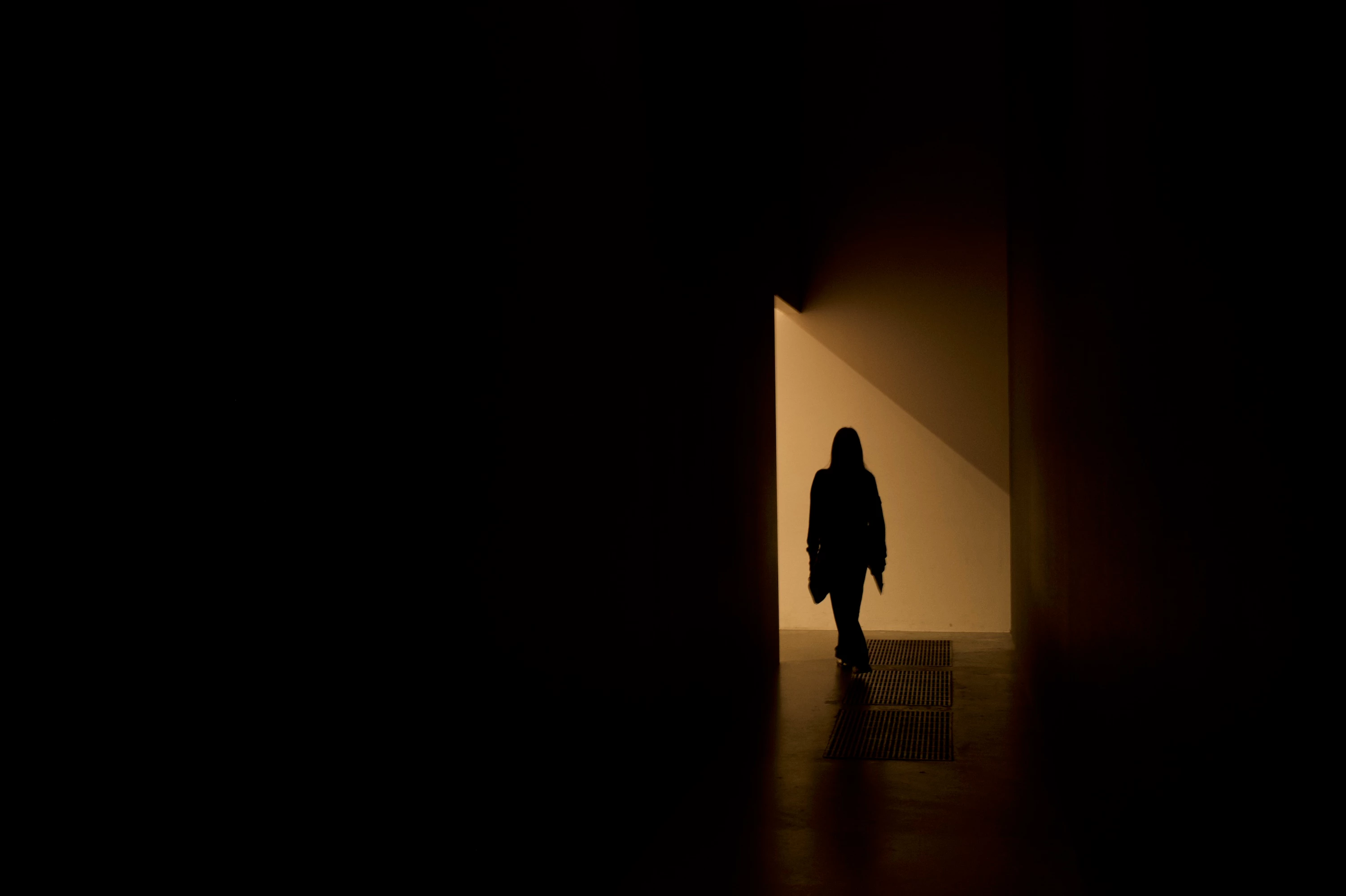
 

(Screengrab from the RAW source file in Finder)


When I export images out of Lightroom (with any setting, edited or even not edited), the artefacts are also present on the export files.
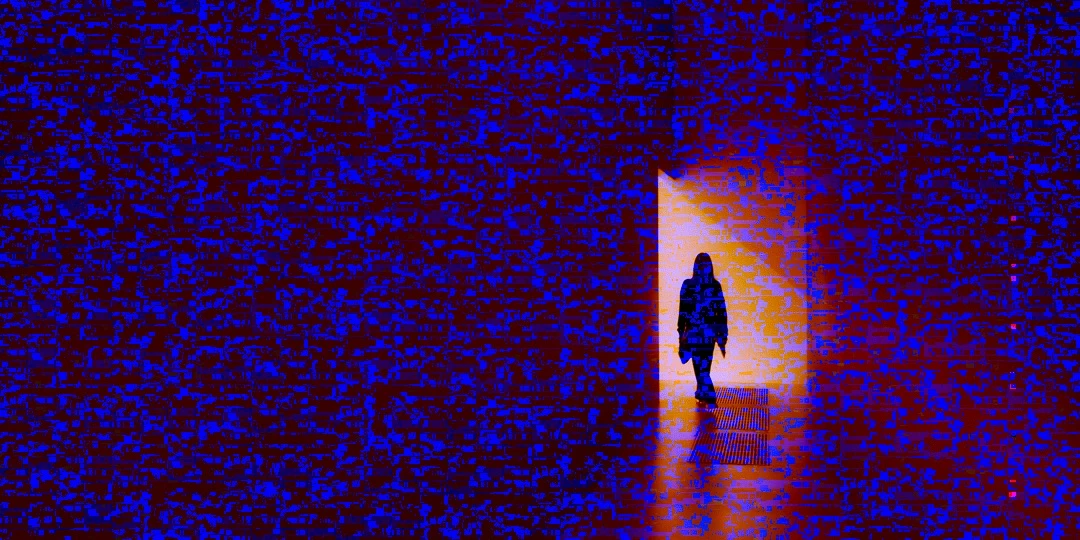
 

(Screengrab from the exported JPG image)


This problem started occuring soon after I applied the new AI noise reduction feature on just ONE (1) photo. 


I already tried:


  • Closing and re-opening Lightroom
  • Shutting down (fully), and restarting the computer after 1 minute
  • Switching the GPU accelrator setting in Lightroom on/off


MY SPECS

  • Lightroom Classic 13.0.1 - Build (202310121438-d2af310c)
  • Macbook Pro 16" - 2019
  • 2,3Ghz 8-core Intel Core i9
  • AMD Radeon Pro 5500M 8GB 
  • 32GB 2667MHz DDR4 memory
  • OS Sonoma 14.4.1


Any help would be greatly appreciated, because this makes the whole software unusable....

Thank you!

139 replies

Participant
December 19, 2024

When I use AI noise reduction I get strange white or coloured squares on my processed picture. Any idea how to get this problem fixed please ?

johnrellis
Legend
December 19, 2024

As a first troubleshooting step, please do the LR menu command Help > System Info and copy/paste the entire contents here so we can see exactly which versions of hardware and software LR thinks you're running and important LR options that are set. 


There are known problems with some older Macs, but we need to see the System Info first.

Participant
December 20, 2024
Goodmorning,

Is this you need ?

Lightroom Classic-versie: 14.1.1 [ 202412150940-551fb044 ]
Licentie: Creative Cloud
Taalinstelling: nl-BE
Besturingssysteem: Mac OS 14
Versie: 14.6.1 [23G93]
Toepassingsarchitectuur: x64
Aantal logische processors: 16
Processorsnelheid: 3,8GHz
SQLite-versie: 3.36.0
Ingebouwd geheugen: 40.960,0 MB
Het toegewezen GPU-geheugen dat door Lightroom wordt gebruikt: 10.271,6MB / 8.176,0MB (125%)
Beschikbaar fysiek geheugen voor Lightroom: 40.960,0 MB
Fysiek geheugen gebruikt door Lightroom: 4.240,8 MB (10,3%)
Virtueel geheugen gebruikt door Lightroom: 58.345,2 MB
Cachegeheugengrootte: 14,0MB
Interne Camera Raw-versie: 17.1 [ 2098 ]
Maximumaantal door Camera Raw gebruikte threads: 5
Camera Raw SIMD-optimalisatie: SSE2,AVX,AVX2
Virtueel geheugen Camera Raw: 1686MB / 20479MB (8%)
Fysiek geheugen Camera Raw: 1764MB / 40960MB (4%)

Cache1:
Final1- RAM:639,0MB, VRAM:1.622,0MB, JAN_9697-Verbeterd-NR-2.dng
Final2- RAM:352,0MB, VRAM:0,0MB, JAN_9697.dng
NT- RAM:991,0MB, VRAM:1.622,0MB, Combined:2.613,0MB

Cache2:
m:14,0MB, n:746,1MB

U-main: 119,0MB

Standaardgrootte voorvertoning: 1440 pixels
Schermen: 1) 5120x2880

GPU-info:
Metal: AMD Radeon Pro 5500 XT
Beginstatus: GPU voor exporteren wordt standaard ondersteund
Gebruikersvoorkeur: Automatisch
HDR inschakelen in Bibliotheek: UIT

Toepassingsmap: /Applications/Adobe Lightroom Classic
Bibliotheekpad: /Volumes/catalogus L/Lightroom NTP/Lightroom NTP-2-3-v13-5.lrcat
Map Instellingen: /Users/janlambert/Library/Application Support/Adobe/Lightroom

Geïnstalleerde plug-ins:
1) AdobeStock
2) Aperture-/iPhoto-importeerprogramma-plug-in
3) Flickr
4) Logi Plugin

Config.lua-vlaggen:


Jan
Participating Frequently
November 30, 2024

Aline, assim como muitos que postaram aqui nesse tópico, você deve estar usando umMacbook Pro de 2019.

Eu resolvi atualizando o sistema operacional para o Sequoia.

AxelMatt
Community Expert
Community Expert
November 20, 2024

@Aline_Alves1963 Please give us detailed informations about your system. 

Please provide a copy of your 'System Info'. This can be get from the LrC Help > System Info menu item. There's a copy button in the System Info dialog. Press this button and paste the info into your next forum post.

Without these infos we can't say more.


My System: Intel i7-8700K - 64GB RAM - NVidia Geforce RTX 3060 - Windows 11 Pro 25H2 -- LR-Classic 15 - Photoshop 27 - Nik Collection 8 - PureRAW 5 - Topaz Photo
Participant
November 12, 2024

Im in develop mode- Ill be working along for an hour or so and all of sudden there will be pixelation.  I can go into library and it will dissapear but then I go back to Develop it comes back. Its streaks of color not really pixilation. 

johnrellis
Legend
November 12, 2024

Most likely you're on an older Intel Mac with an AMD Radeon 5000-series graphics processor. You can verify by doing the LR menu command Help > System Info.  Apple released a buggy graphics driver in LR 14.6.1 that's caused grief for many, many people:

https://community.adobe.com/t5/lightroom-classic-bugs/p-gpu-develop-edit-view-amp-export-artifacts-after-14-4-1-update-amd-only-affects-cr-lrc-amp-lrd/idi-p/14563606


What has helped most people:


1. Upgrade to Mac OS 15. There have been several reports that this fixes problems and a couple reports that it doesn't.


2. Restart your computer when this happens.


3. Set Preferences > Performance > Use Graphics Processor to Off.

Participant
November 9, 2024

I was editing my images in developer mode and completed my edits. Drag&dropped them into a Pixieset Gallery, then published them. Came back to review files after publishing was complete and all of the images look like the provided example. The uploads to Pixieset also look like the provided example. Please help ASAP!!! Client has paid for this session and i need to deliver this gallery, yesterday. 


[Moved from ‘Bugs’ to ‘Discussions’ by moderator, according to forum rules.]

johnrellis
Legend
November 9, 2024

That screenshot strongly suggests you're on an Intel Mac with an AMD Radeon 5000-series GPU.  (Do the menu command Help > System Info to verify.) Apple released a buggy graphics driver in Mac OS 14.4.1 that produces these symptoms in LR.  Workarounds:


1. Update to Mac OS 15, which many people report as fixing this problem.


2. Restart your computer. Many people reported that after restarting, LR would operate correctly for a while.


3. Set the option Preferences > Performance > Use Graphics Processor to Off. 


If this doesn't help, do the LR menu command Help > System Info and copy/paste the entire contents here so we can see exactly which versions of hardware and software LR thinks you're running and important LR options that are set.

johnrellis
Legend
November 1, 2024

"after upgrading MacOS to Sequoia 15.1 the issue is gone."


Thanks for that update -- that will help others.

Bart van Hofwegen
Participant
November 1, 2024

I do not use Lightroom but ACR has exactly the same issue on my Intel MacBook Pro. This is logical since ACR uses the same routines as Lightroom. The good news is that after upgrading MacOS to Sequoia 15.1 the issue is gone. (At least for the pas couple of days of intensive work).


I have always had trouble with the GPU with both ACR and Photoshop, and the latter still has issues when the GPU is enabled. The new AI denoise and raw details however always use the GPU, so I am very happy that Apple seems to have addressed this.

johnrellis
Legend
October 12, 2024

@evav36011884: "after using it for a while, the view of the selected image in Develop Mode gets highly distorted."


See here for more details and workarounds:

https://community.adobe.com/t5/lightroom-classic-bugs/p-gpu-develop-edit-view-amp-export-artifacts-a... 

Participant
October 12, 2024

Hello,

I'm experiencing this reoccuring problem in Lightroom Classic (version 13.5.1), where after using it for a while, the view of the selected image in Develop Mode gets highly distorted. Restarting Lightroom usually doesn't work, restarting my computer (Macbook) does, although not this time. Does anyone have any idea what is at hand and how to solve this? 

Thanks so much!

E.


johnrellis
Legend
October 8, 2024

@tarynmel12: "My Lightroom Classic appears to be showing my raw files as corrupt and shows the images with green and red pixelated lines across the images"


See here for more details and workarouds:

https://community.adobe.com/t5/lightroom-classic-bugs/p-gpu-develop-edit-view-amp-export-artifacts-a...