


hyund39164868
Participant
April 1, 2024
Answered

P: (GPU) Develop/Edit view & Export artifacts after 14.4.1 Update (AMD-only) (affects Cr, LrC & LrD)

  • April 1, 2024
  • 139 replies
  • 100161 views

Hi,


Since just now, I've been experiencing a weird bug / crash in Lightroom Classic (on a Mac), where ALL my photos suddenly are fully covered in artefacts in the Develop module.
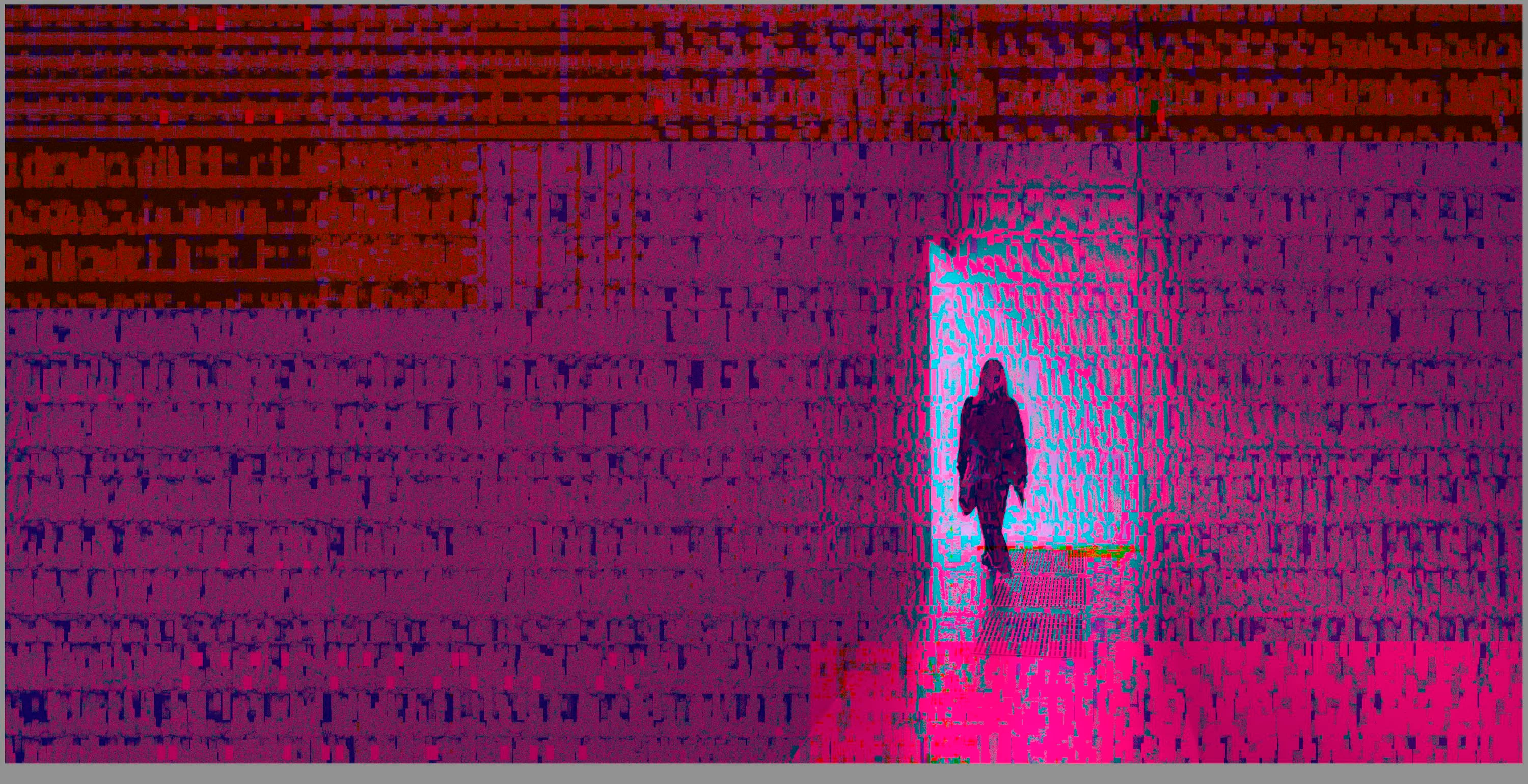
 

(Screengrab from the Develop module in Lightroom Classic)


When I check the linked RAW + JPEG source files in Finder, they all seem ok (they don't look corrupted, nor show any artefacts here), meaning the issue is within Lightroom.
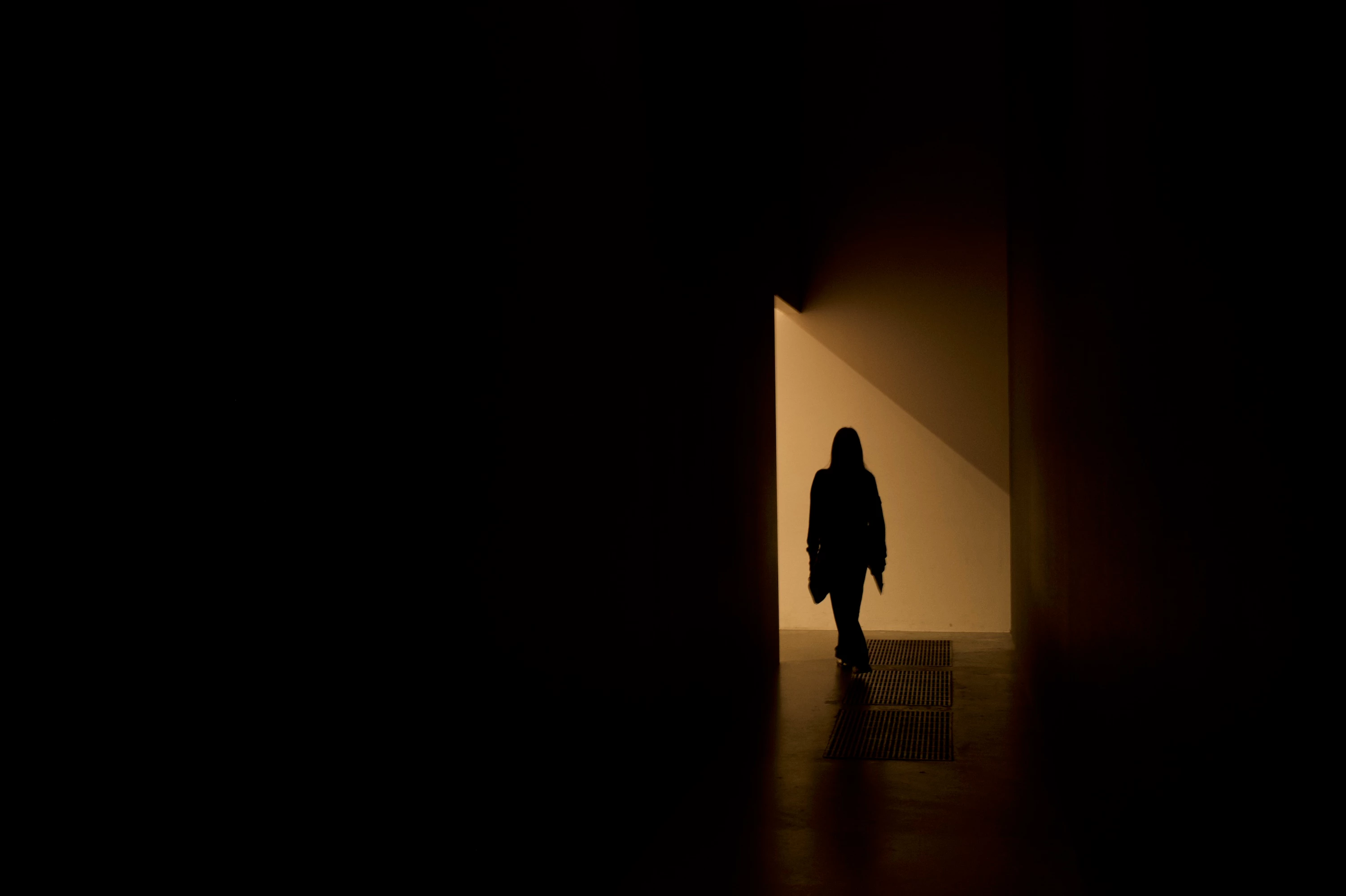
 

(Screengrab from the RAW source file in Finder)


When I export images out of Lightroom (with any setting, edited or even not edited), the artefacts are also present on the export files.
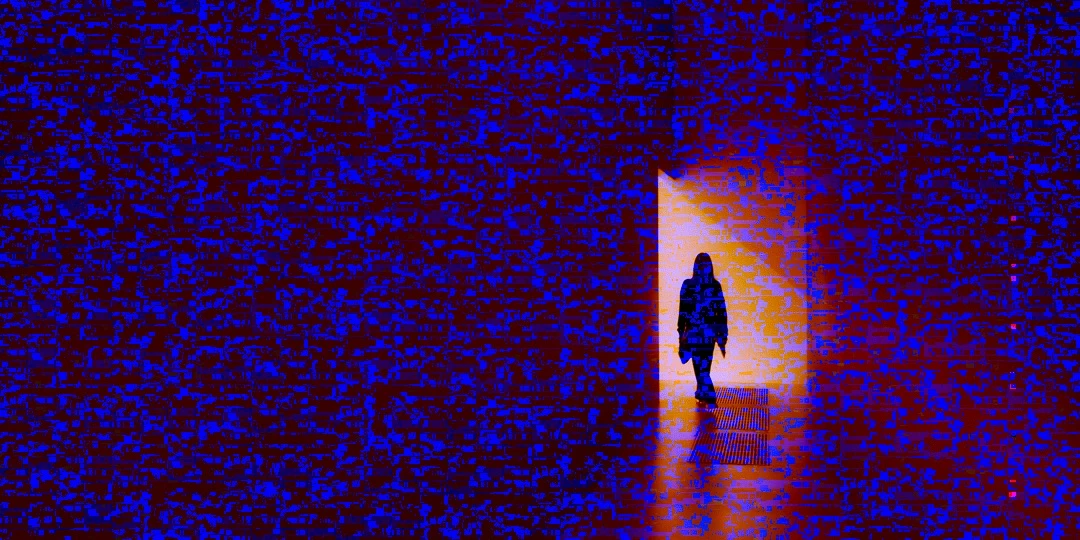
 

(Screengrab from the exported JPG image)


This problem started occuring soon after I applied the new AI noise reduction feature on just ONE (1) photo. 


I already tried:


  • Closing and re-opening Lightroom
  • Shutting down (fully), and restarting the computer after 1 minute
  • Switching the GPU accelrator setting in Lightroom on/off


MY SPECS

  • Lightroom Classic 13.0.1 - Build (202310121438-d2af310c)
  • Macbook Pro 16" - 2019
  • 2,3Ghz 8-core Intel Core i9
  • AMD Radeon Pro 5500M 8GB 
  • 32GB 2667MHz DDR4 memory
  • OS Sonoma 14.4.1


Any help would be greatly appreciated, because this makes the whole software unusable....

Thank you!

139 replies

Participant
October 8, 2024

I have fixed my issue with the custom GPU settings, enable just for the preview. 

Beastmodel
Participating Frequently
October 7, 2024

Unfortunately there is no fix apart from getting a newer Mac! Probably why they haven't fixed it! Keep you spending ££££

Participant
October 7, 2024

My Lightroom Classic appears to be showing my raw files as corrupt and shows the images with green and red pixelated lines across the images (see attached screenshots). BUT, this only happens when I'm in  the Develop module...the lines go away when I'm in the Library module. And, when I export the image, the lines do not appear and the file looks normal.  I am not able to edit anything currently because the lines appear on every image when I select it in Develop. My LRC is updated to the most current version and I am using a mac, Sonomo 14.6.1 OS and version 13.5.1 of LRC. 

Please advise! 

Legend
October 2, 2024

I haven't seen the problem since Sonoma 14.5 on a 2019 MacBook Pro 16" with Radeon Pro 5300M.

johnrellis
Legend
October 2, 2024

@Frédéric26812149d245: "I have strange artefacts only in the dev mode since the last update (13.5.1) and upgrade to Sonoma 14.7. Using a Intel MBP 2019. "


See here for more details and workarouds:

https://community.adobe.com/t5/lightroom-classic-bugs/p-gpu-develop-edit-view-amp-export-artifacts-after-14-4-1-update-amd-only-affects-cr-lrc-amp-lrd/idc-p/14886923#M57140 

johnrellis
Legend
October 2, 2024

@MIkeg2: "I recently updated my 2019 MBP to Sequoia (15.0) and just processed a set of photos w/o issue.  I did AI masking on a number of photos but have not run any AI Denoise yet.  Fingers crossed that this bug is fixed...."


That's encouraging, thanks. Anyone else with experience (positive or negatyive) to report?

Participating Frequently
October 2, 2024

I recently updated my 2019 MBP to Sequoia (15.0) and just processed a set of photos w/o issue.  I did AI masking on a number of photos but have not run any AI Denoise yet.  Fingers crossed that this bug is fixed....

Legend
October 2, 2024

This is a known issue, there was apparently a buggy GPU driver in an Apple system update. I have seen it but not recently, and its unclear whether this has been fixed in macOS Sequoia.

Participant
September 29, 2024

Spot on! A good old-fashioned restart seems to have corrected the artifacts, which're no longer showing. Thank you for your fast response~

Participant
September 28, 2024

When I imported my photos, they were normal in Library Preview but when I switched to Developer Mode I got this crazy coloring on every image. It changes when I zoom it, but I can't get rid of it. How can I correct this?


[moved from bugs to discussions according to the community rules - Mod.]

johnrellis
Legend
September 28, 2024

Most likely you're on an Intel Mac with an AMD Radeon 5000-series GPU. If you're not, then do the command Help > System Info and copy/paste its entire output here.


Apple released a buggy graphics driver for it in Mac OS 14.4.1. Most people report images covered with static-like noise but a few have reported problems with LR's AI commands.


Users experiencing noise and artifacts can often work around the problem by restarting their computer and/or setting Preferences > Performance > Use Graphics Processor to Off.  But for problems with AI masking caused by the buggy driver, you're out of luck: For some inexplicable reason, Adobe refuses to allow users to disable use of the GPU by LR's AI commands.


Adobe says they notified Apple months ago.  There have been a few reports that updating to Mac OS 15 (Sequoia) fixes at least some of the issues.  If you try Mac OS 15, please let everyone here know whether or not it works.