



hyund39164868
Participant
April 1, 2024
Answered

P: (GPU) Develop/Edit view & Export artifacts after 14.4.1 Update (AMD-only) (affects Cr, LrC & LrD)

  • April 1, 2024
  • 139 replies
  • 100162 views

Hi,


Since just now, I've been experiencing a weird bug / crash in Lightroom Classic (on a Mac), where ALL my photos suddenly are fully covered in artefacts in the Develop module.
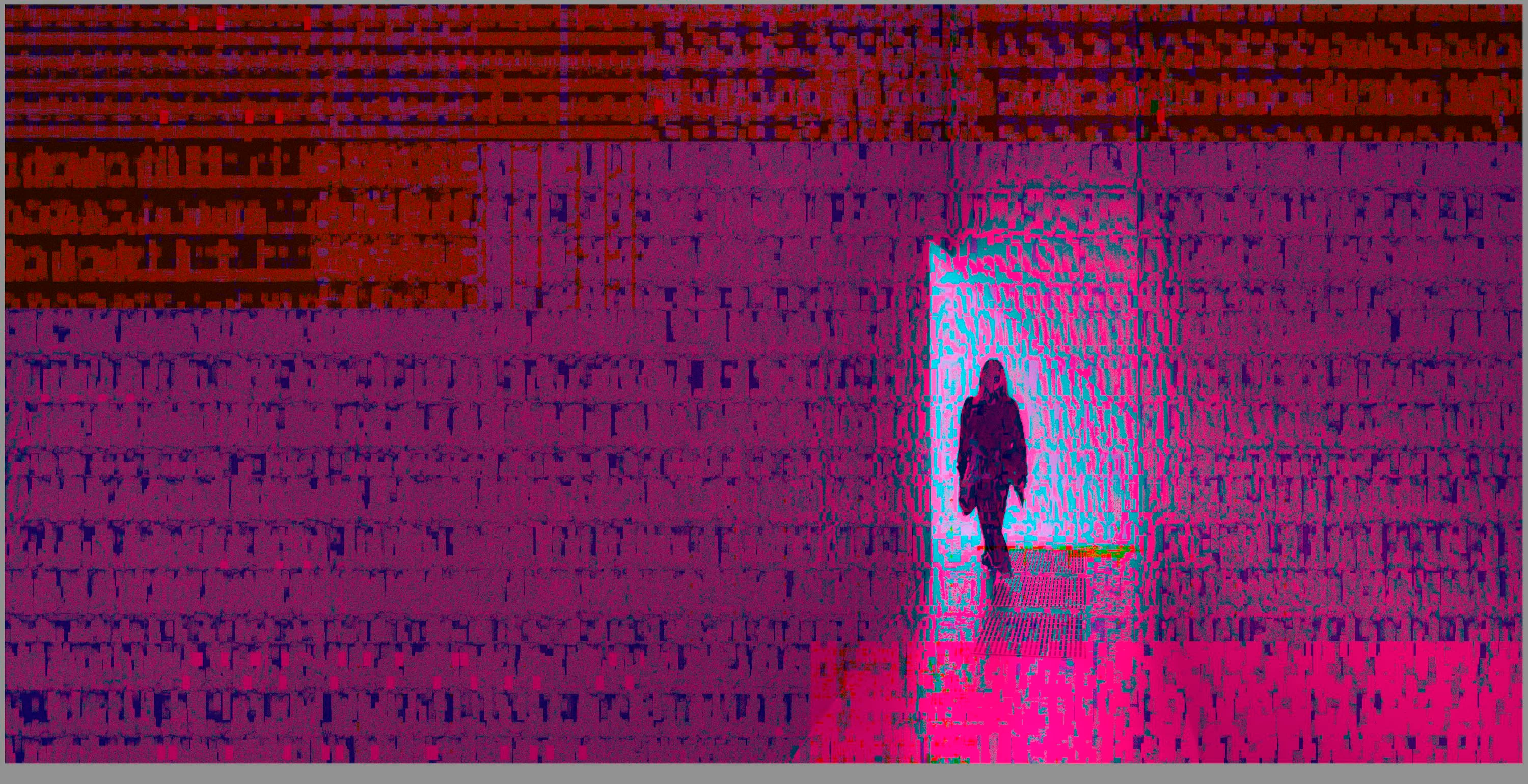
 

(Screengrab from the Develop module in Lightroom Classic)


When I check the linked RAW + JPEG source files in Finder, they all seem ok (they don't look corrupted, nor show any artefacts here), meaning the issue is within Lightroom.
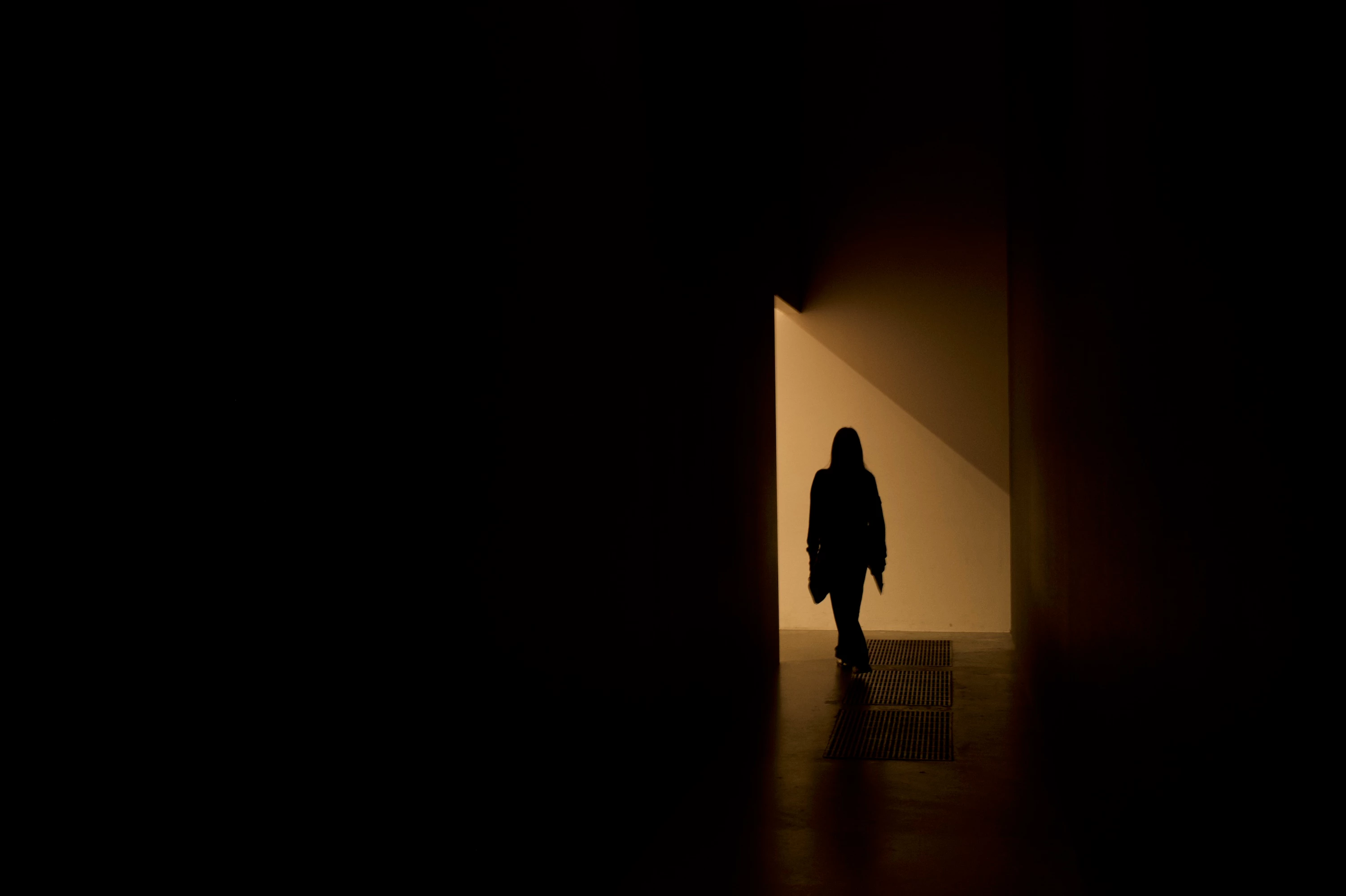
 

(Screengrab from the RAW source file in Finder)


When I export images out of Lightroom (with any setting, edited or even not edited), the artefacts are also present on the export files.
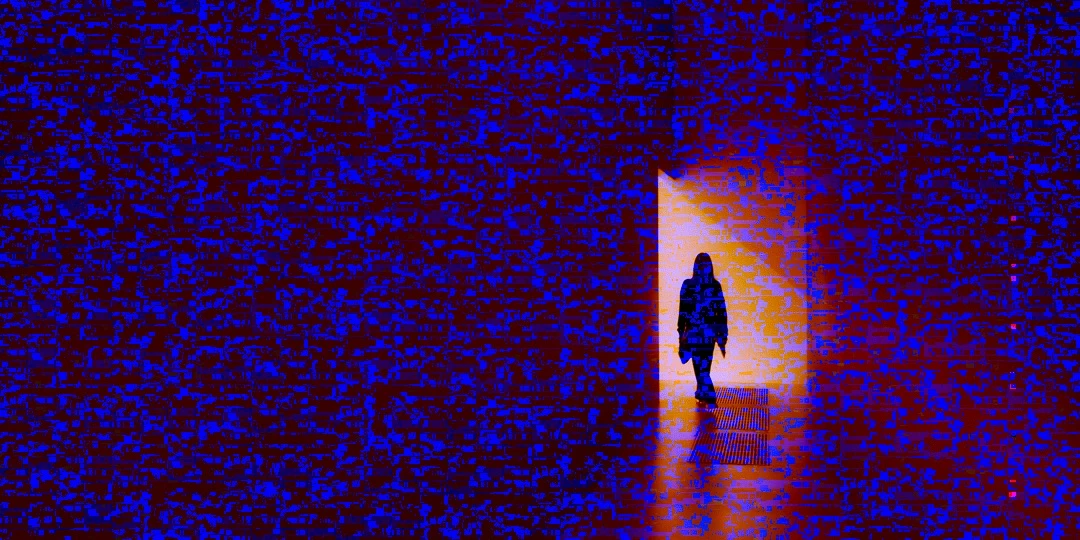
 

(Screengrab from the exported JPG image)


This problem started occuring soon after I applied the new AI noise reduction feature on just ONE (1) photo. 


I already tried:


  • Closing and re-opening Lightroom
  • Shutting down (fully), and restarting the computer after 1 minute
  • Switching the GPU accelrator setting in Lightroom on/off


MY SPECS

  • Lightroom Classic 13.0.1 - Build (202310121438-d2af310c)
  • Macbook Pro 16" - 2019
  • 2,3Ghz 8-core Intel Core i9
  • AMD Radeon Pro 5500M 8GB 
  • 32GB 2667MHz DDR4 memory
  • OS Sonoma 14.4.1


Any help would be greatly appreciated, because this makes the whole software unusable....

Thank you!

139 replies

johnrellis
Legend
September 28, 2024

@shellcreekphoto: "I've had something similar happen. The below screenshot is what Lightroom gave me when trying to use the AI denoise feature."


There are two recent reports that updating an Intel Mac with AMD GPUs to Mac OS 15 (Sequoia) fixes issues with Denoise:

https://community.adobe.com/t5/camera-raw-bugs/p-denoise-large-artifacts-with-amd-graphics-card/idc-p/14886292#M5861

shellcreekphoto
Participant
September 27, 2024

I've had something similar happen. The below screenshot is what Lightroom gave me when trying to use the AI denoise feature.


Legend
September 25, 2024

There is a known bug in the AMD video driver for Intel Macs running Sonoma 14.4 and later. Its unclear if this has been fixed in a later version of Sonoma or in Sequoia. I have seen it on a few images but not recently with a Radeon card in a 2019 MacBook Pro. You can restart the computer or turn off graphics acceleration in Lightroom if this happens.

Participating Frequently
September 23, 2024

I hope it's fixed in 15, otherwise I doubt it will ever get fixed.  The 5500M was only used on two Intel MBP models that are now 5 years old with x86 OSX support headed to the EOL heap. 

johnrellis
Legend
September 22, 2024

Has anyone experiencing this problem tried Mac OS 15 (Sequoia)? To help others, please update this thread with your results.

Participant
September 22, 2024

wenn ich die RAW2 improtiert habe und auf entwicklung gehe zeigt der bildschirm nach kurzer Zeit streifen auf dem Bild. 😞

johnrellis
Legend
September 22, 2024

Confirm that you're on an Intel Mac with an AMD Radeon 5000-series GPU. If you're not, then do the command Help > System Info and copy/paste its entire output here.


Apple released a buggy graphics driver for it in Mac OS 14.4.1. Most people report images covered with static-like noise but a few have reported problems with LR's AI commands.


Users experiencing noise and artifacts can often work around the problem by restarting their computer and/or setting Preferences > Performance > Use Graphics Processor to Off.  But for problems with AI masking caused by the buggy driver, you're out of luck: For some inexplicable reason, Adobe refuses to allow users to disable use of the GPU by LR's AI commands.


Adobe says they notified Apple months ago, but who knows if/when Apple and AMD will release a fixed driver.

Participant
September 22, 2024

I am using:
AMD Radeon Pro 5500M 8 GB
Intel UHD Graphics 630 1536 MB

johnrellis
Legend
September 22, 2024

@Jeff Elzemeyer,


Confirm that you're on an Intel Mac with AMD Radeon 5000-series GPU. If you're not, then do the command Help > System Info and copy/paste its entire output here.


Apple released a buggy graphics driver for it in Mac OS 14.4.1. Most people report images covered with static-like noise but a few have reported problems with LR's AI commands.


Users experiencing noise and artifacts can often work around the problem by restarting their computer and/or setting Preferences > Performance > Use Graphics Processor to Off.  But for problems with AI masking caused by the buggy driver, you're out of luck: For some inexplicable reason, Adobe refuses to allow users to disable use of the GPU by LR's AI commands.


Adobe says they notified Apple months ago, but who knows if/when Apple and AMD will release a fixed driver.

Participant
September 22, 2024
I turned the graphics processor off. I do have the AMD Radon Pro 5500M

Thanks

Jeff

Sent from my iPhone
Participant
September 10, 2024

I've been having this issue for months. While editing, an image will suddenly appear corrupted after making an adjustment. When inspecting the images themselves, they are not actually corrupt. I can typically get it to go back to normal by closing out of lightroom and re-starting my computer. This time around I've gone through that process three times in a row and even switched catalog and the issue persists. I have updated my Lightroom app and my Mac OS is up to date.


AxelMatt
Community Expert
Community Expert
September 10, 2024
My System: Intel i7-8700K - 64GB RAM - NVidia Geforce RTX 3060 - Windows 11 Pro 25H2 -- LR-Classic 15 - Photoshop 27 - Nik Collection 8 - PureRAW 5 - Topaz Photo
Participant
September 3, 2024

I will be editing my photos in Lightroom Classic (13.5 release) on my Macbook Pro 2019 (with Sonoma 14.6.1) and everything will be normal and then all of a sudden my preview images will look like this and every image I click on in my catalog will have these red, green and blue lines. I have to restart my computer to make them go away and have a regular view but I want to understand why this is happening in case there is something wrong with my computer and I need to get it fixed. Anyone got a clue?

johnrellis
Legend
September 4, 2024

You likely have an older Intel Mac with an AMD Radeon 5000-series GPU. Apple released a buggy graphics driver for those in Mac OS 14.4.1. Most people report images covered with static-like noise but a few have reported problems with LR's AI commands.


Users experiencing noise and artifacts can often work around the problem by restarting their computer and/or setting Preferences > Performance > Use Graphics Processor to Off.  But for problems with AI masking caused by the buggy driver, you're out of luck: For some inexplicable reason, Adobe refuses to allow users to disable use of the GPU by LR's AI commands.


Adobe says they notified Apple months ago, but who knows if/when Apple and AMD will release a fixed driver.

Participant
September 1, 2024

I was editing images in Lightroom then at somepoint each one I clicked on became corrupted, I event went back toa previoud editing session from days before with images that were previously flawless/uncorrupted and after the image renders, it renders with these hectic digital corupption lines.


Any ideas? 


Freaking a bit that my whole catalog present and past may show up like this now, afriaad to look at older collections. 

Participant
September 1, 2024

Adttionally, as mentioed, there was no issue mid way through the editing process and previous images from the same card and card reader, and camera had no issues just a few days prioir, so I dont think its a hardware issue.