
Participant
June 16, 2024
Question

Presets are not downloaded
  • June 16, 2024
  • 3 replies
  • 1613 views

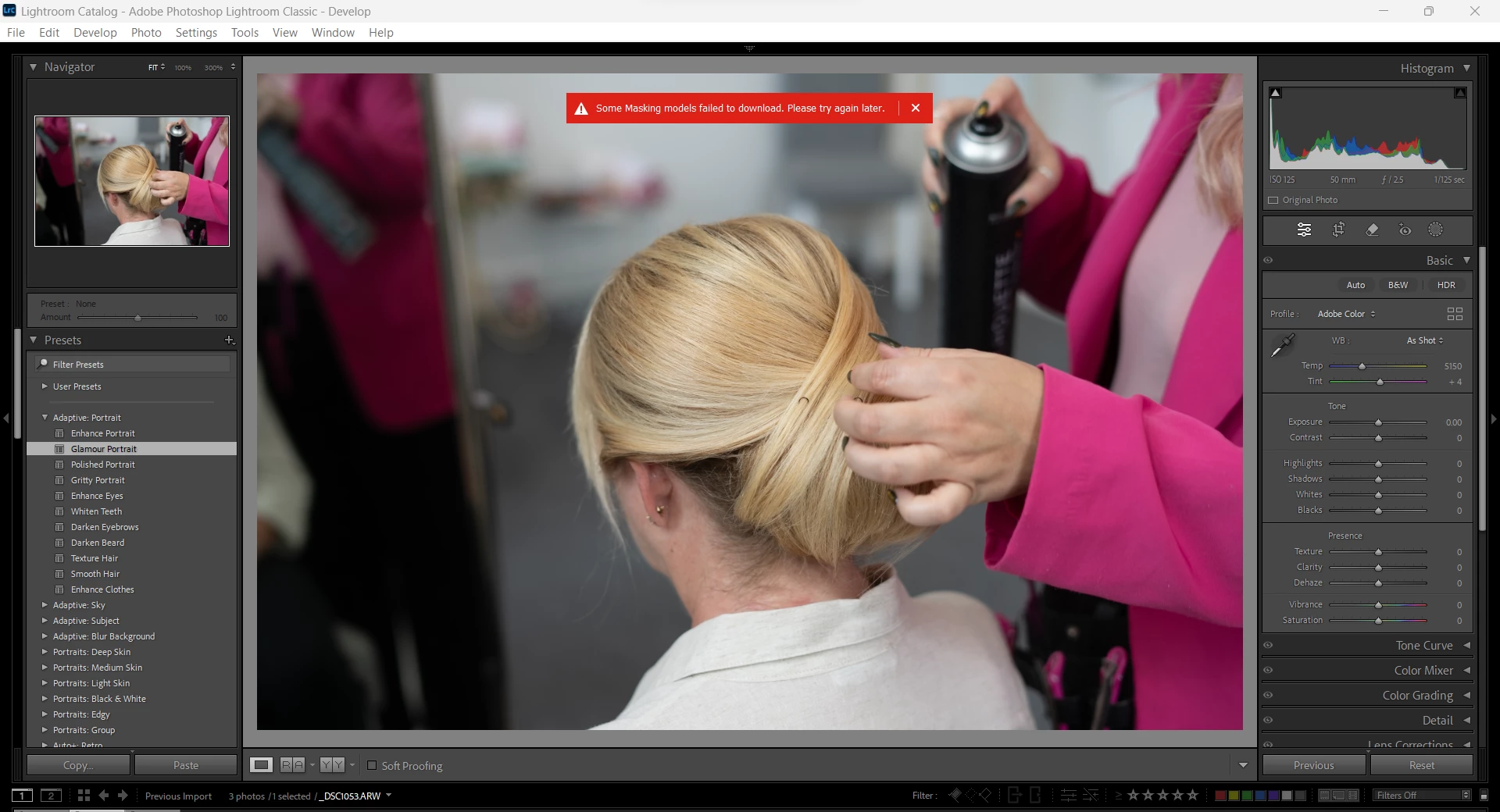
I am completely new to adobe and lightroom classic. I have just installed it and trying to select one of the presets on the left hand side and get the error message above 'Some Masking models failed to downlaod. Try again later' Please can someone advise how to rectify this.

This topic has been closed for replies.

3 replies

Participating Frequently
July 3, 2024

Having the same issue but I can't finf the answer, and if you create a new preset with a mask and you want to apply it to others you get the same message, it is so frustrating. 😞

Participant
July 5, 2024
Hi, I am several weeks in, and have still not had the issue resolved. an
agent has remotely accessed by laptop twice now for several hours trying to
find the answer, but still no further on. I am still waiting to hear back
from them as they have downloaded a file from the guts of my computer, and
are looking into it, this was about 10 days ago. None of adobe presets
work, any that I have created do not work and any that I have downloaded
for free do not work, it just says 'some masking models failed to download,
please try again later' I am totally frustrated and fed up and I am now at
the point of cancelling my subscription and looking for alternative editing
software 😞
Known Participant
August 20, 2024

same here. presets not working, tried the various suggested solutions. still no go in LRC 13.5.

Participant
June 16, 2024

So, from what I can see, the program is failing to download the masking models for 'people' and 'objects'