dunaz
Inspiring
October 15, 2024
Question

Problem exporting from LrC 14.0

  • October 15, 2024
  • 4 replies
  • 551 views

Okay, first of all, I upgraded my LrC this morning, day 1 of Adobe MAX. I don't see in CC that there are any additional updates, nor do I see a way to revert back to the old version. Disappointing.


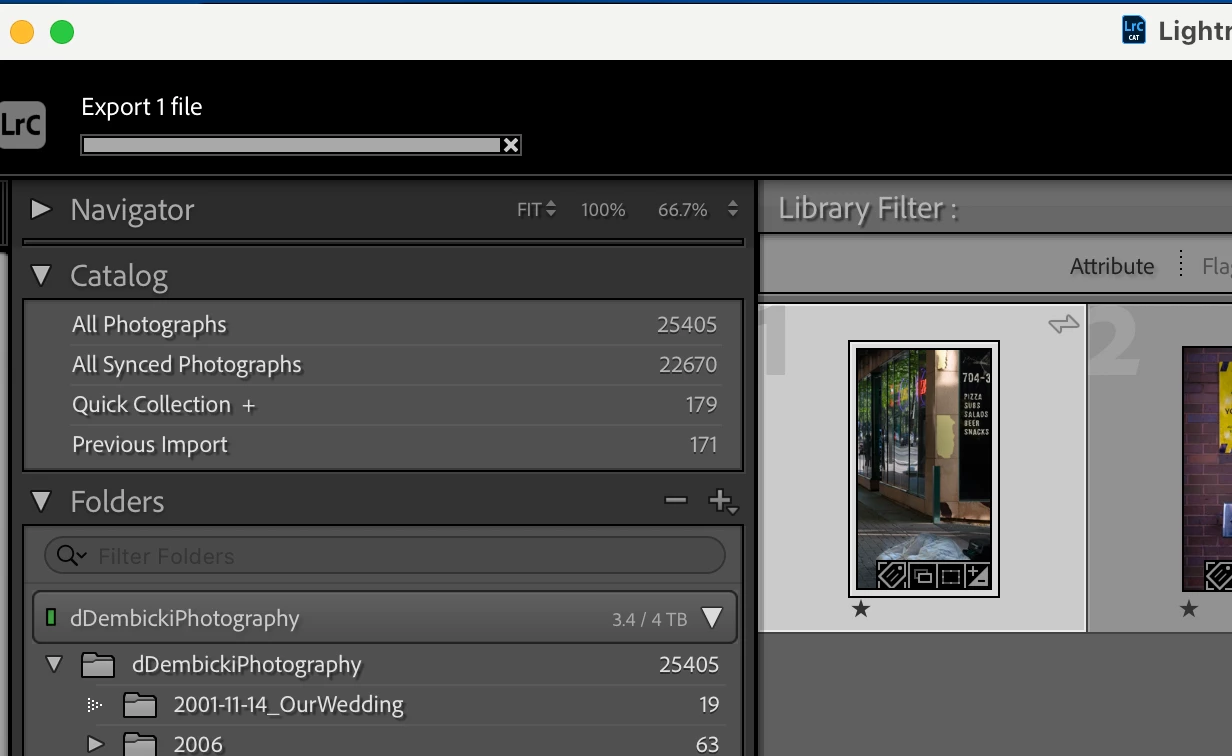
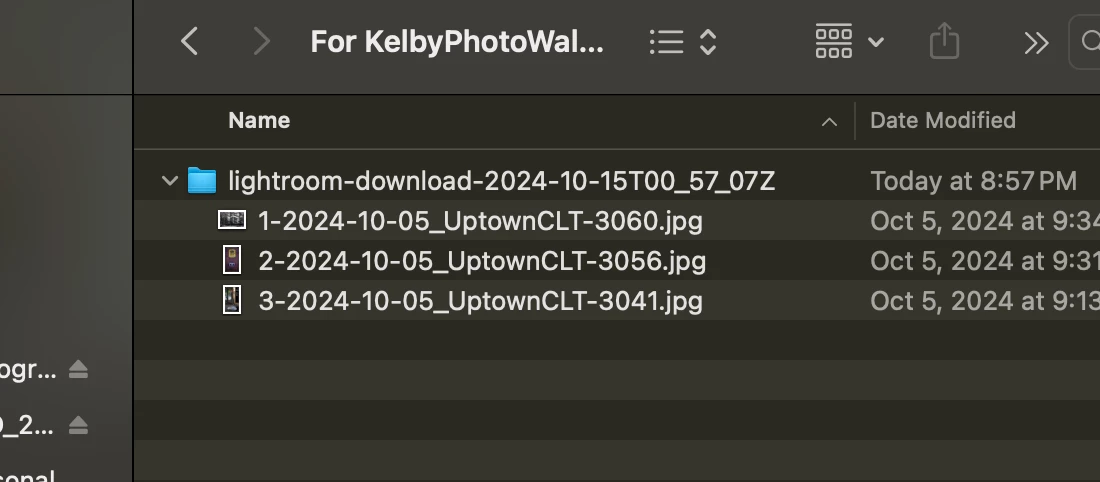
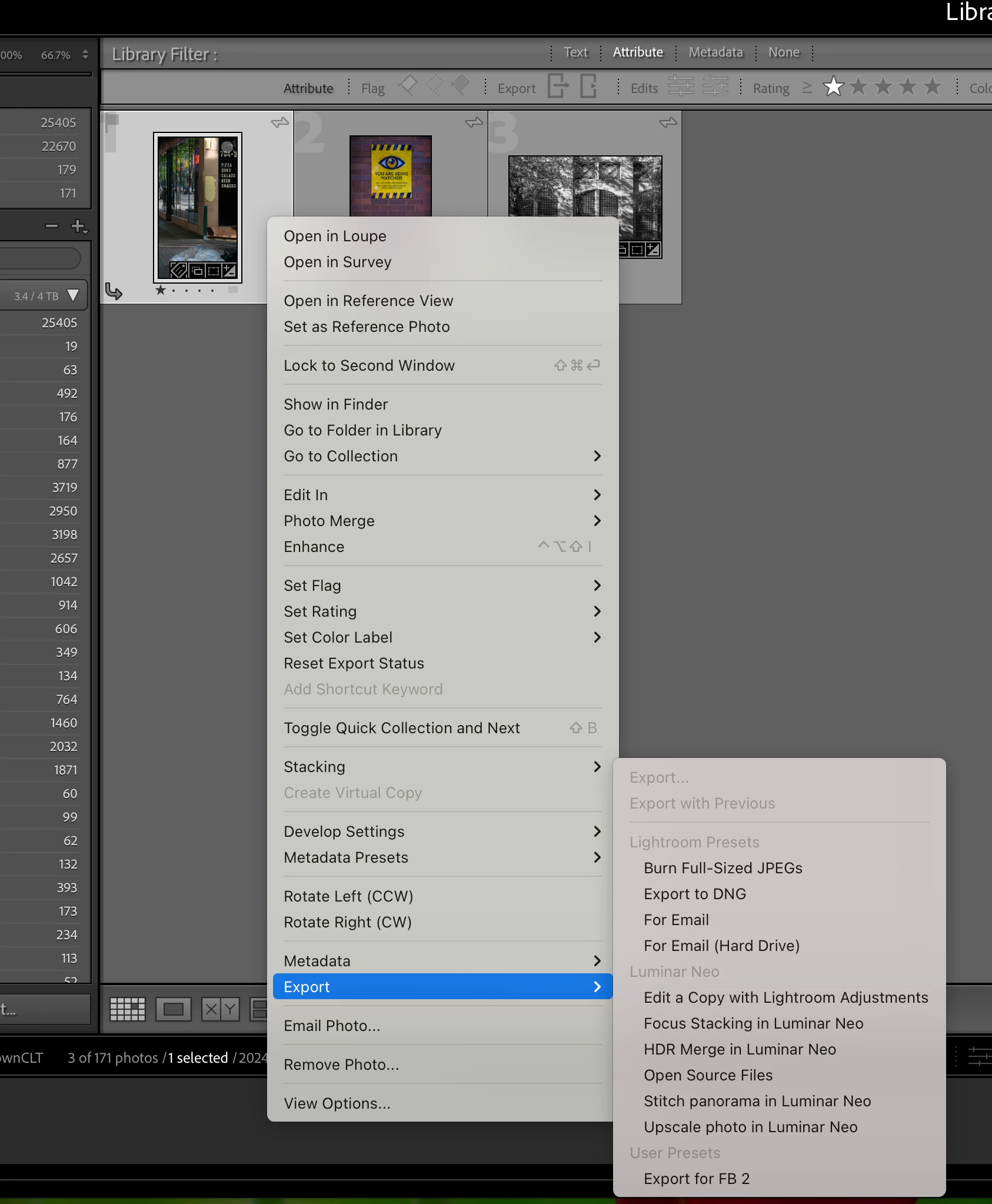
I'm having an issue with exporting images. They don't export. The progress bar fills up but never finishes. I also am not seeing the option to just export, only export with presets. (The image files in the finder screen shot were downloaded from Lr Web.)


Specs: MacBook Pro, M1 Max, Sequoia OS 15.1, LrC 14.0 


I would greatly appreciate any advice. Thank you in advance. Although LrC usually runs smoothly for me, this is frustrating. 


Goodnight, I will check in in the morning. Fried.


This topic has been closed for replies.

4 replies

Inspiring
October 22, 2024

Update: I uninstalled the latest version and went back to v13.5 (?, whatever was the latest before 14). All is working as it's supposed to. So, I might try again to update after they release the first updates to 14. 

Rikk Flohr_Photography
Community Manager
October 15, 2024
Rikk Flohr: Adobe Photography Org
dunaz
dunazAuthor
Inspiring
October 15, 2024

Very similar. I don't get any error messages though.

But, I have a bigger problem. I uninstalled/reinstalled LrC and now it wants me to import my images. All 22,000+ of them. Can't I just open the catalog file? 

JohanElzenga
Community Expert
Community Expert
October 15, 2024

"nor do I see a way to revert back to the old version. Disappointing."


You can always go back to a previous version. Uninstall, then click on the three dots next to the Install button.


-- Johan W. Elzenga
dunaz
dunazAuthor
Inspiring
October 15, 2024

Yeesh, thanks for the reminder, duh. 😜

AxelMatt
Community Expert
Community Expert
October 15, 2024

Please try to reset the preferences to the default settings by doing the following steps:

  • Close Lightroom.
  • Hold down [Opt]+[Shift] while restarting Lightroom.
  • Overwrite the Preferences when prompted by the dialog.
  • Close Lightroom.
  • Restart Lightroom.


It's recommended to backup your preferences before you reset the preferences to the default settings: 

https://helpx.adobe.com/lightroom-classic/kb/preference-file-and-other-file-locations.html

My System: Intel i7-8700K - 64GB RAM - NVidia Geforce RTX 3060 - Windows 11 Pro 25H2 -- LR-Classic 15 - Photoshop 27 - Nik Collection 8 - PureRAW 6 - Topaz Photo AI
dunaz
dunazAuthor
Inspiring
October 15, 2024

The above steps did not change anything. I think I'm going to do as JohanElzenga suggests and uninstall and go back a version.