
Question
Raw Bilder werden nicht angezeigt - weißes Bild
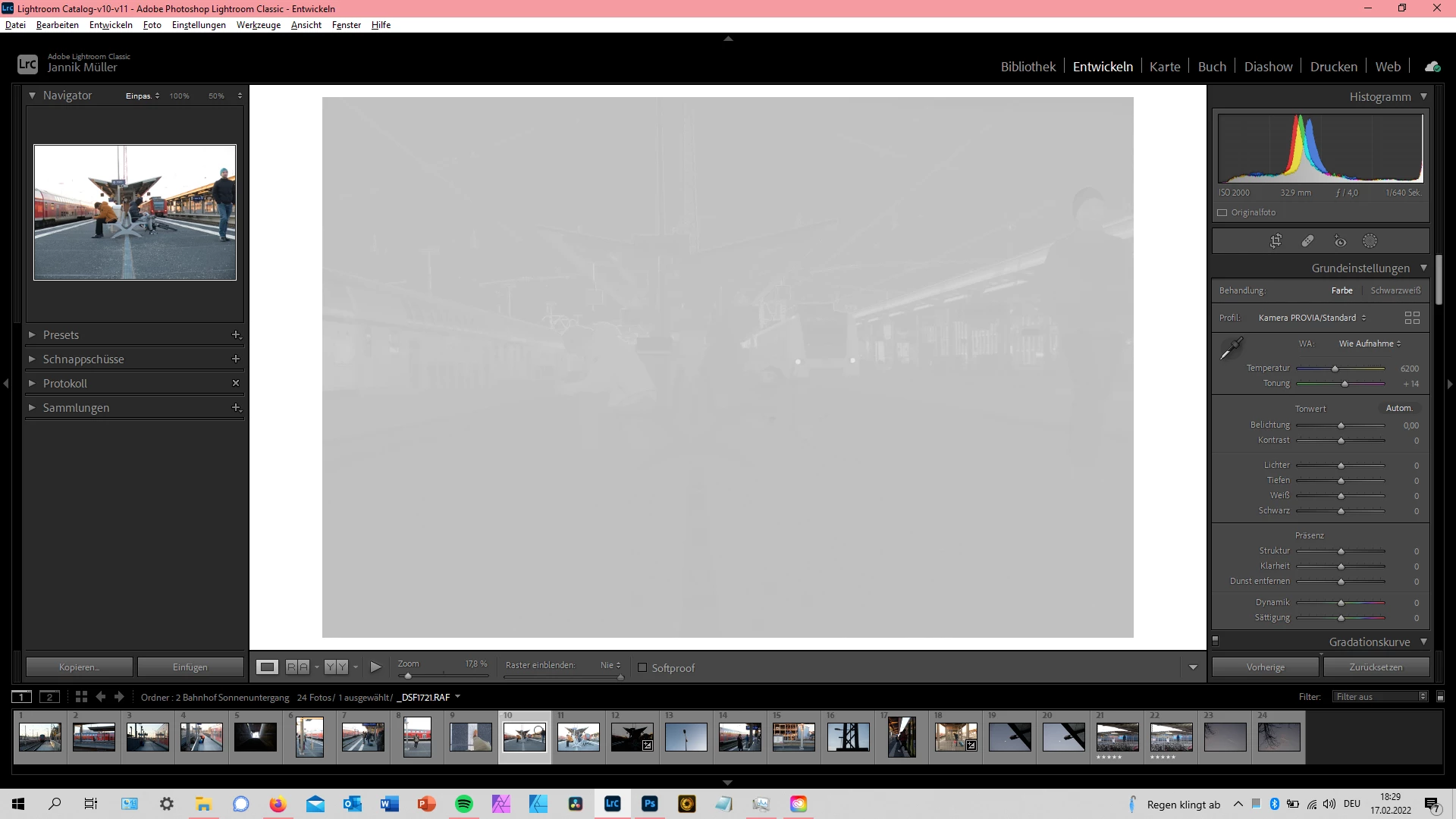 Ich benutze die aktuellste Verion von Lightroom (V11.2) und fotografiere meine Fotos mit der Fujifilm XT-2.
Alles war bisher super, ich konnte alles bearbeiten, bis ich heute dieses Trauerspiel mit anschauen musste.
Meine Raw dateien werden nicht korrekt angezeigt, das Bild ist erkennbar, jedoch sehr grau und überhaupt nicht realistisch. Das Bild kann ich ganz normal bearbeiten, man erkennt die Veränderungen halt nicht...
Wenn ich das gleiche Bild in (Photoshop)Camera-Raw öffne, wird es ganz normal angezeigt.
JPG-Dateien funktionieren einwandfrei.
Bitte um hilfe, ich verzweifel...
 AdChoices