
swebsurf
Participating Frequently
April 21, 2023
Question

Raw photo appears to have been altered after running AI Denoise in Lightroom desktop 12.3

  • April 21, 2023
  • 5 replies
  • 3326 views

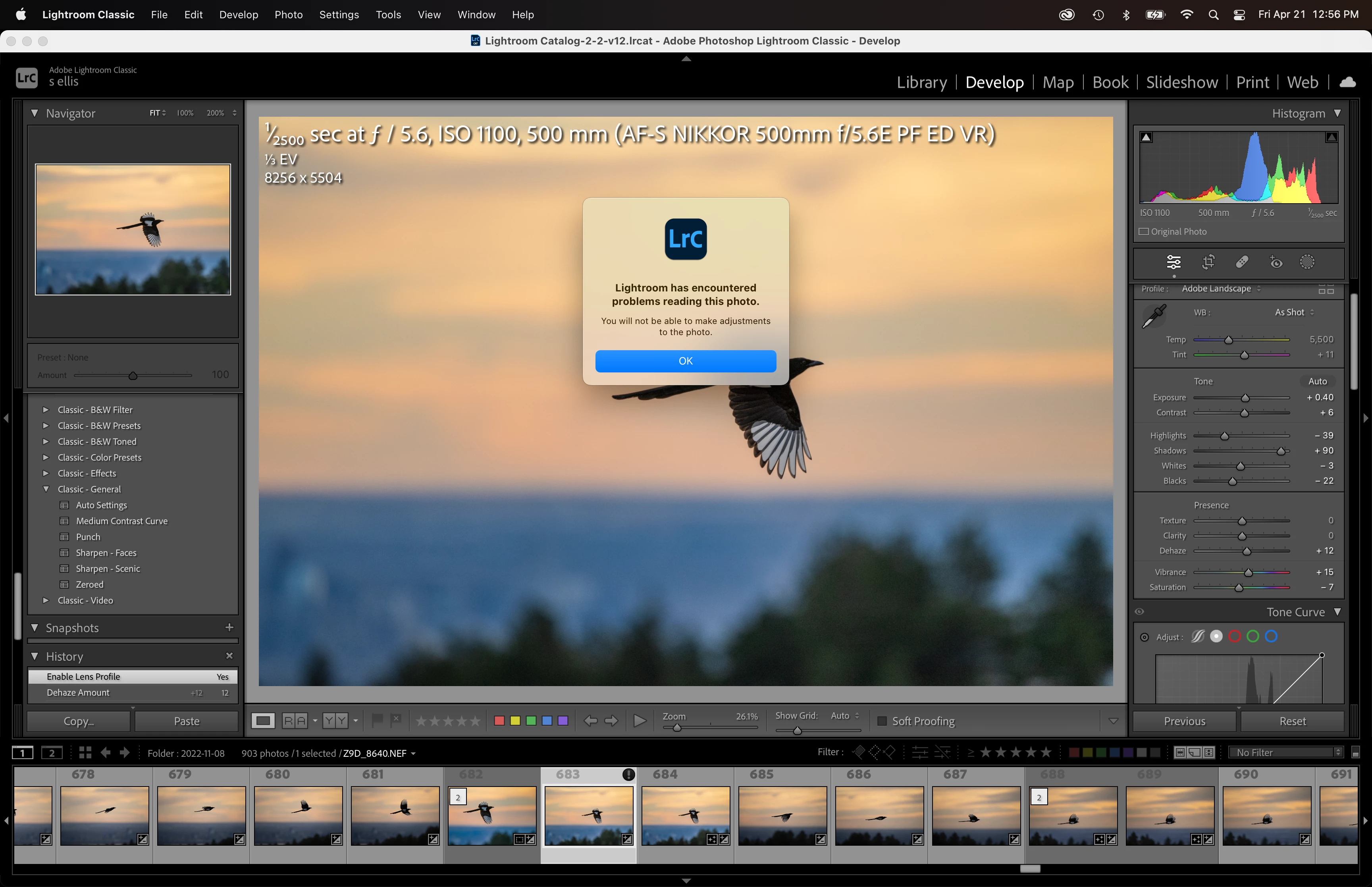
After updating to 12.3 with the new AI Denoise feature, I've seen some cases where the original file will contain an '!' which, when clicked, pop up the message 'Lightroom has encountered problems reading this photo. You will not be able to make adjustments to the photo. I tried making further adjustments to both the raw file and the resulting DNG file and was able to without incident, so far. To make things even more confusing when I was investigating this one of those that displayed the warning no longer displays the warning; I even tried Denoising that photo again, but the warning did not occur.  I wish I could reproduce this, but so far I cannot.  I've noticed this behavior on 2 different photos from 2 different photo sets, neither shows the warning now.

Anyone else see this? Any ideas?

Here is a screenshot from today when I saw the warning; the warning flag is now gone from this photo
This topic has been closed for replies.

5 replies

Yukon Dan
Inspiring
April 25, 2023

Yeah, this is happening to me. If you unstack the original and the new DNG, the exclamation mark only seems to appear on the new DNG for me. In the Library module, LR won't read the image. It just appears super blurry. However, if I switch the Develop module, the image is viewable correctly, and, despite the warning message, I can actually edit the image. But it's annoying that I can't view it in Library.

Inspiring
April 26, 2023

Hi

The same happens to me on DNG photos too.

Has anyone solved the problem?

Fabio

Inspiring
April 26, 2023

Hello

I closed and then reopened the catalogue and the warning with the question mark disappeared.

Fabio

DdeGannes
Community Expert
Community Expert
April 24, 2023

I have only one thought for @swebsurf , do you have have " Automatically write metadata to XMP" in your preferences?


Regards, Denis: iMac 27” mid-2015, macOS 11.7.10 Big Sur; 2TB SSD, 24 GB Ram, GPU 2 GB; LrC 12.5,; Lr 6.5, PS 24.7,; ACR 15.5,; (also Laptop Win 11, ver 24H2, LrC 15.0.1, PS 27.0; ) Camera Oly OM-D E-M1.
Participating Frequently
April 24, 2023

Same exact thing is happening to me!  This just started once I updated to the latest Lightroom 12.3.  I was just on with the Adobe support and they said it could be a permissions problem... They had me do some stuff in my settings.  Hopefully this fixes the problem.  Have you had any luck?

Participating Frequently
April 24, 2023

Hello,

I am using the latest Lightroom (12.3 Version, Camera Raw 15.3).  I have never before encountered a problem with Lightroom reading my images, but I am now getting an error message on seemingly random files.  The message says "Lightroom has encountered a problem reading this image.  You will not be able to make adjustments to this Photo."  I then see an exclamation point on the thumbnail photo...  However, if I shut down Lightroom and reopen the program the error message goes away and there are no issues with the images anymore.  I am able to adjust the photo in Lightroom and export it no problem.  Seems like there may be a bug in the latest update.  Is anyone else having this issue?

Thanks!

TheDigitalDog
Inspiring
April 24, 2023

Odd but at this point, maybe try resetting your preferences, might fix it:

Try resetting your Lightroom preferences:
https://helpx.adobe.com/lightroom-classic/help/setting-preferences-lightroom.html
Also see: https://community.adobe.com/t5/lightroom-classic-discussions/important-steps-for-manually-resetting-preferences-omitted-from-help-article/td-p/12972518

Quit Lightroom Classic.
macOS: Press and hold the Shift + Option keys.
Windows: Press and hold the Shift + Alt keys.
While holding down the keys, launch Lightroom Classic.
When asked, select "Yes". 

Author “Color Management for Photographers" & "Photoshop CC Color Management/pluralsight"
Ian Lyons
Community Expert
Community Expert
April 21, 2023

I seen this few times. For some reason, LrC believes that the file is no longer available/accessible. It seems quite benign, and usually clears the issue as quickly as it appears. I have tried to reproduce the issue in order that I can submit a bug report, but haven't been able to come up with reproducible steps.


And before anyone suggests you to reset set your preferences, switch of the GPU off, etc  - don't! None of these work.