

Sean H [Seattle branch]
Known Participant
April 6, 2023
Answered

solved -- Adjustment brush paints a smaller circle and circle flickers in use

  • April 6, 2023
  • 2 replies
  • 347 views

Solved: LR doesn't deal well with enlargements in the MacOS cursor size settings. Adobe, will you fix this?


_________


I keep seeing issus that persist through sys/app reboots where the brush size paints areas that are significantly smaller than the diamter selected. The brush circle also flashes when moving and hides when the mouse is static.
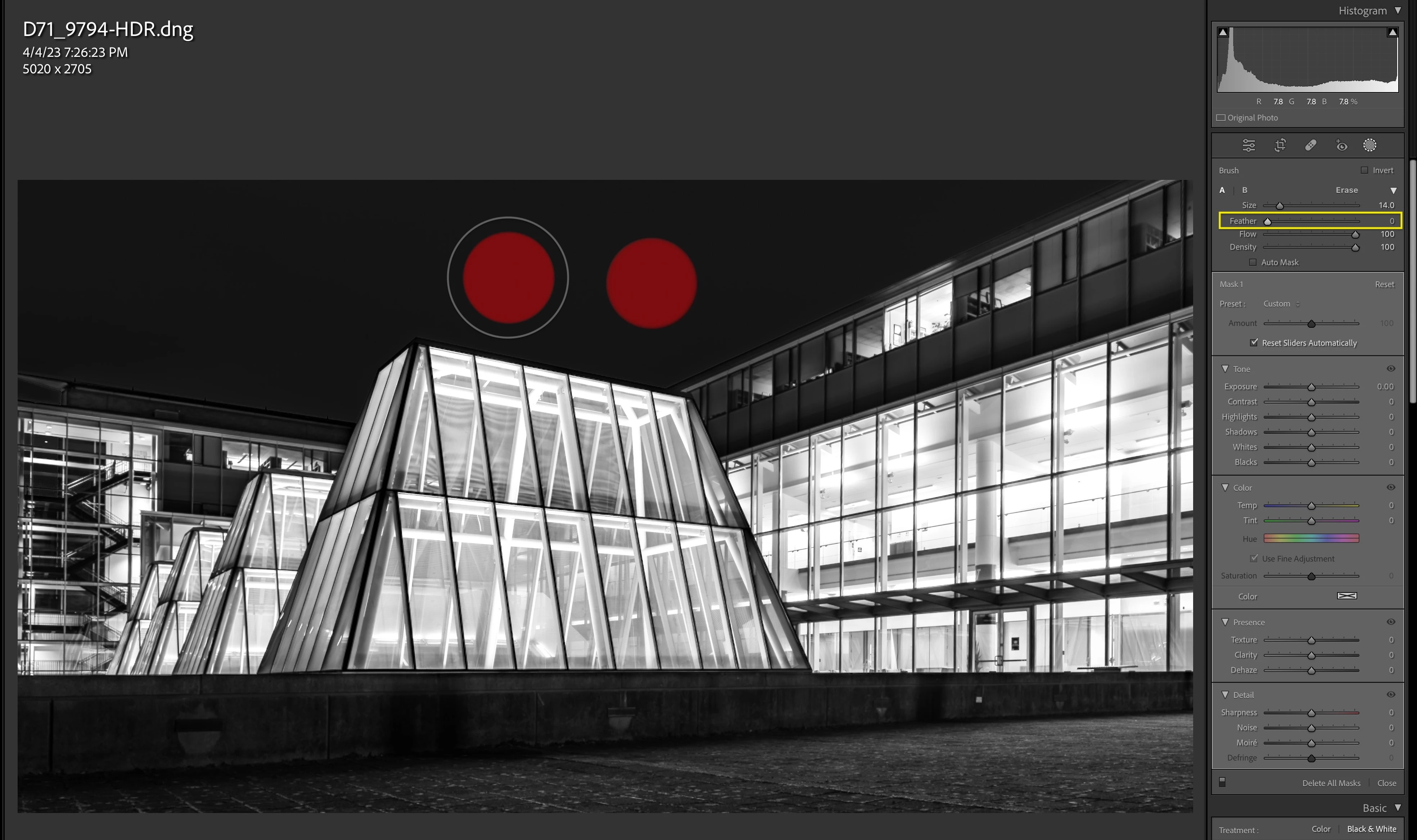
  • Mac Studio Ultra / 128GB RAM / 2TB internal SSD
  • Mac Ventura 13.3
  • Lr 12.2.1
This topic has been closed for replies.
Correct answer JohanElzenga

Check your MacOS System Settings. There is an option to make cursors bigger, which would explain what you see. It's in MacOS System Settings - Accessibility - Display - Pointer.


2 replies

JohanElzenga
Community Expert
JohanElzengaCommunity ExpertCorrect answer
Community Expert
April 6, 2023

Check your MacOS System Settings. There is an option to make cursors bigger, which would explain what you see. It's in MacOS System Settings - Accessibility - Display - Pointer.


-- Johan W. Elzenga
Sean H [Seattle branch]
Known Participant
April 6, 2023

Solved. Thanks! Man, I hope they compensate for this in the future. My OS pointer is too small on my mac desktop! 

[ ◉"]
Community Expert
April 6, 2023

The first thing that you should try is to switch off the GPU support from the Lightroom preferences and check if that helps to fix the issue.

Go to Lightroom > Preferences > Performance tab > Uncheck "Use Graphics Processor" > Restart Lightroom.

https://helpx.adobe.com/lightroom-classic/kb/troubleshoot-gpu.html


If Lightroom doesn't start correctly the please see "Solution 2" in the document behind the link below.

Troubleshoot GPU issues | Lightroom Classic (adobe.com)


Another step is to try to reset the Lightroom preferences.

https://www.lightroomqueen.com/how-do-i-reset-lightrooms-preferences/

It's recommended to backup your preferences before you reset the preferences to the default settings:

https://helpx.adobe.com/lightroom-classic/kb/preference-file-and-other-file-locations.html


If this doesn't help, please provide also a copy of your 'System Info'. This can be get from the LrC Help > System Info menu item. There's a copy button in the System Info dialog. Press this button and paste the info into your next forum post.


My System: Intel i7-8700K - 64GB RAM - NVidia Geforce RTX 3060 - Windows 11 Pro 25H2 -- LR-Classic 15 - Photoshop 27 - Nik Collection 9 - PureRAW 6 - Topaz Photo AI