Participating Frequently
August 9, 2024
Question

AI Noise reduction in Lightroom causing color shift in photo from Fujifilm X100V

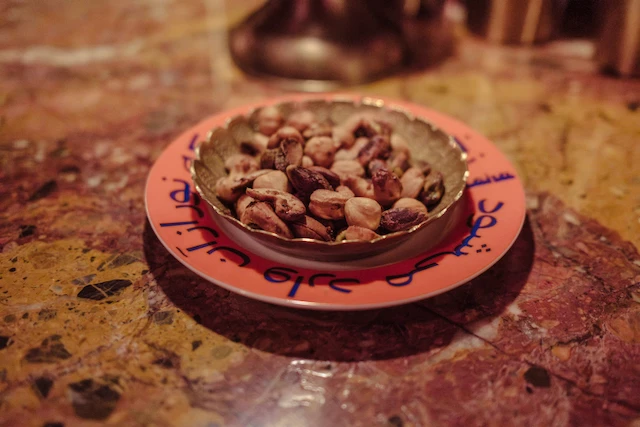
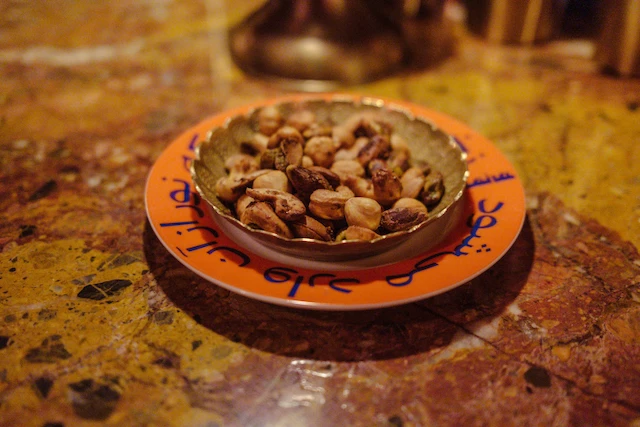
Issue: When I use the AI Noise reduction in Lightroom, the colors in the resulting new DNG seem to have more blue in them. The camera I'm using is a Fujifilm X100V with the latest firmware (3.0.1). Lightroom version is 7.4.1. 


To reproduce: Apply AI Noise Reduction (I used level 20) to an X100V RAW file; Compare colors.


Sample before and after photos below.


This topic is closed to new replies. Start a new post to keep the conversation going.

3 replies

Participating Frequently
November 1, 2024

I have the same issue with my XT2 files (and the same issue with XT4 and XH2 files).


https://community.adobe.com/t5/camera-raw-discussions/p-denoise-color-shift-from-the-original-to-the-denoise-version-fuji-x-t4/td-p/14546246

Translate
kglad
Community Expert
Community Expert
August 10, 2024

in the future, to find the best place to post your message, use the list here, https://community.adobe.com/

p.s. i don't think the adobe website, and forums in particular, are easy to navigate, so don't spend a lot of time searching that forum list. do your best and we'll move the post (like this one has already been moved) if it helps you get responses.


<"moved from using the community bugs">
Translate
Participating Frequently
August 10, 2024

Hey, kglad, thank you so much. I'm not a frequent poster here. Really appreciate the assist. Cheers!

Translate