
Participant
August 1, 2022
Answered

(Windows) Lightroom telling me to resubscribe when I already have an active subscription

  • August 1, 2022
  • 4 replies
  • 2526 views

Hello,

I have previously used lightroom's free 7-day trail and decided today that i wanted to use it again. I signed up for the 20gb Photography plan (which inlcudes both Lightroom and Photoshop) and when i start up Lightroom now it says i need to renew my subscription in order to use it when i've already subscribed to it. I would love to have this solved
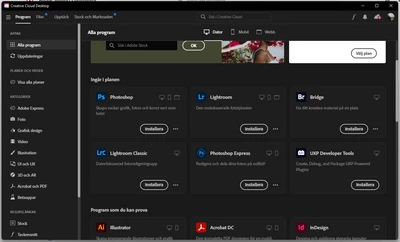
 

(this image showing the programs included with my plan)
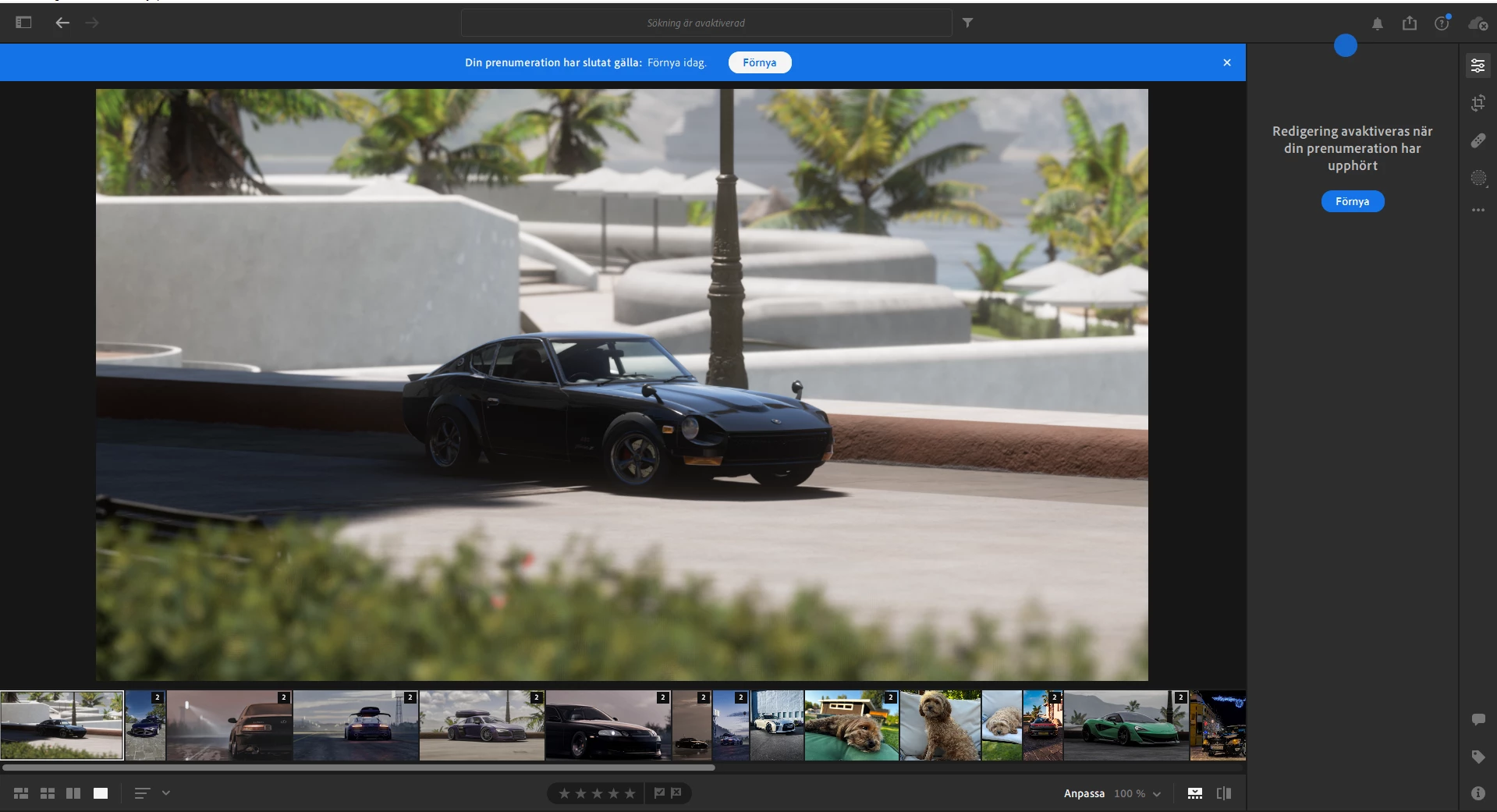
 

(this image to show that in Lightroom its telling me to renew my subscription in order to edit pictures)


{Thread title updated by moderator}

Correct answer peter-b8062983

Apologies -- it looks like there is a problem on our side updating your subscription status.  I have fixed this -- please retry.


-Peter

4 replies

Participant
March 4, 2025

I'm paying $9.99/month for a plan and when I open a program it asks me if I want to subscribe. Just happen recently.

Participant
August 5, 2024

Having the same issue too

Ian Lyons
Community Expert
Community Expert
August 5, 2024
Participant
August 17, 2022

I am having the same issue. I just got Lightroom today, so I have a 7 day free trial. But everytime I try to edit in the app it says that I need to renew my subscription. But when I got to the subscription it says it's active. 

peter-b8062983
Adobe Employee
Adobe Employee
August 18, 2022

The only subscription that I see associated with the account id that you've used for this user forum shows a cancelled subscription.  Is it possible that you have accidentally subscribed with a different ID than you are using for login?

Participant
August 18, 2022

I canceled the subscription because I didn't want to get charged considering it wasn't working. I will try subscribing again tomorrow.

Sameer K
Community Manager
Community Manager
August 1, 2022

Hi there,


Thanks for reaching out. We're sorry for the trouble with Lightroom. I'd love to help you figure this out.


Have you tried signing out of the Creative Cloud app and signing in again? Try these steps.


  • In the Creative Cloud app, press & hold CTRL + ALT + T (Win) to launch Creative Cloud Troubleshooter & select 'Close Creative Cloud and related processes' > click on Go.


  • Windows - Press Windows + R to open Run Dialogue > enter %TEMP% > Click on OK > Delete any files or folders with 'NGL' in their names.
  • Restart the computer
  • Sign in to Creative Cloud again and let us know if the error persists.


Let us know how it goes.

Thanks!
Sameer K

Participant
August 1, 2022

Hi, 

Did as instructed but to no avail. I've gone as far as deleting every file related to lightroom and Creative Cloud, restarted the computer and redownloaded CC along with lightroom. 


I also noticed that when trying to use lightroom on my phone (iOS) it just says "preparing your subscription". It has stayed like this for the past few hours. I have had no previous issues with apple pay.

peter-b8062983
Adobe Employee
peter-b8062983Correct answer
Adobe Employee
August 1, 2022

Apologies -- it looks like there is a problem on our side updating your subscription status.  I have fixed this -- please retry.


-Peter