


Participant
July 27, 2021
Question

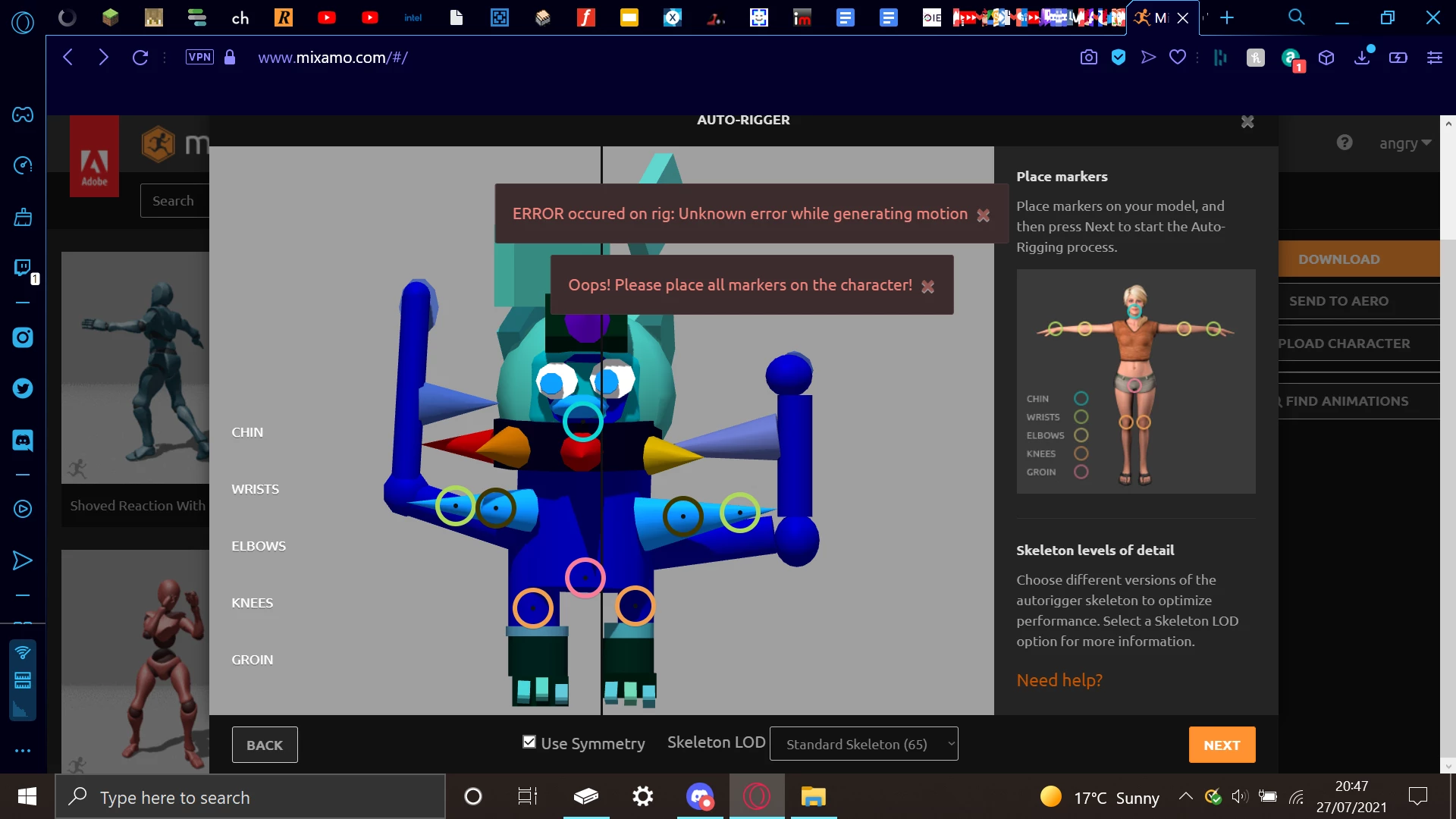
mixamo doesn't think i placed the markers on my model

  • July 27, 2021
  • 5 replies
  • 8246 views

i made a 3d model of my animal jam penguin so i could start vtubing but when i auto-rig it in mixamo i get this error! if anyone can fix it, i have the model file attached below. if possible i would prefer "definatly unrigged virtualbird121" as the one i use ("definatly" bc the "unrigged virtualbird121" was actually a little bit rigged but i couldn't find the remaining armature)
This topic has been closed for replies.

5 replies

Participant
December 15, 2021

Hello, I couldn't display placing markers window, it is skipping after i uploaded my character and motions page opening directly with my character but with wrong rigging how can i fix it ?

Participant
September 21, 2024

same doubt man!

Participant
November 30, 2021

I also get the same error messege. My problem is, my model doesnt appear on the Auto Rig window,so i cants place my markers in the right positions. If anyone knows how to solve this please help. Thanks.

Participant
March 12, 2022
Ussnorway7605025
Legend
March 12, 2022

fyi its not the roughness map that causes the error but the type of map
phyically based textures are what Mixamo is desined to use i.e, Nvidia standard not metal


when Adobe jumped on the band wagon with Apple they buggered up all their 3D software

Fuse, Mixamo, Photoshop and Dimension all suffer but you can workaround it

https://community.adobe.com/t5/dimension-discussions/roughness-in-dimension-don-t-work-help-please/m-p/11351361#M3895

Ussnorway7605025
Legend
July 29, 2021

a few points need to be worked on;

  1. you can't have floating bits... remove them
  2. your two triangles coming from the turso are being seen as arms... remove them
  3. the remaining two arms are what the major cause of error is coming from but at this point Mixamo will rig the model
  4. I would adjust the arms so; they both come out of the turso at the same centerline [not 1 behind the body], and so they have no gaps, and finally as more or less the same size but its your model mate

see these images

Ussnorway7605025
Legend
July 29, 2021

try this

can you share the model?

angry5F95Author
Participant
July 29, 2021
fixed_virtualbird121.fbx
Ussnorway7605025
Legend
July 28, 2021
  • your model does not have fingures so change standard rig to claw
  • you placed the arm markers on the collar spikes in that screenshot... move them to the arm in stead
  • there is no real neck so imo you will be best to move the chin marker down [just above the red spike] and the groin marker up a little
  • the model is off centre so untick symmetry
angry5F95Author
Participant
July 28, 2021

the things the arm markers are on are actually the flippers. the things behind them are the wings of my armour. other than that i will try and correct everything else you pointed out