


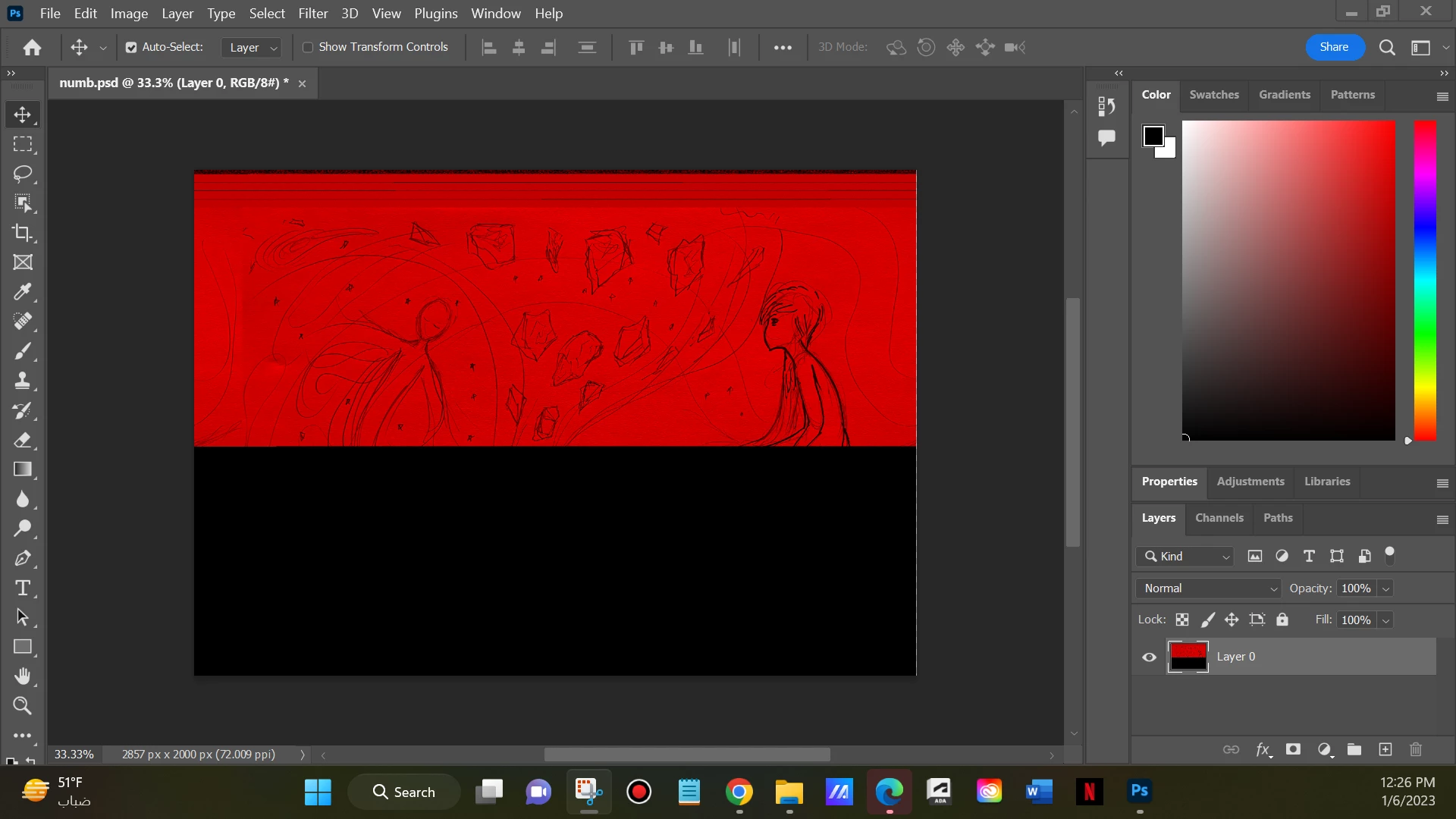
All layers gone; one half red half black (damaged) layer left
Adobe Photoshop Version: 24.1.0 20221206.r.166 be4691b x64
Operating System: Windows 11 64-bit
I've been working on a drawing for three days continuously, it was almost done, I saved the file and sent my laptop to sleep, today I opened the laptop had a feeling to save, close the file before something happens, I saved and closed the file, after 10 seconds the blue death screen showed up, it usually happens, after it woke up I opened the file and all layers were gone, the file had one layer as background, half of it is an old refernece sketch suddenly filled with red, the other half is just black, and the workspace isn't the same, nothing in it's place.
I always keep copies and backups, or even exported images for each progress, but I didn't have any for this file since it was a personal drawing and not a paid drawing. Also my last restore date was on Jan 1, the drawing's further work was after this date.
I can work another 20 hours but if there's anyway to fix this, please tell me.
 AdChoices