


Participating Frequently
July 22, 2024
Answered

App cannot be verified and give an error, first 12015 and then 102

  • July 22, 2024
  • 14 replies
  • 6576 views

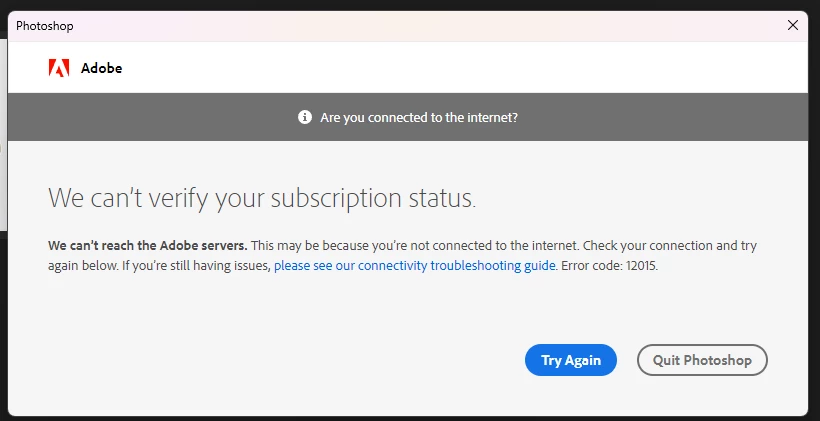
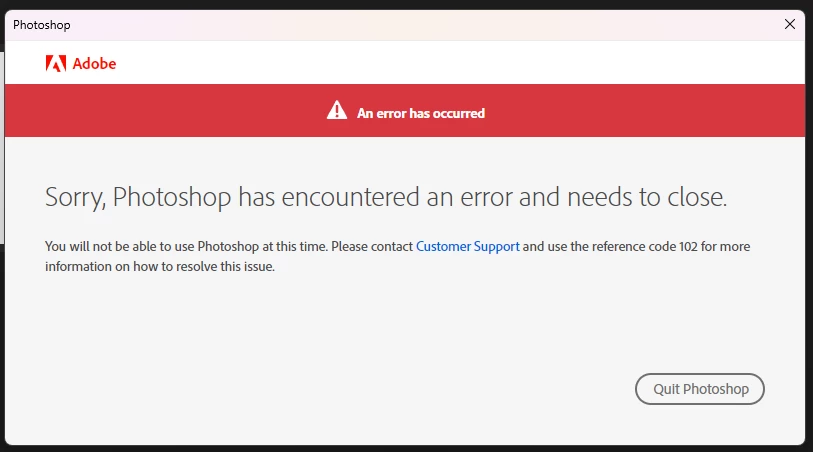
Photoshop and other applications from my plan cannot find an internet connection. They cannot be verified and give an error, first 12015 and then 102. After that, the application closes. The Internet is available, the subscription is paid. I have a windows 11 64x
 

Correct answer OlindoThiago

antes de tudo, feche todos os processos da adobe e creative cloud logo depois - Execute o bloco de notas como ADM e abra o arquivo (horts)  no local  C:\Windows\System32\drivers\etc 

apague tudo que está relacionado a adobe e salve

14 replies

Participant
May 6, 2025

Thank you! Fixed it 

OlindoThiagoCorrect answer
Participant
January 3, 2025

antes de tudo, feche todos os processos da adobe e creative cloud logo depois - Execute o bloco de notas como ADM e abra o arquivo (horts)  no local  C:\Windows\System32\drivers\etc 

apague tudo que está relacionado a adobe e salve

Participant
November 3, 2024

HOW DID YOY FIX IT? Pls explain with more ifo? id really appreciate it


Participant
October 30, 2024

I don't know if you still need it, but for someone else who has the same problem:
1) open a notepad as Administrator
2) in notepad go to file, open and open the host file (C:\Windows\System32\drivers\etc\hosts)
(for me, when i used a notepad to open the file I couldnt see the hosts, if you have the same thing just open the file explorer and there open the file with hosts in the notepad (also make sure you can see the hidden files), after this run a notepad as Administrator and your host file will be there)
3) delete everything that related to adobe (for example,
0.0.000 adobe.com or
0.0.000. adobe.io)
(i deleted like 15 lines)
4) save file and restart the adobe
P. S. big thanks to Янн32783576eo4h, he gave me a good hint how to fixit. I spent 2 hours just trying to understand what was going on and why the subscription was paid but the programm couldnt verified it and had some connection error.

Participant
August 21, 2025

may god bless you in every step of your life, I have tried so many things, this is the only solution that worked.

Participant
September 26, 2024

hey, can you do a tutorial? i am facing the exactly same problem, although i have no clue how you solved it

Kevin Stohlmeyer
Community Expert
Community Expert
July 24, 2024

How are you installing the software? Editing a host file is not authentic.

Participating Frequently
July 24, 2024

I have found a solution. For some reason, data about the adobe verification server was entered in the host file. I deleted them and everything worked.

Kevin Stohlmeyer
Community Expert
Community Expert
July 23, 2024

All of the errors you are indicating are server dropped connection errors. There is nothing wrong on the Adobe server side as noted at status.adobe.com - so we're left troubleshooting your internet connection. What country are you located in? Are you using a VPN?