

Participant
November 20, 2022
Question

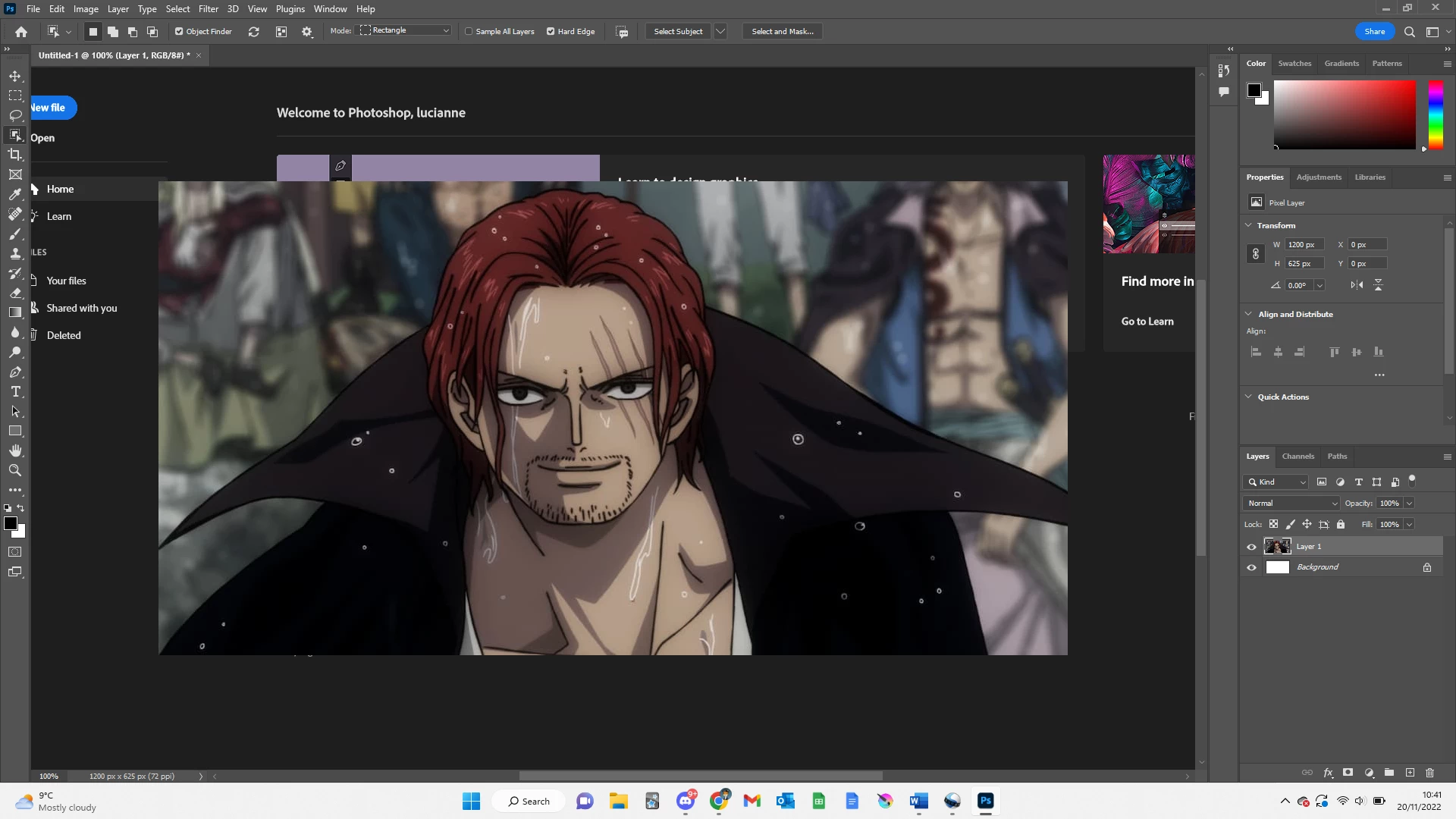
background glitching with home screen

  • November 20, 2022
  • 2 replies
  • 518 views

hello, everytime i open a new file on photoshop it background will glitch with the orginal home screen, any way to fix this 


This topic has been closed for replies.

2 replies

PECourtejoie
Community Expert
Community Expert
November 22, 2022

Hi, this change is usually a good proof that your GPU or its drivers do not work correctly with Photoshop. see: https://helpx.adobe.com/photoshop/kb/troubleshoot-gpu-graphics-card.html

NB, colourmanagement
Community Expert
Community Expert
November 25, 2022

Does turning on »Deactivate Native Canvas« (Photoshop > Preferences > Technology Previews) and restarting Photoshop have any bearing on the issue?


neilB

Ged_Traynor
Community Expert
Community Expert
November 25, 2022

@NB, colourmanagement I already mentioned that in my post with a screenshot!

Ged_Traynor
Community Expert
Community Expert
November 20, 2022

Hi

Try enabling this option in preferences and restarting Photoshop to see if it helps
