
Participating Frequently
November 10, 2023
Question

beim start von photoshop kommt "Photoshop muss aufgrund von einem fehler geschlossen werden"

  • November 10, 2023
  • 11 replies
  • 874 views

hallo,


Ich bin ein neuer nutzer, und wollte mit photoshop ein paar sachen machen. Aber immer wenn ich es öffne kommt dieser Fehler.
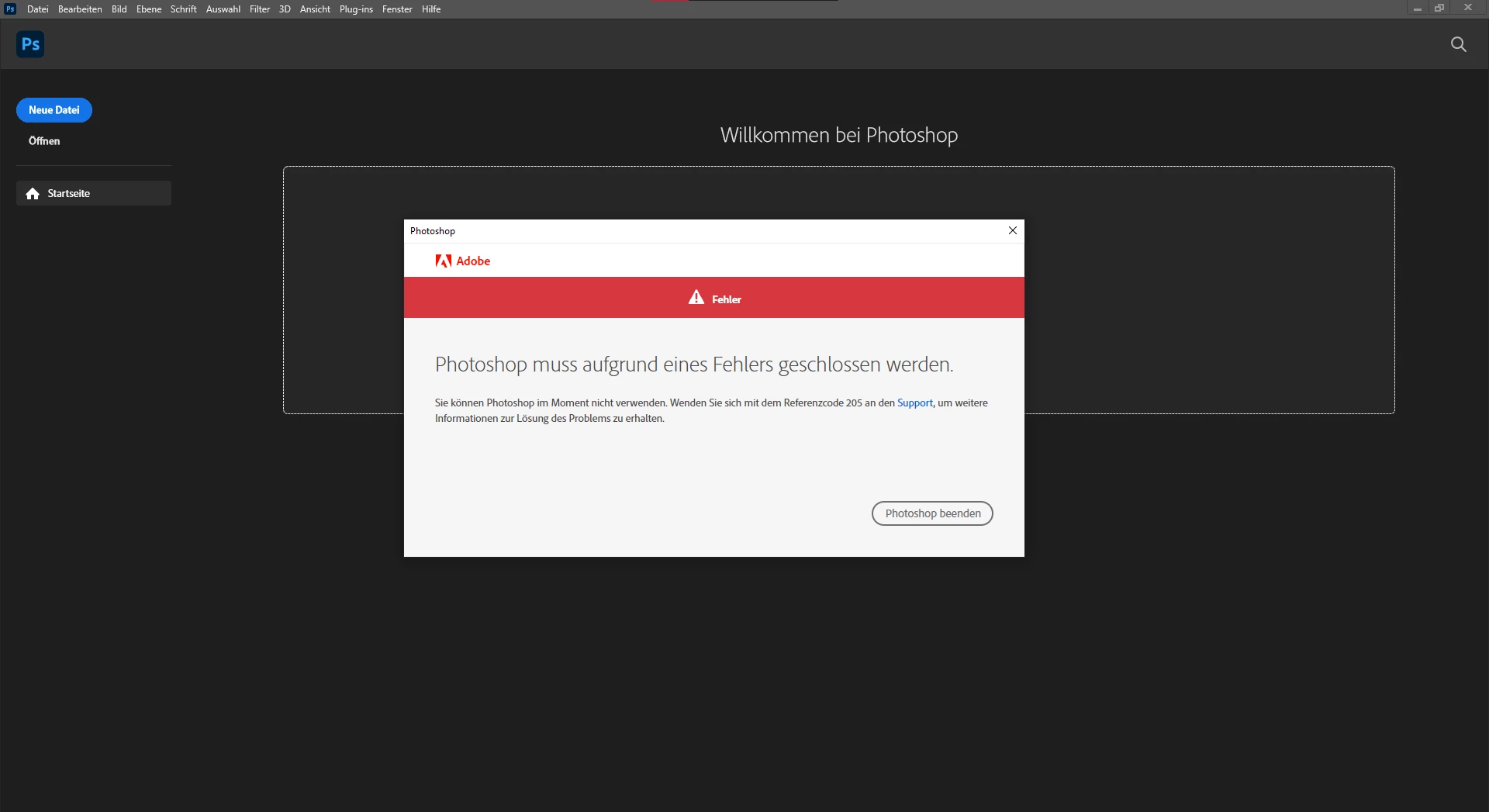
Ich hatte schon mit dem support geschrieben und auch einen Mitarbeiter gehabt der auf meinen pc zugegriffen hatt, aber nichts hatt geholfen. In letzter Hoffnung wende ich mich nun an die community und hoffe das schonmal jemand diesen fehler hatte und eine lösung kennt.


Bin über jeden Hilfreichen tipp dankbar 🙂 

11 replies

Participant
October 4, 2024

Deutsch:

Sollte jemand nochmal über dieses Problem stoßen, versucht folgenden fix:


  • Öffnet die Adobe Creative Cloud
  • loggt euch oben rechts über das runde Bild aus
  • schließt die Creative Cloud
  • öffnet das entsprechende Programm, bei dem der Fehler auftritt, beispielsweise Photoshop
  • meldet euch dort über das Fenster in euren Account ein


Dann sollte sich der Fehler wie in Luft auflösen und funktionieren. Sollte es bei anderen Apps ebenfalls auftreten, müssen dieselben Schritte wiederholt werden.


English:

If anyone encounters this issue again, try the following fix:

  • Open Adobe Creative Cloud
  • Log out by clicking the round image in the top right
  • Close Creative Cloud
  • Open the application where the error occurs, for example, Photoshop
  • Log in to your account via the window that appears

This should make the error disappear and everything should work again. If the issue occurs with other apps as well, the same steps need to be repeated.

Participant
June 23, 2025

Vielen Dank für den Tipp, aber leider hat es nicht funktioniert. Beim KLick auf die exe kommt sofort der Fehlerbericht und Photoshop kann nicht geöffnet werden.

Participating Frequently
November 10, 2023

And cause im german i translated, more accourate would be The management of this subscription will be possible shortly.

Participating Frequently
November 10, 2023

Over adobe

Kevin Stohlmeyer
Community Expert
Community Expert
November 10, 2023

@Zack33529135zf99 Did you purchase directly from adobe.com or did you get through a reseller? The whole "Admin of your account" is concerning - that is not something you normally see on an individual license.

Participating Frequently
November 10, 2023

no

Kevin Stohlmeyer
Community Expert
Community Expert
November 10, 2023

@Zack33529135zf99 are you on an enterprise, education or teams managed account?

Participating Frequently
November 10, 2023

And it says The administration of this subscription will be possible shortly.

Participating Frequently
November 10, 2023

All the other apliccations work just not photoshop 

Kevin Stohlmeyer
Community Expert
Community Expert
November 10, 2023

@Zack33529135zf99 I'm assuming you logged out and back in to your account using the CC desktop app as well.

What does your account status show when you go to https://account.adobe.com

Participating Frequently
November 10, 2023

We tried that with the support didnt work