

Blend alpha layers
I do not know where to start, perhaps I'll start with a link to a similar question.
As you could see, the problem was that when we grouped a layer with a transparency different from 100%, the photoshop gave us a different result when mixed with another layer. But how do you see it removed and why it is not clear, what were the motives for it? By the way, if I turn a layer that has transparency into a smart object and then set it to the color dodge blending mode, nothing will change absolutely.
Now what you heard remember. Now I want to show the picture I made for the demonstration.
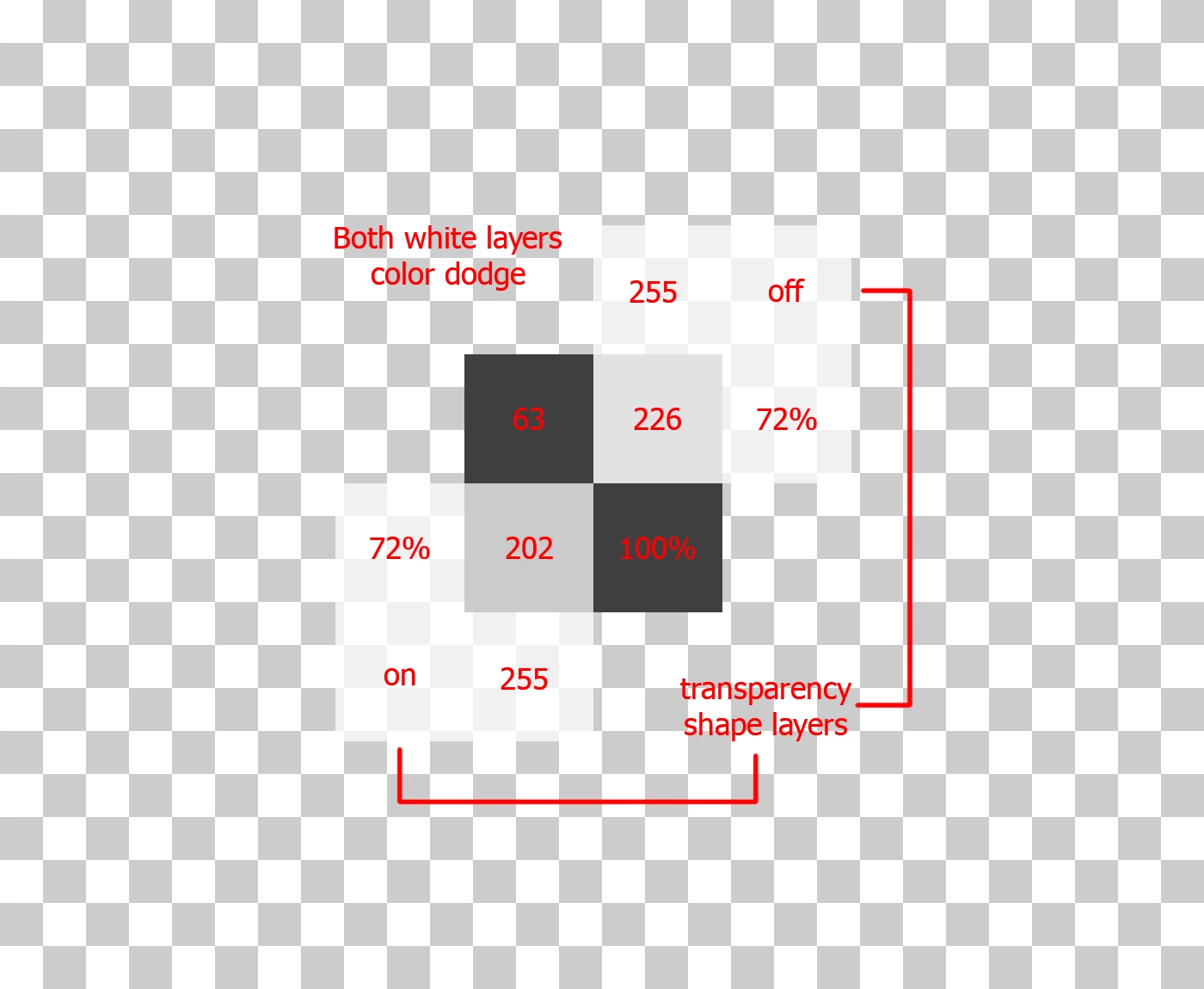
Here 3 layers are one main and two overlapping it. And what is most remarkable is that they are in the same blending mode. But the resulting pixels are different. You will ask why? I do not know, but I know that it's because of the checkbox in the properties of the layer that it's called "transparency shape layers". And why is he doing a different mix of pixels with the same color with the same blending modes.
I can also add something, the layers created using gradient fill and shape tool do not need to switch the "transparency format layers" checkbox. Than it is reasonable - a question. But I would like to know the answer of the developers about this.
I'll add one more thing, saying that with the checkbox "transparency shape layers" color dodge does not work - it's not true. Since if you mix the brightness of 0 and the brightness from 1 to 255, we get 0, which completely corresponds to the formula color dodge. But the rest of the blending is like a simple blending of two layers with some opacity.
1. Blending: Normal, transparency shape layers: disabled
2. Blending: Color Dodge, transparency shape layers: disabled
3. Blending: Color Dodge, transparency shape layers: enabled
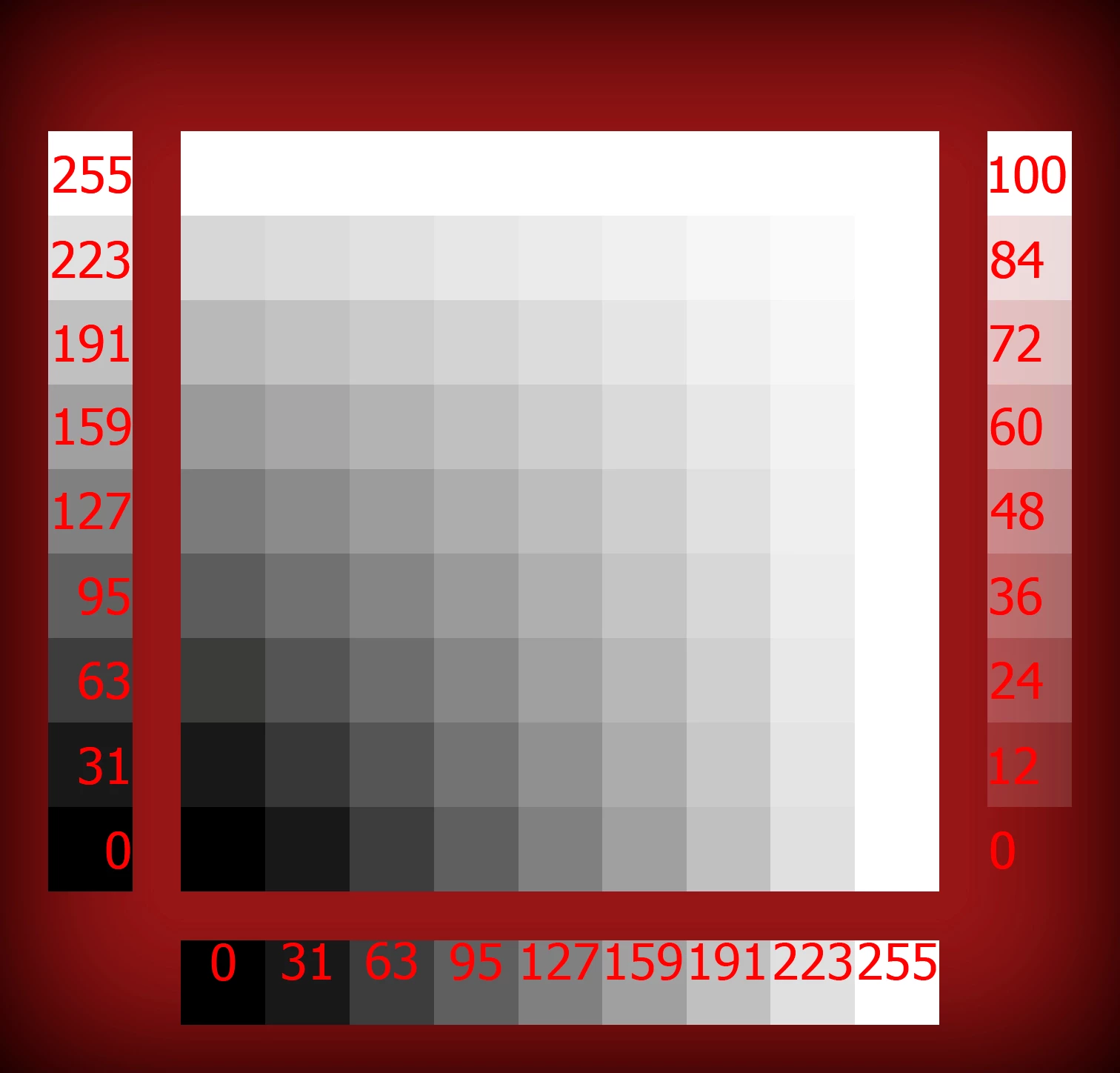
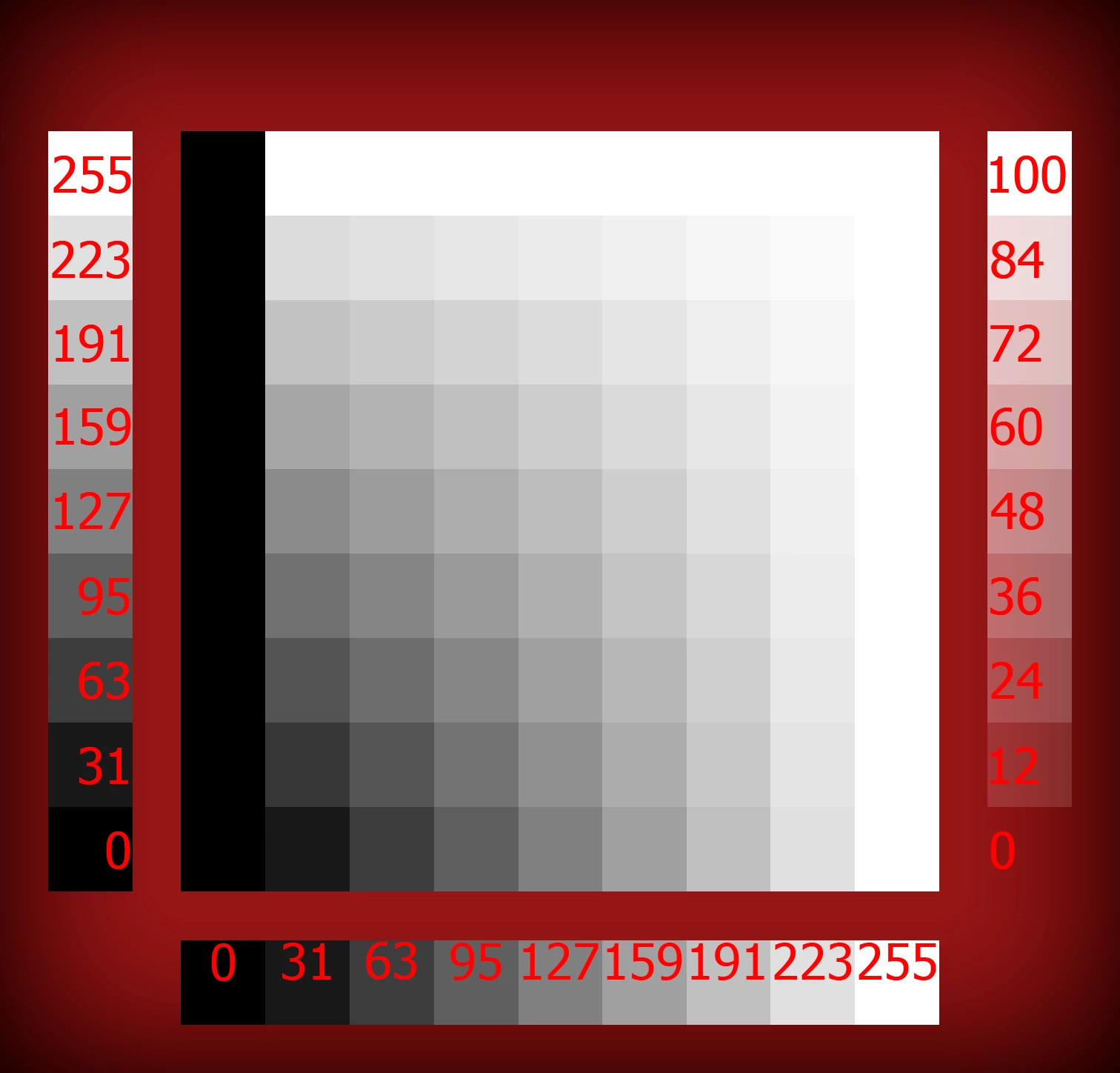
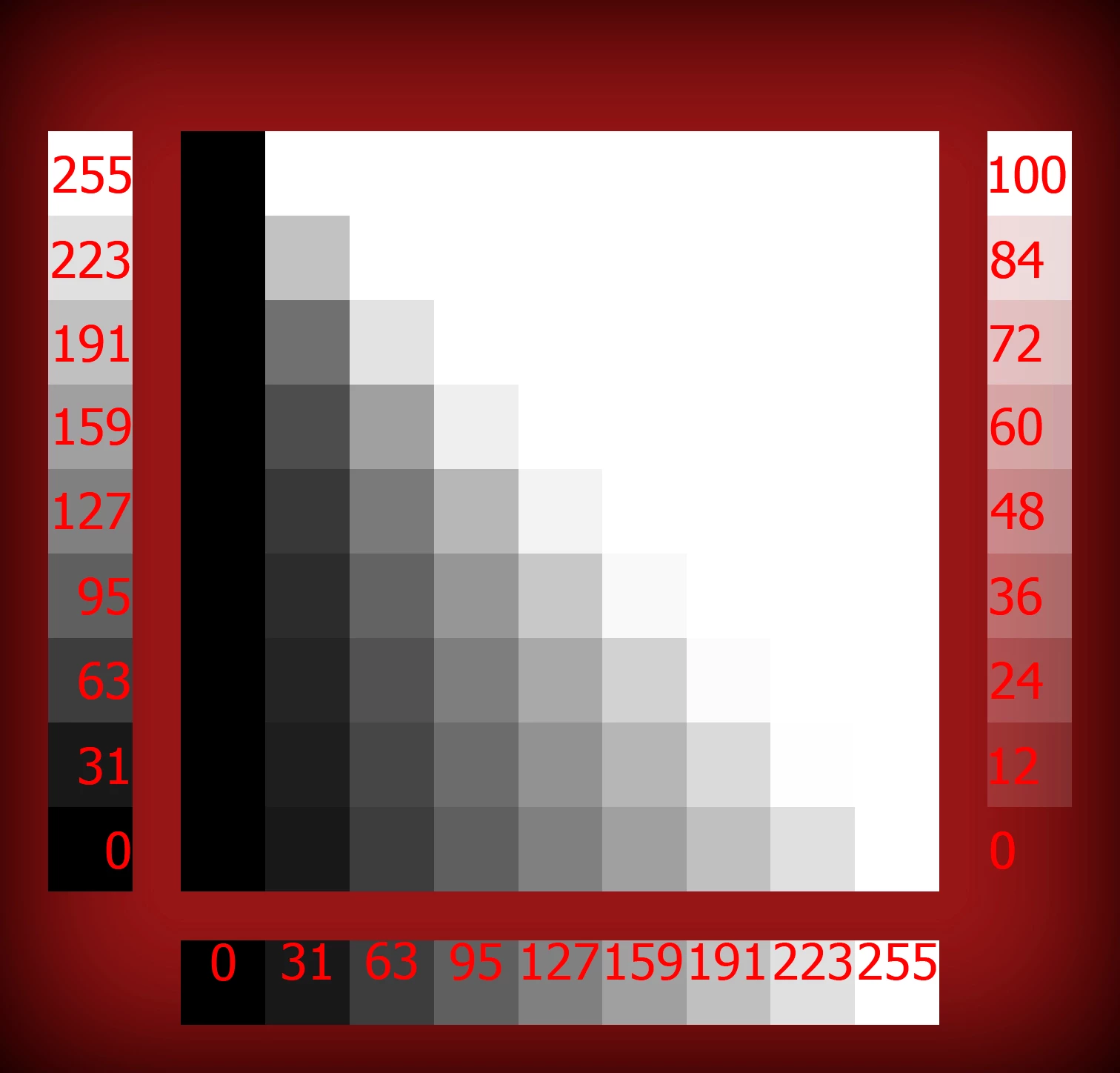
left scale do not involved in blending
And the checkbox "transparency shape layers" is very similar to gradient fill or color fill or pattern fill, since it covers the entire workspace. In fact, this option is to apply layer effects to the pixels that you drew on workspace. The semantics of the "transparency shape layers" is clear, but it does more than just switch the modes of applying effects from the entire canvas to specific pixels.
By the way, if you create two uniform gradient layers one with 100% opacity and the other is different from 1% and 99% and give it a color dodge overlay mode, then you'll be surprised that it does not need a checkbox "transparency shape layers" that mixes it as needed without it.
Do not you think there is some understatement in all this?

 AdChoices