Participant
October 21, 2023
Answered

Can’t edit text

  • October 21, 2023
  • 2 replies
  • 3203 views

[abuse removed] There is NO WAY TO EDIT TEXT without creating a new layer.  No matter what I do, clicking, double clocking, shift clicking, ANYTHING on the existing text... it always opens a g*&^&%$&mn new layer with lorem ipsum... I want to EDIT MY  TEXT!


[Branched from older, solved thread]

[Remember to follow the community guidelines to be kind and respectful] 

 

This topic has been closed for replies.
Correct answer jane-e


@peterriva 


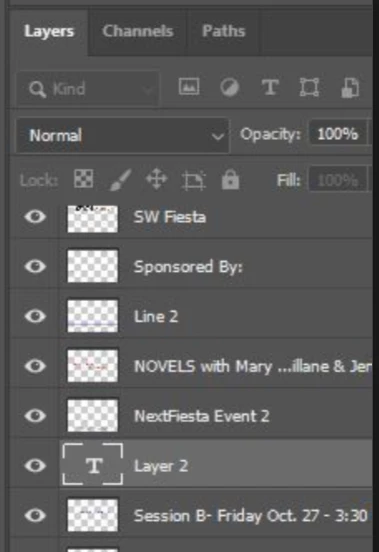
We can't see all of your layers, but of the ones we see only the one called Layer 2 is a type layer with potentially editable text. The others that appear to be text have been rasterized and are now pixels — not text — and cannot be edited with the Type tool.


Whoever created this must not have wanted the text to be edited, so they ensured that it could not be.


Here is how to add and edit text in Photoshop:

https://helpx.adobe.com/photoshop/using/add-edit-text.html


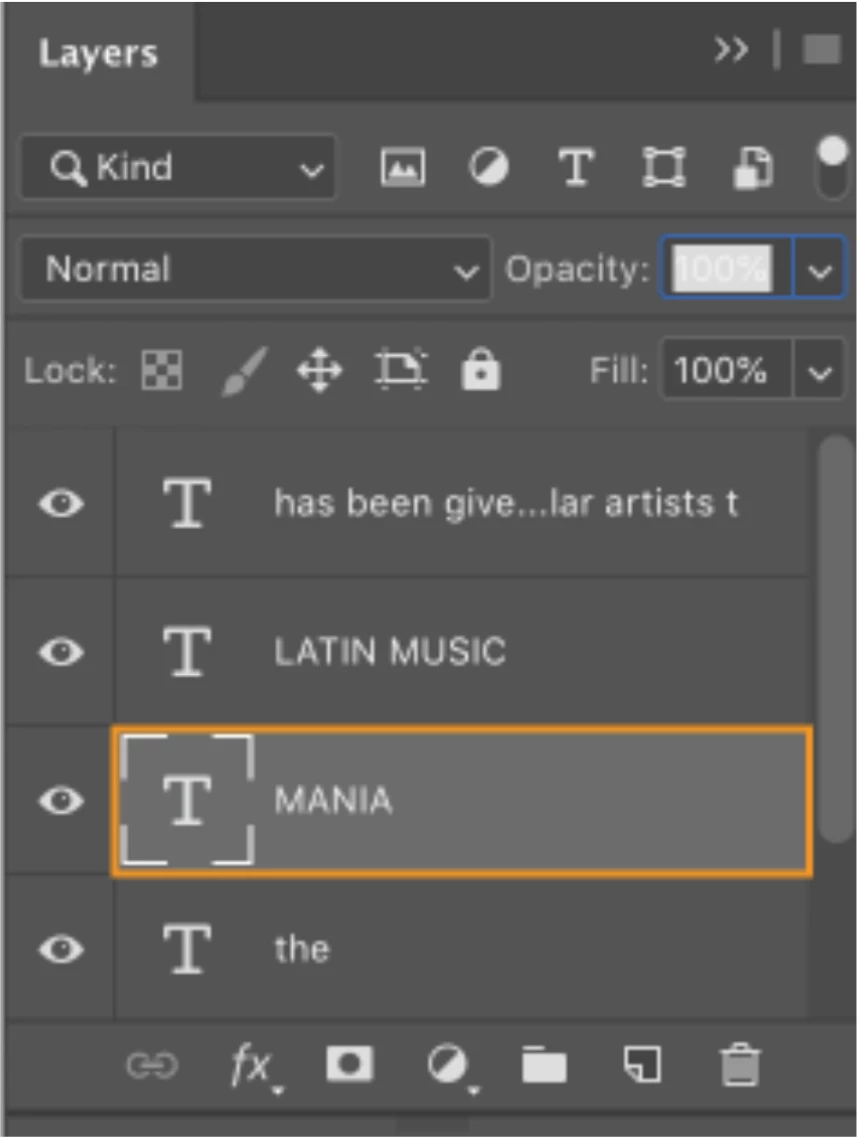
Type layers can be identified by the "T" to the left of the layer.


I know it's not what you wanted to hear, but I hope this helps.


Jane


2 replies

Trevor.Dennis
Community Expert
Community Expert
October 22, 2023

Hi Peter.  Jane has explained why you can edit those layers so I am really just backing her up.  Those are not text layers and so are not editable using the Type tool.


Where did the poster come from?  Did you scan it from a paper poster, of get it as a digital file?  I am guessing that you didn't make it yourself?  It would take you five minutes tops to reproduce the text with Type layers.

jane-e
Community Expert
jane-eCommunity ExpertCorrect answer
Community Expert
October 21, 2023


@peterriva 


We can't see all of your layers, but of the ones we see only the one called Layer 2 is a type layer with potentially editable text. The others that appear to be text have been rasterized and are now pixels — not text — and cannot be edited with the Type tool.


Whoever created this must not have wanted the text to be edited, so they ensured that it could not be.


Here is how to add and edit text in Photoshop:

https://helpx.adobe.com/photoshop/using/add-edit-text.html


Type layers can be identified by the "T" to the left of the layer.


I know it's not what you wanted to hear, but I hope this helps.


Jane