


Participant
July 29, 2019
Answered

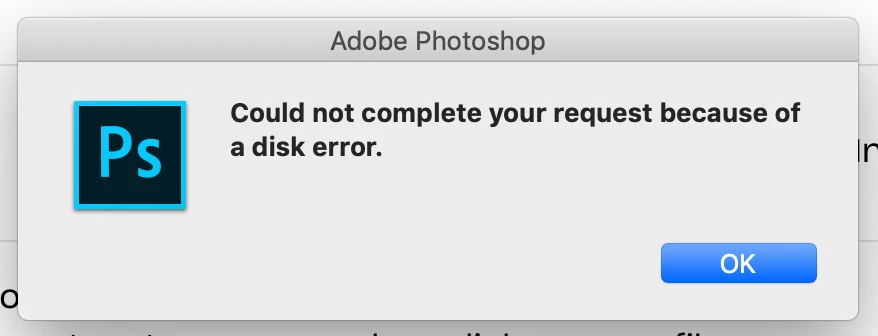
Can't open file because of disk error

  • July 29, 2019
  • 2 replies
  • 18824 views

I am trying to open a large file from dropbox and am getting this error message. I am trying to determine if it's a dropbox issue or Photoshop but from this message it looks like Photoshop. There should be enough storage on the scratch disk to open this file (file is 350.3 MB and I have 75.79 GB of free space). Any ideas as to why I can't open these files?

Thanks
    This topic has been closed for replies.
    Correct answer gabbyr47734260

    I actually just restarted my computer and let the file sync from dropbox properly so now I'm able to open it. Doesn't seem to be a problem with Photoshop. Thanks!

    2 replies

    Randy Hufford
    Community Expert
    Community Expert
    July 29, 2019

    I get this error when the file not completely down loaded from dropbox

    Sahil.Chawla
    Adobe Employee
    Adobe Employee
    July 29, 2019

    Hi Gabby,

    Sorry to hear about the disk error, let's make it right.

    Could you please let us know the version of Photoshop you're working with?

    Also, please try the steps mentioned here and let us know if it helps: Set up scratch disks in Photoshop

    Regards,
    Sahil

    gabbyr47734260AuthorCorrect answer
    Participant
    July 29, 2019

    I actually just restarted my computer and let the file sync from dropbox properly so now I'm able to open it. Doesn't seem to be a problem with Photoshop. Thanks!