Participant
Aug 8, 2023 9:37 PM UTC
Answered

Cannot move Photoshop window around screen, snaps back to original location.

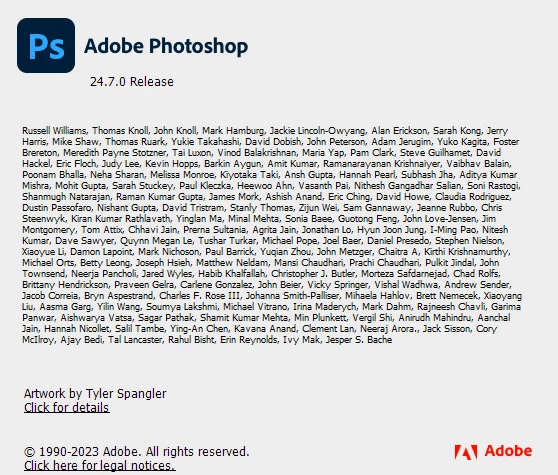
Photoshop window will not move across screen. Windows 11, Photoshop 2023. Tried everything I can think of. Problem persists...

 

Dramenon
DramenonCorrect answer
Adobe Employee
Sep 18, 2023 5:53 PM UTC
Sometimes this happens when upgrading from Windows 10 to 11.
This seemed to resolve most issues with the snapping.

Try this:
in Windows 11 I had to enable "Show window contents while dragging"
  1. Run (Win+R) SystemPropertiesPerformance.exe to open Visual Effects Performance Options.
  2. In the Visual Effects tab, check (on - default) or uncheck  Show window contents while dragging for what you want, and click/tap on OK.


/ Photoshop Team /

27 replies

Participating Frequently
Oct 8, 2024 6:42 PM UTC

I also have this problem: Photoshop 24.7.4; windows 10/X64, V 22H2.  So I also found that clicking on "show windows contents while dragging" in the performance screen solves the problem: to get to this in Windows 10 -I did this: Right Click on "This PC" icon.  Go to "Properties", then (on larger half of ABOUT screen) go to "Advaned System Settings" and click on 'Settings' under the Performance Tab.  Click on "Show windows contents while dragging"

Translate
DrewRothman
Inspiring
Nov 21, 2023 7:29 PM UTC

@Jim33771086rp5d I think you're talking about a different issue. This fix is regards to being unable to move the Photoshop application itself around the screen, not about being able to pan around within the document.

Translate
Participant
Nov 21, 2023 7:16 PM UTC

The Daniel Presedo trick did nothing for me --still can't pan around (spacebar) when a document is in windowed mode, and moved away 'un-nested' from Photoshop---on the same or different monitor. 

closed/re-opened PS after unchecking/checking System Settings/VE/'Show window contents while dragging'---still, no change.

Translate
Participant
Oct 27, 2023 12:43 PM UTC

Thank you @Dramenon - I've had this problem for a few months, searched Google and could not find a solution.  Finally found your suggestion and it worked perfectly!

Translate
Participant
Oct 21, 2023 5:19 PM UTC

Thank you! Easy fix and works!

Translate
Participant
Oct 4, 2023 8:23 AM UTC

Mine was ticked so I unchecked it and then checked it again and it worked. Adobe needs to get this sorted in their next update.

Translate
Participant
Sep 27, 2023 9:14 PM UTC

thanks a million it worked

Translate
Known Participant
Sep 27, 2023 3:46 AM UTC

... though apparently thiere are a lot of other problems with that release.

Translate
Known Participant
Sep 27, 2023 3:43 AM UTC

There are reports that the latest beta release 25.1 fixes the issue.

Translate
ACD@MRH
Participant
Sep 25, 2023 9:12 PM UTC

Daniel Prosedo's solution works!   Thank you.


Translate