
Participant
November 14, 2021
Question

Canon Professional Print Layout plugin not working

  • November 14, 2021
  • 2 replies
  • 2781 views

I am running PS 23.0.1 and lightroom Classic 11.00 on Windows 10 version 21H1 on a HP  24GB Ram  intel i7-6700 

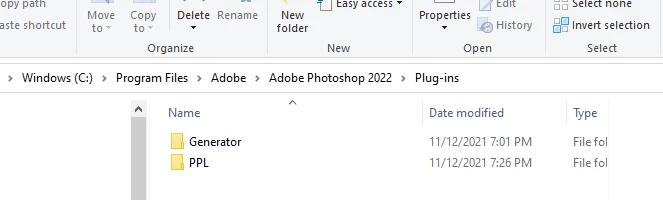
I just purchased a canon pro -200 printer and  installed the software for printing Professional Print Layout  and also the plugin for both Photoshop and Lightroom. The stand alone  version works but both plugins fail to launch in both Photoshop and lightroom.  When i try to run them  I get the blue rotating circle like the system is loading it then nothing. 
 

This topic has been closed for replies.

2 replies

Participant
October 24, 2023

if re-install doesn't work, the key point is probably the IP changed covertly, check this out

https://youtu.be/zOgnvTovTtw

Legend
November 14, 2021

Check with Canon support and make sure you're running the latest version of their plug-in - Looks like they've released some updates recently: https://community.adobe.com/t5/photoshop-ecosystem-discussions/photoshop-22-5-1-and-canon-print-studio-pro-plug-in-not-loading/m-p/12383353 

Participant
November 14, 2021

Thanks for the suggestion I had forgot to mention in my original post that I have what I believe to be the latest version 1.3.0 of PPL

Participant
February 25, 2022

Hi, did you manage to fix this in the end I'm having the same issue?