


Inspiring
February 4, 2022
Answered

Canvas Script Help needed, canvas from first opened image applied to any additional images.

  • February 4, 2022
  • 2 replies
  • 542 views

Hello-

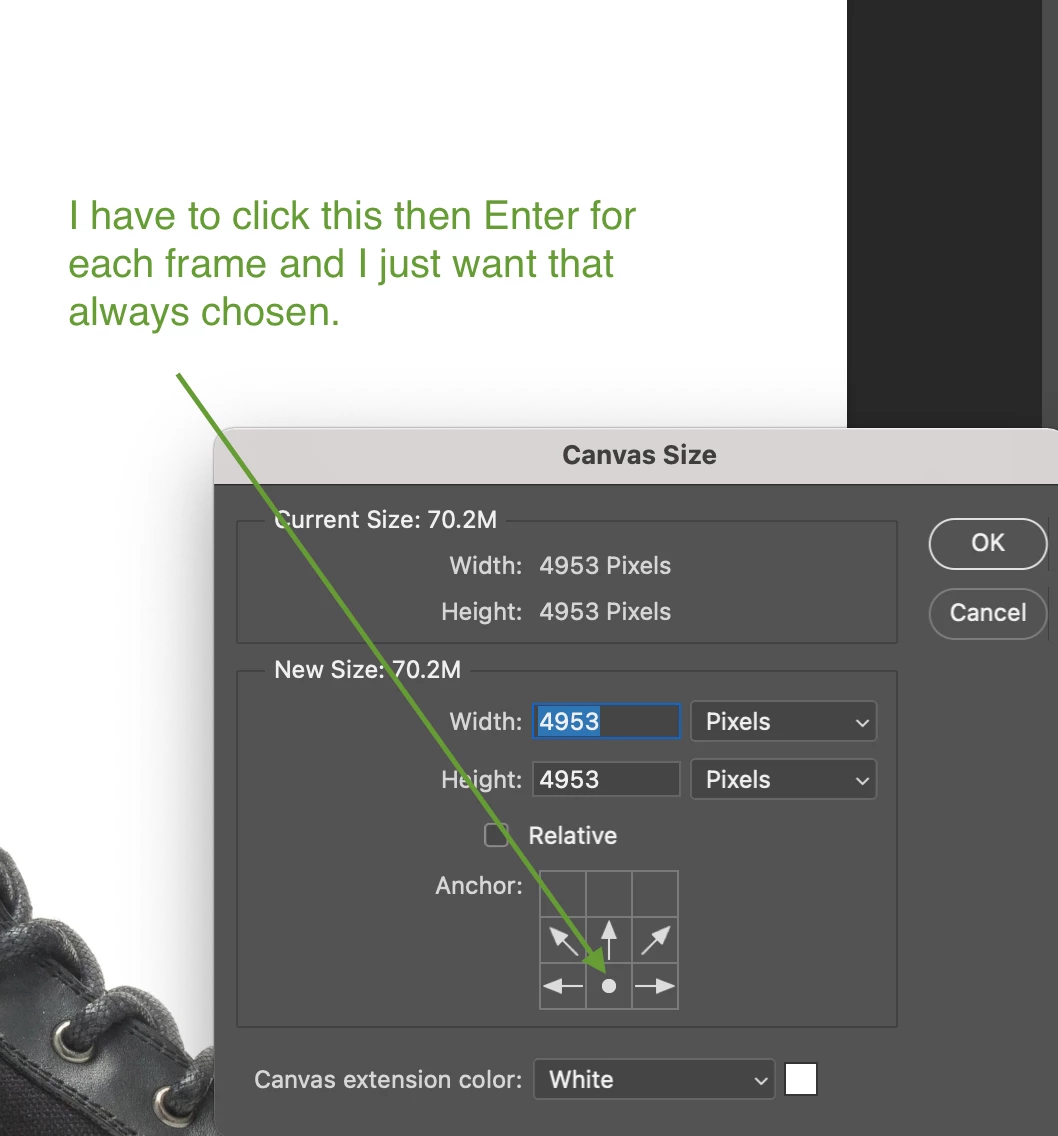
I have a super simple script that reads the canvas size from the first opened document, then applies it to the following opened docs.  I'm using Bridge> Tools> Photoshop> Batch to open multiple files and run some parts of an action, then apply the canvas size from that first image.  Everything works well except I have to press MiddleBottom button and entere for each frame.  That renders the script pretty much useless for me since I'm running tons of files through it.  Anyone have a clue on how to have it apply the crop bottom middle up (i want my image to remain at the bottom of the canvas).  


I do not know how to write code, i have just successfully copy/pasted some pieces I've found online.  


My script is: 

var w = app.documents[0].width;// the width of the first open document
app.activeDocument.resizeCanvas (w, w, AnchorPosition.BOTTOMCENTER);
This topic has been closed for replies.
Correct answer Stephen Marsh

See if this helps:


var savedDisplayDialogs = app.displayDialogs;
app.displayDialogs = DialogModes.NO;
var origRulers = app.preferences.rulerUnits;
app.preferences.rulerUnits = Units.PIXELS;

var w = app.documents[0].width.value; // the width of the first open document in px
app.activeDocument.resizeCanvas(w, w, AnchorPosition.BOTTOMCENTER);

app.preferences.rulerUnits = origRulers;
app.displayDialogs = savedDisplayDialogs;


2 replies

Stephen Marsh
Community Expert
Stephen MarshCommunity ExpertCorrect answer
Community Expert
February 4, 2022

See if this helps:


var savedDisplayDialogs = app.displayDialogs;
app.displayDialogs = DialogModes.NO;
var origRulers = app.preferences.rulerUnits;
app.preferences.rulerUnits = Units.PIXELS;

var w = app.documents[0].width.value; // the width of the first open document in px
app.activeDocument.resizeCanvas(w, w, AnchorPosition.BOTTOMCENTER);

app.preferences.rulerUnits = origRulers;
app.displayDialogs = savedDisplayDialogs;


mrshoffuAuthor
Inspiring
February 4, 2022

first of all, you guys are amazing.  Two responses in such a short time!  I couldn't get the first one to work in a batch action , but the second one did the trick.  Thank you both!

Kukurykus
Legend
February 4, 2022

Did you read what I wrote over the code? It's batch itself. Open your images and run the code.

Kukurykus
Legend
February 4, 2022

Open your files without B>T>P from Br to Ps & run code that sets canvas of first open document to the rest:


dcmnts = [].slice.call(documents), w = dcmnts.shift().width
while(dcmnts.length) (activeDocument = dcmnts.shift())
.resizeCanvas(w, w, AnchorPosition.BOTTOMCENTER)