

Known Participant
January 28, 2026
Question

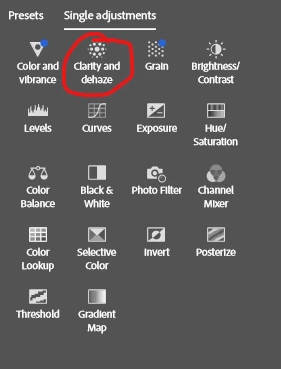
Changes to the Clarity and Dehaze adjustment effects are not reflected

  • January 28, 2026
  • 2 replies
  • 97 views

Changes to the Clarity and Dehaze adjustment effects are not reflected on the Photoshop canvas after saving.

👉VIDEO


    2 replies

    c.pfaffenbichler
    Community Expert
    Community Expert
    February 6, 2026

    Just to make sure: The update shows up in the History and changed settings of the Adjustment Layer are correct when re-opening the SO? 

    Sameer K
    Community Manager
    Community Manager
    January 28, 2026

    Hey, ​@artur_0832. Welcome to the Photoshop Community. I'll need more info to help you figure this out. Please share the system information from Photoshop Help > System Info> Copy and paste it into a text document, then upload and attach it here. 


    Does this happen with documents of all sizes? Does this happen only when working with Artboards?

    Try this:

    Go to Photoshop > Settings (CMD/CTRL + K) > Performance > Advanced Settings > Disable 'GPU Compositing' & restart Photoshop. 


    Check if it helps & let us know how it goes. Thanks!

    Sameer K

    (Type '@' and type my name to mention me when you reply)

    Known Participant
    January 29, 2026

    @Sameer K 

    Nothing helps. The bug can’t always be reproduced, but most of the time it can.

    https://docs.google.com/document/d/1LEatJjJKHvTxl3IaHgqo42WWdh6KLg_ME6qwP_Q6OIw/edit?usp=sharing

    Sameer K
    Community Manager
    Community Manager
    January 29, 2026

    Thanks for the updates. The attachment isn’t accessible. Please share a public link via direct message from my profile. 


    Best, 

    Sameer K
