


Answered
create New Document with alpha channel Photoshop CC
When I create a New Document in Photoshop CC, it doesn't give me the option of having the background be a transparent alpha channel. How do I do this?

When I create a New Document in Photoshop CC, it doesn't give me the option of having the background be a transparent alpha channel. How do I do this?
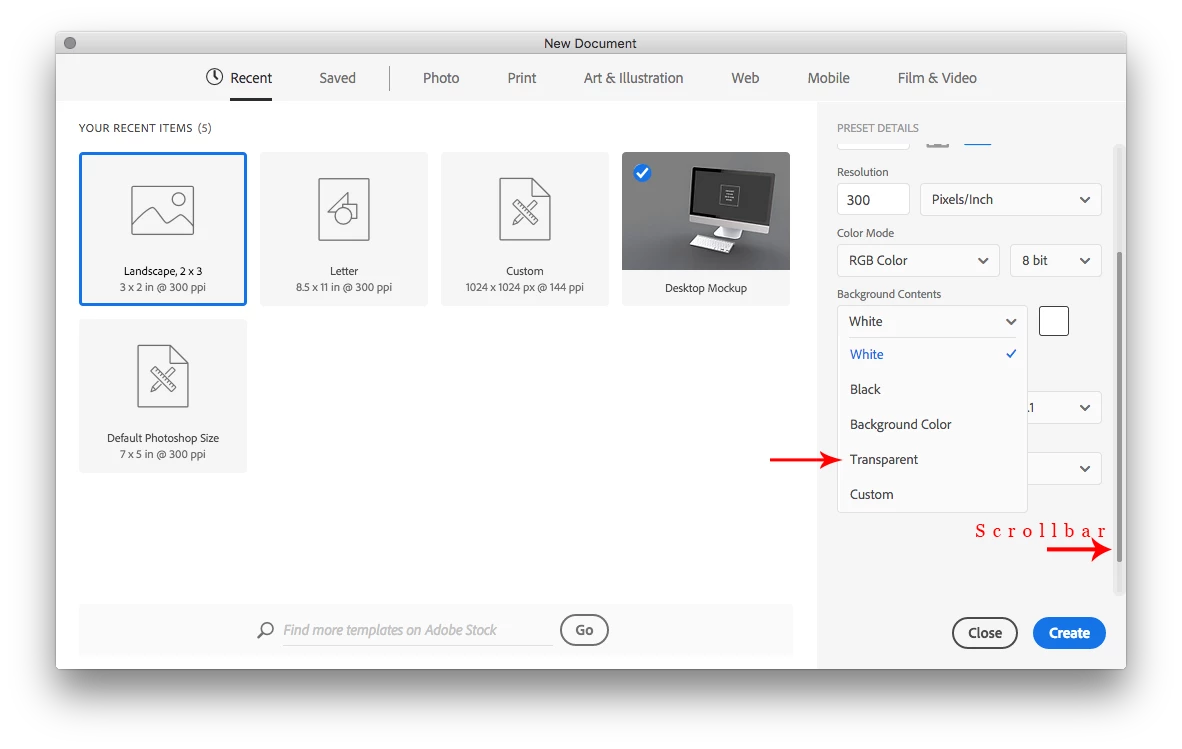
In the New Document dialog after clicking on the drop-down menu beside Background contents, use the scrollbar to reveal the other options including Transparent.
Already have an account? Login
Enter your E-mail address. We'll send you an e-mail with instructions to reset your password.
 AdChoices