


Creating/Importing Custom Materials for 3D Library?
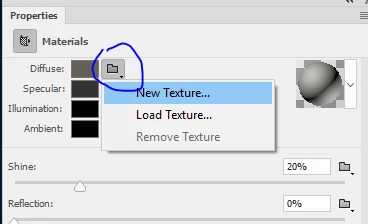
In my other 3D apps, I can create custom materials (from photos) for 3D image mapping. In PShop CC, I only see an option to download materials online. I tried dragging a TIFF image into the materials folder, but that of course did not work. Is it possible to create a 3D image map (or bump map) from a photo and and make it a MATERIAL in the 3D material library?
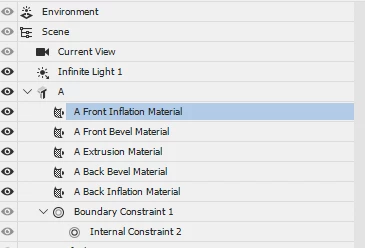
I see options to add materials in various ways to 3D surfaces of my extruded text. What is the correct procedure to project a photographic image onto a 3D surface, such as the front inflation material?
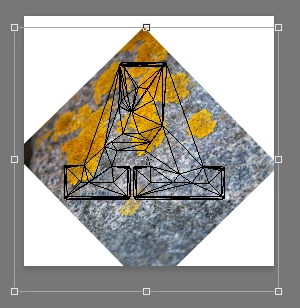
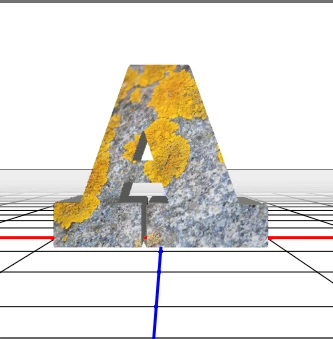
I inadvertently added an image map to the extrusion, but it was not project properly and was distorted. In my other 3D apps, it is possible to project an image map onto all sides of extruded text (planar projection) so that the image is projected into the surface normals for each plane (front, sides, etc) Is that possible with PShop CC?
thanks
 AdChoices