


Destructive Error when Merging Layers
Photoshop Version 23.2.1
Windows 10 Pro 21H1
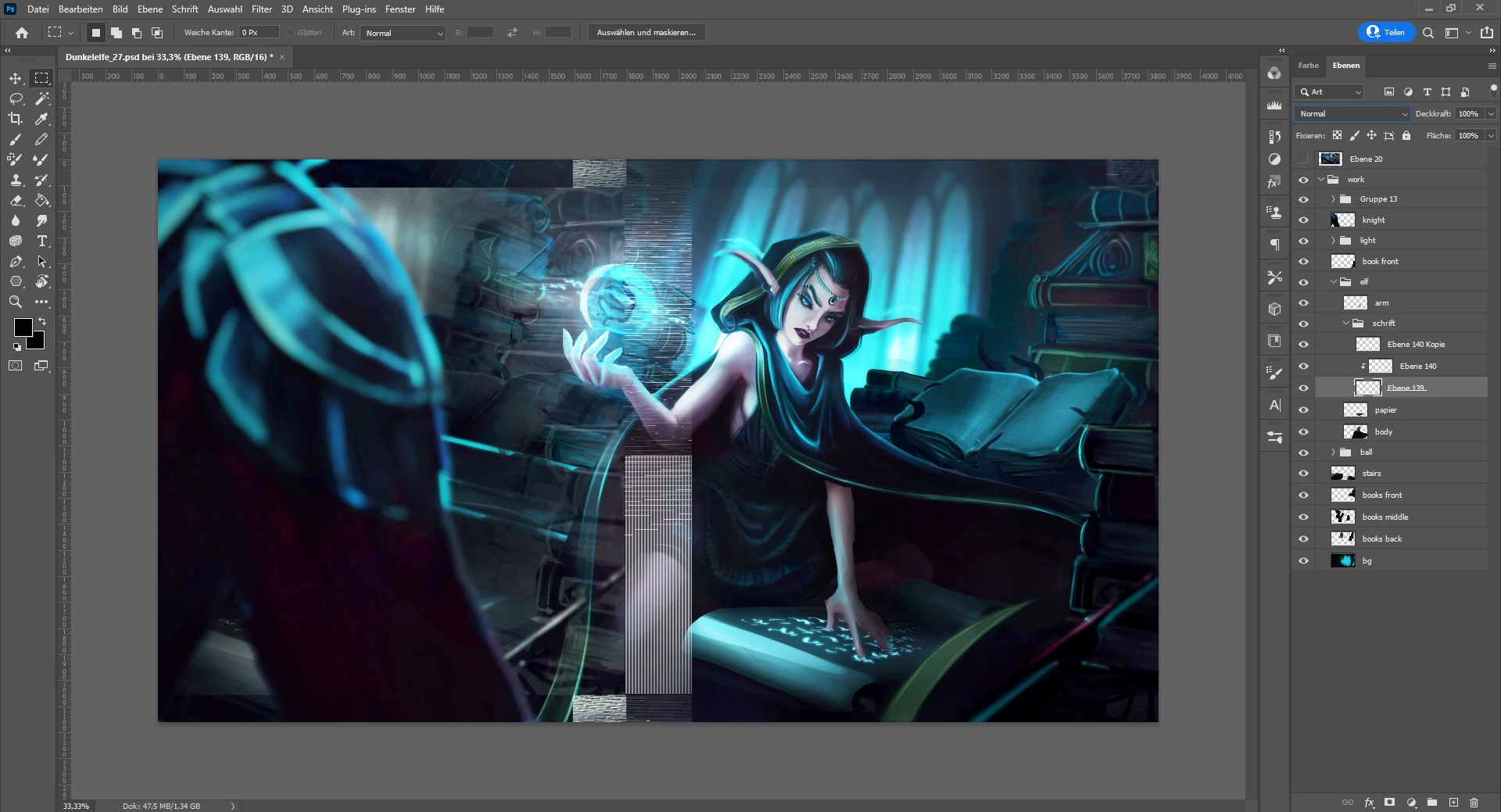
As soon as I try merging layers or applying layer masks, I risk getting destructive errors like in the picture below. Sometimes it is permanent, sometimes it only appears when zoomin in or out of the image and sometimes it vanishes, when I restart Photoshop. But mostly it stays and I have to do my work all over.
Additional notes just in case these are important for bug fixing:
- I have a lot of adjustment layers on top of this file in the group.
- The blend mode of the merged layers is not relevant.
- Hiding or deleting the merged layer does not fix this problem once it has occured, the file stays corrupted. Undoing the merging does not fix the problem either.
- It does not matter if the file is .psd or .psdc
 AdChoices