Participant
January 7, 2020
Answered

Dots Whenever I Use Brush Tool

  • January 7, 2020
  • 3 replies
  • 16822 views

Hello, 

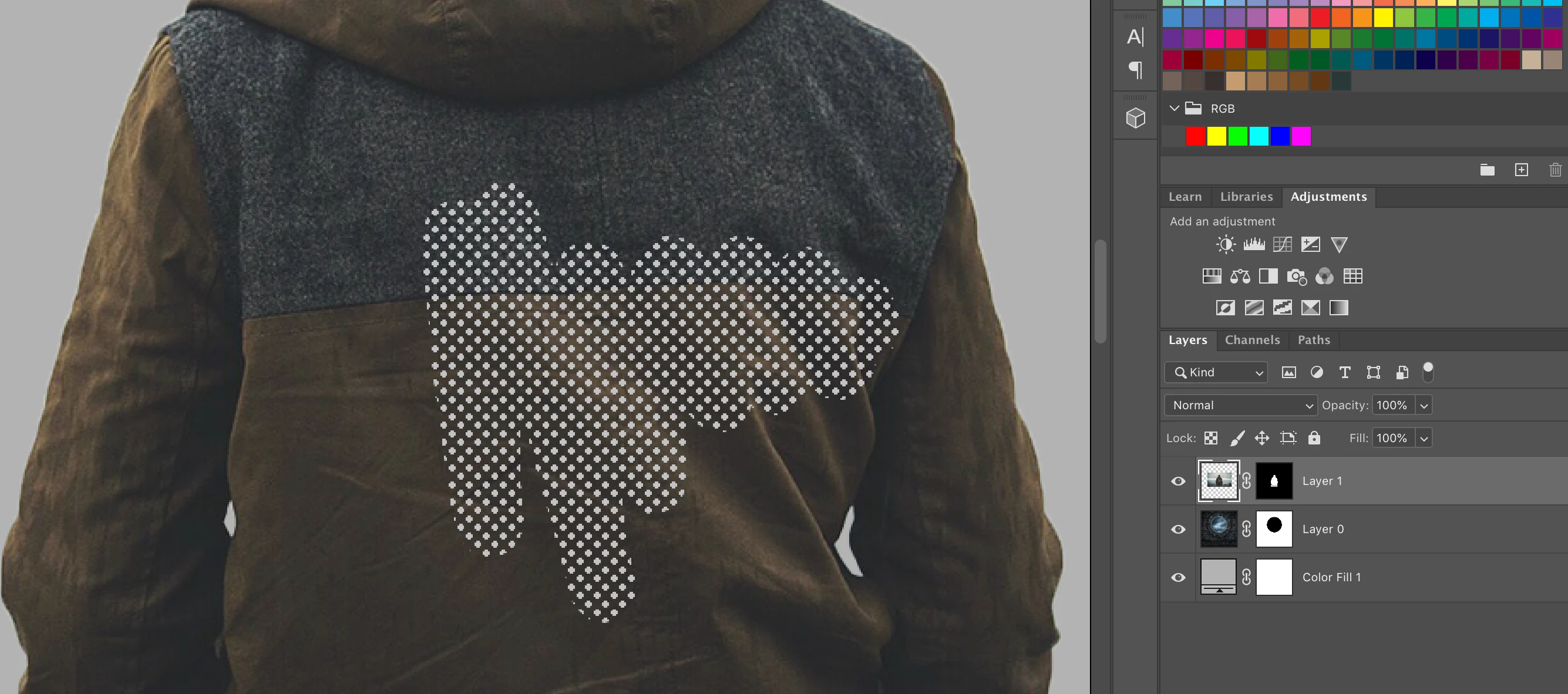
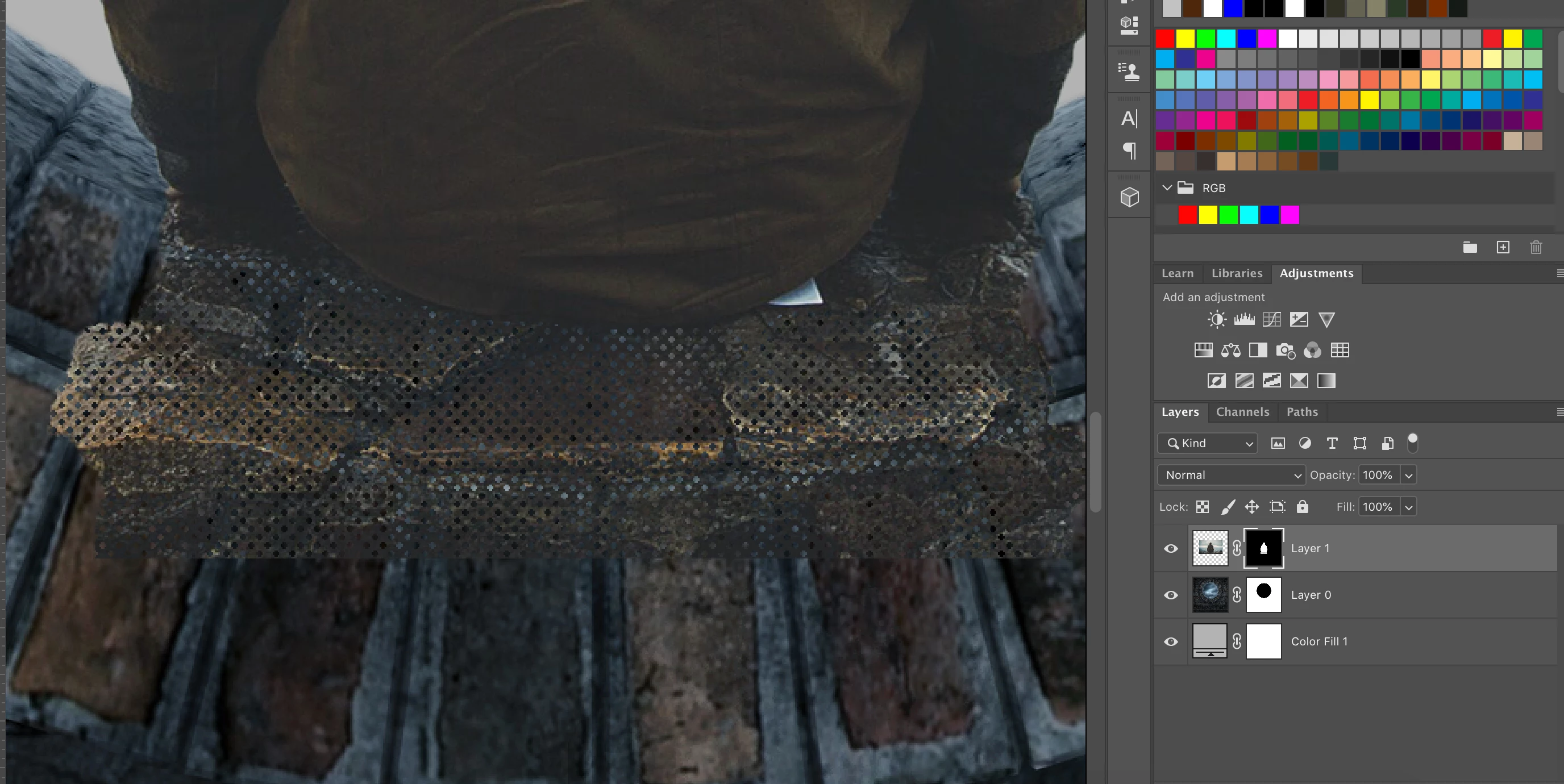
I am trying to follow a Photoshop Tutorial but everytime I use the brush tool these dots appear instead of smooth strokes, it is the same with the layer mask as pictured below.  The brush mode is normal.  I have no idea what the problem is so could really use some help! 

Thank you! 
Correct answer Marianne-Deiters

Looks like you're using a halftone screen brush tip. Would you show your brush settings?

3 replies

Known Participant
March 30, 2023

Easy fix: reset the brush tool (right click on the brush icon located left side of the tool bar) and all works normally now, no dots.

Participant
August 22, 2024

Resetting the brush tool doesn't work for me. This is ridiculous.

c.pfaffenbichler
Community Expert
Community Expert
August 22, 2024

Please read this (in particular the section titled "Supply pertinent information for more timely and effective answers”):
https://community.adobe.com/t5/using-the-community/community-how-to-guide-tips-amp-best-practices/td-p/11601738?page=1


Could you please post screenshots taken at View > 100% with the pertinent Panels (Toolbar, Layers, Brush Settings, Options Bar, …) visible? 

Myra Ferguson
Community Expert
Community Expert
January 7, 2020

Go to Window > Brushes to open your Brushes panel. Open the General Brushes folder and select one of the basic brushes like Soft Round or Hard Round, depending on what you need. Like Marianne-Deiters mentioned, it looks like you have one of the brushes from the halftones_and_screentones folder selected.

Participant
January 8, 2020

Thank you!

Marianne-Deiters
Marianne-DeitersCorrect answer
Participating Frequently
January 7, 2020

Looks like you're using a halftone screen brush tip. Would you show your brush settings?

Participant
January 8, 2020

You're exactly right, all fixed.  I feel very silly now! Haha! 

Marianne-Deiters
Participating Frequently
January 8, 2020

you certainly are not. Sometimes you just don't see things like that