Participant
September 26, 2026
Question

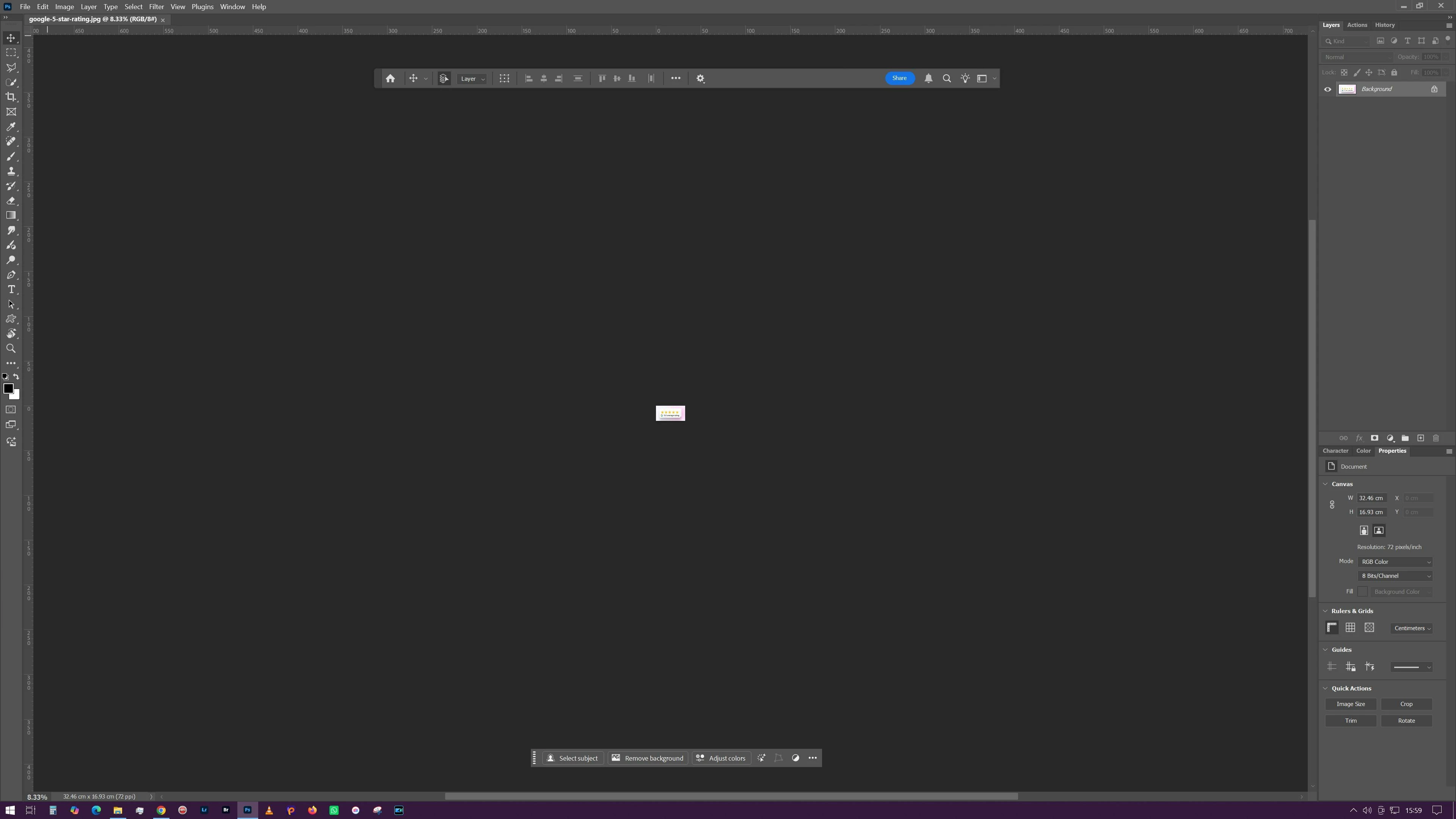
Every new document opens extremely zoomed out, how to fix

  • September 26, 2026
  • 8 replies
  • 61 views
Every window or tab opens really zoomed out and barely visible like this. How do I make it just open normally?


    8 replies

    Participant
    September 26, 2026

    This can sometimes happen if the application is remembering the previous document view or workspace settings. Try resetting the workspace first, then open a new document and set it to Fit on Screen. If every new document still opens at the same tiny zoom level, resetting the app preferences would be the next thing I’d try. It may also help to mention which Adobe app and version you’re using.

    Jeff Arola
    Community Expert
    Community Expert
    September 26, 2026

    How are you opening the files?

    Using File>Open from within Photoshop or….?


    I would start by trashing the Preferences folder for both Photoshop 2025 and 2026 by going to

    C:\Users\UserName\AppData\Roaming\Adobe\Adobe Photoshop 2026

    and

    C:\Users\UserName\AppData\Roaming\Adobe\Adobe Photoshop 2025

    then deleting the Adobe Photoshop 2026 Settings and Adobe Photoshop 2025 Settings 

    folders


    If you have any custom Workspaces first move those from the WorkSpaces folder in each of the Settings folders.

    jane-e
    Community Expert
    Community Expert
    September 26, 2026

    ​@jonathann44149 

    I’ll admit to being baffled, but I did a web search and found a few threads that may or may not help.


    Hopefully Staff or another volunteer will see this and may have ideas. For the time being, use Ctrl+1 or Ctrl+0. Let us know if any of these other threads help you.


    Jane


    Participant
    September 26, 2026

    Thanks Jane

    I have looked at the same old threads. Unfortunately following the suggestions from them haven't resloved the issue for me; that's what led me to look for an up-to-date answer on here. 

    Participant
    September 26, 2026

    To add to my query. I basically just want photoshop to show an image at it’s actual size when I open it. Does anybody know the setting for this? I just thought it did this automatically like it has done for me for the last 20+ years. 

    jane-e
    Community Expert
    Community Expert
    September 26, 2026


      ​@jonathann44149 

    Are all images opening at 8.33%?

    When did this start?

    What is your version number of Photoshop?

    Jane


    Participant
    September 26, 2026

    Hi, I think its been a couple of weeks. The version was 26.11.7. I’ve just this minute updated to v 27.10 and the same thing is still happening.

    I’ve just opened a different image on the updated version and this one opened at 3%

    CORCTON34033231
    Community Expert
    Community Expert
    September 26, 2026

    That's just the zoom level — nothing is broken. New documents can open at 100% in a large window, which makes a smaller canvas look tiny, like in your screenshot.


    Press Ctrl+0 (Windows) or Cmd+0 (Mac) — that's View > Fit on Screen — to fill the window with your canvas. Press Ctrl+1 / Cmd+1 for 100% (actual pixels).


    More on zooming here: https://helpx.adobe.com/photoshop/using/viewing-images.html