


Answered
Photoshop displays images smaller than they actually are (at 100%)
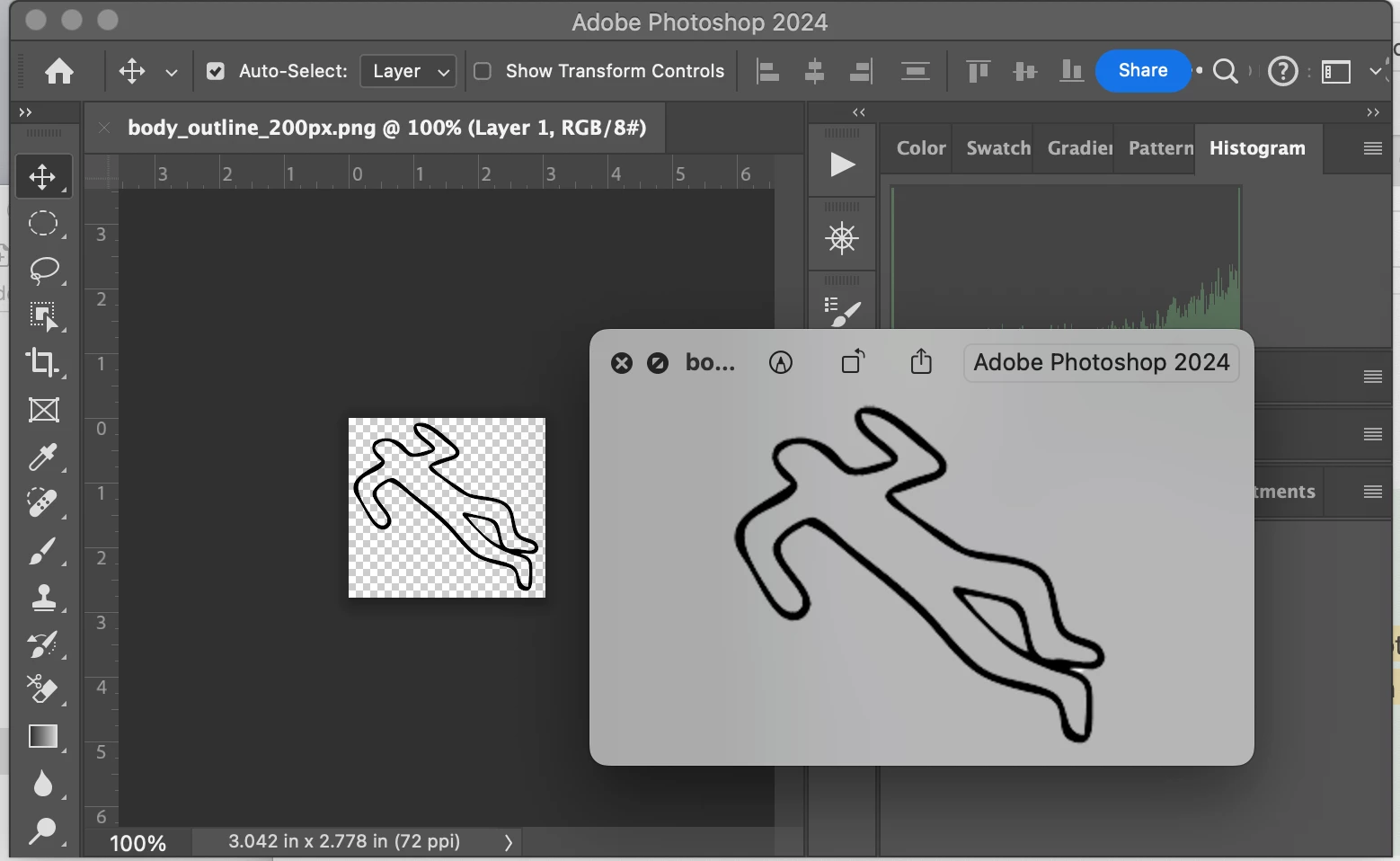
Some time ago, when viewing an image at 100%, photoshop would display the image the size it was, but after an update a few years ago, it has been showing images about half the size they actually are. I've ignored it and worked around it, but I'm adding images to a website and I need to size them by eye and I'm tired of sizing an image 3 times, because i have to check how big it actualy is in preview and then guess again at a different size.
I must have a setting wrong somehwhere? Can anyone help? Here is a picture of a simple image in photoshop at 100% and the same file opened in preview right next to it, you can see the file in preview is much larger than photoshop is showing it.
Thanks for any help!
whitney

 AdChoices