Risu_Chuu
Participant
January 27, 2022
Answered

export layers to files from artboards in Photoshop file names

  • January 27, 2022
  • 2 replies
  • 943 views

This might be a bit specific.
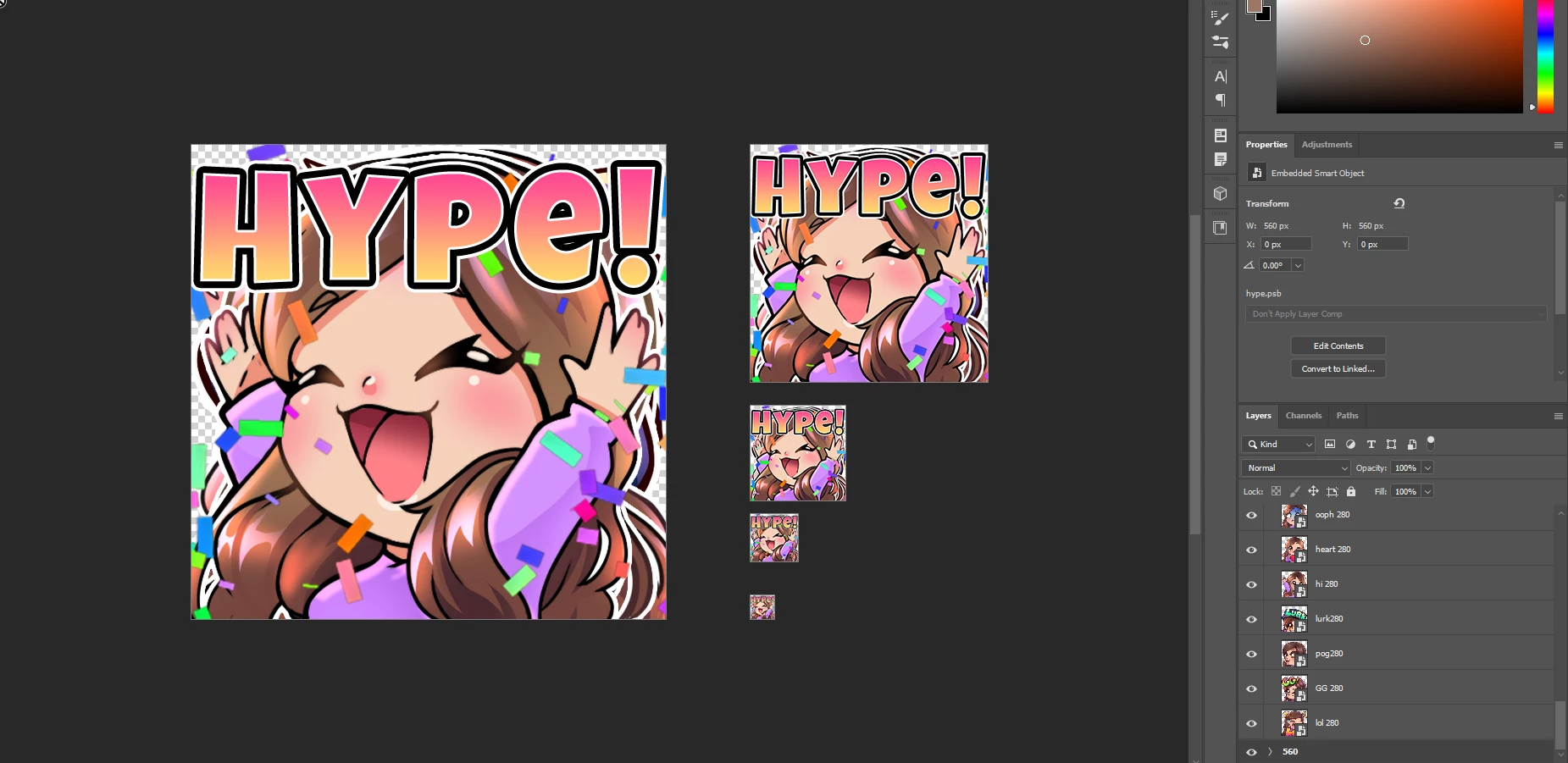
I want to output icon from a single file. So I used artboards and used a smartobject (hoping to use linked photoshop files in the future)

With artboards I can see all the icons and check them without opening another file.
I want to output the layers to the artboard size. 560px 112 px 56px ect.
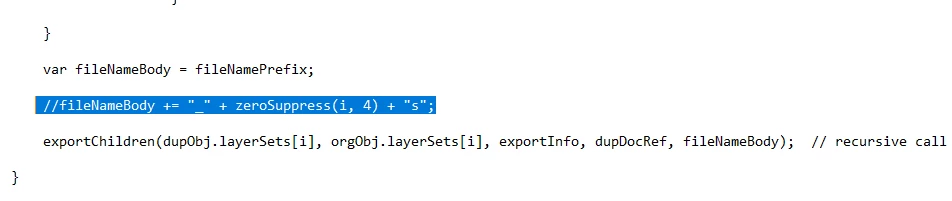
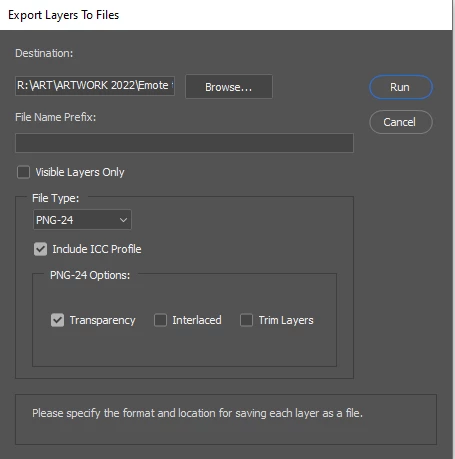
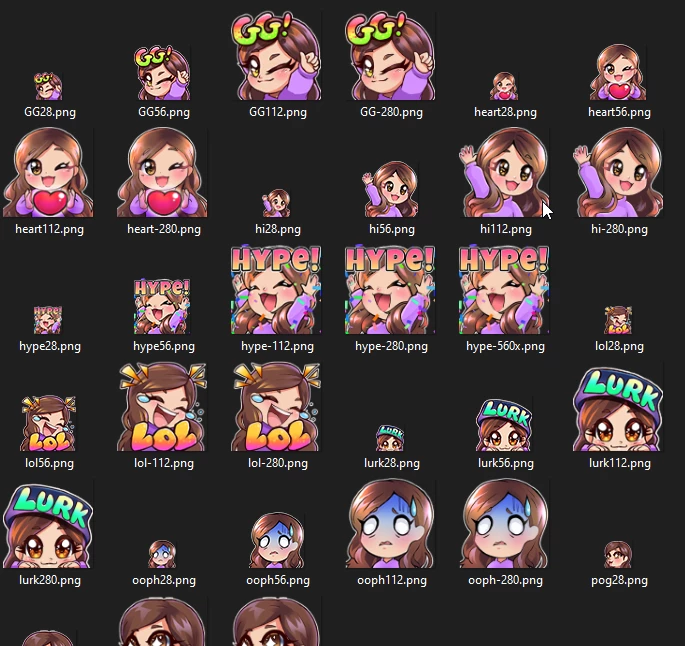
I have been using 'layers to files' I've altered the script so that the prefix number doesnt appear. But the export comes out with a '_0000s*filename*'
when exporting from regular canvas instead of artboard this doesnt happen. 
Im not sure what the '_0000s' is refering to.

I dont suppose any of you can help me 🙂
Or even suggest an easier way of exporting files at correct sizes.

I need to make sure that the assets dont get trimmed due to transparency.
 

This topic has been closed for replies.
Correct answer Risu_Chuu

Hi Thanks for getting back to me 🙂
The issue I would have there is I wouldnt be able to export the layers individually. All the layers would merge.

(Although I am starting to think a single layer may be a quicker workflow and just update the linked object)


I have though managed to alter the script for 'layer to files'. So that the naming prefix doesnt appear. So I solved my own issue yay 😄


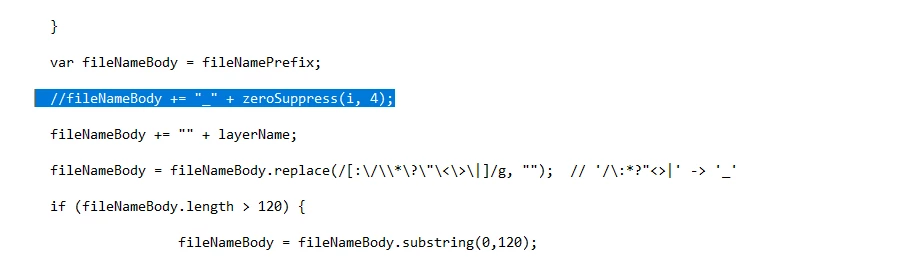
I added 2 forward slashes in these lines to skip that bit out 🙂
I hope this helps anyone else in the future 🙂

My work file 8 layers on each artboard:


Script:


output no edits:


2 replies

Earth Oliver
Legend
January 28, 2022

For future reference, the plugin i use for doing any automated layer to file output is one i can't live without:
https://github.com/antipalindrome/Photoshop-Export-Layers-to-Files-Fast

It has all sorts of features that you probably didn't even know you needed!

Risu_Chuu
Risu_ChuuAuthor
Participant
January 28, 2022

that is a fantastic tool Just tried it out 😄 I wouldnt mind being able to bundle the assets via artboard.
unfortunatley it doesnt work with Artboards it exports the whole canvas space 
Thank you though

Earth Oliver
Legend
January 28, 2022

yes, definitely a tool that's saved me countless hours, and the devs are fairly open to feature requests, so it can't hurt to ask...

Stephen Marsh
Community Expert
Community Expert
January 27, 2022

Sounds like the script was not edited correctly. Is this the right script? There is a default artboards to file script (you mentioned the layers to files script).


Risu_Chuu
Risu_ChuuAuthorCorrect answer
Participant
January 28, 2022

Hi Thanks for getting back to me 🙂
The issue I would have there is I wouldnt be able to export the layers individually. All the layers would merge.

(Although I am starting to think a single layer may be a quicker workflow and just update the linked object)


I have though managed to alter the script for 'layer to files'. So that the naming prefix doesnt appear. So I solved my own issue yay 😄


I added 2 forward slashes in these lines to skip that bit out 🙂
I hope this helps anyone else in the future 🙂

My work file 8 layers on each artboard:


Script:


output no edits:


Risu_Chuu
Risu_ChuuAuthor
Participant
January 28, 2022

OH also it keeps the canvas/artboard size for each artboard in the output 🙂