
Participant
May 28, 2024
Question

Extra border around selection

  • May 28, 2024
  • 2 replies
  • 545 views

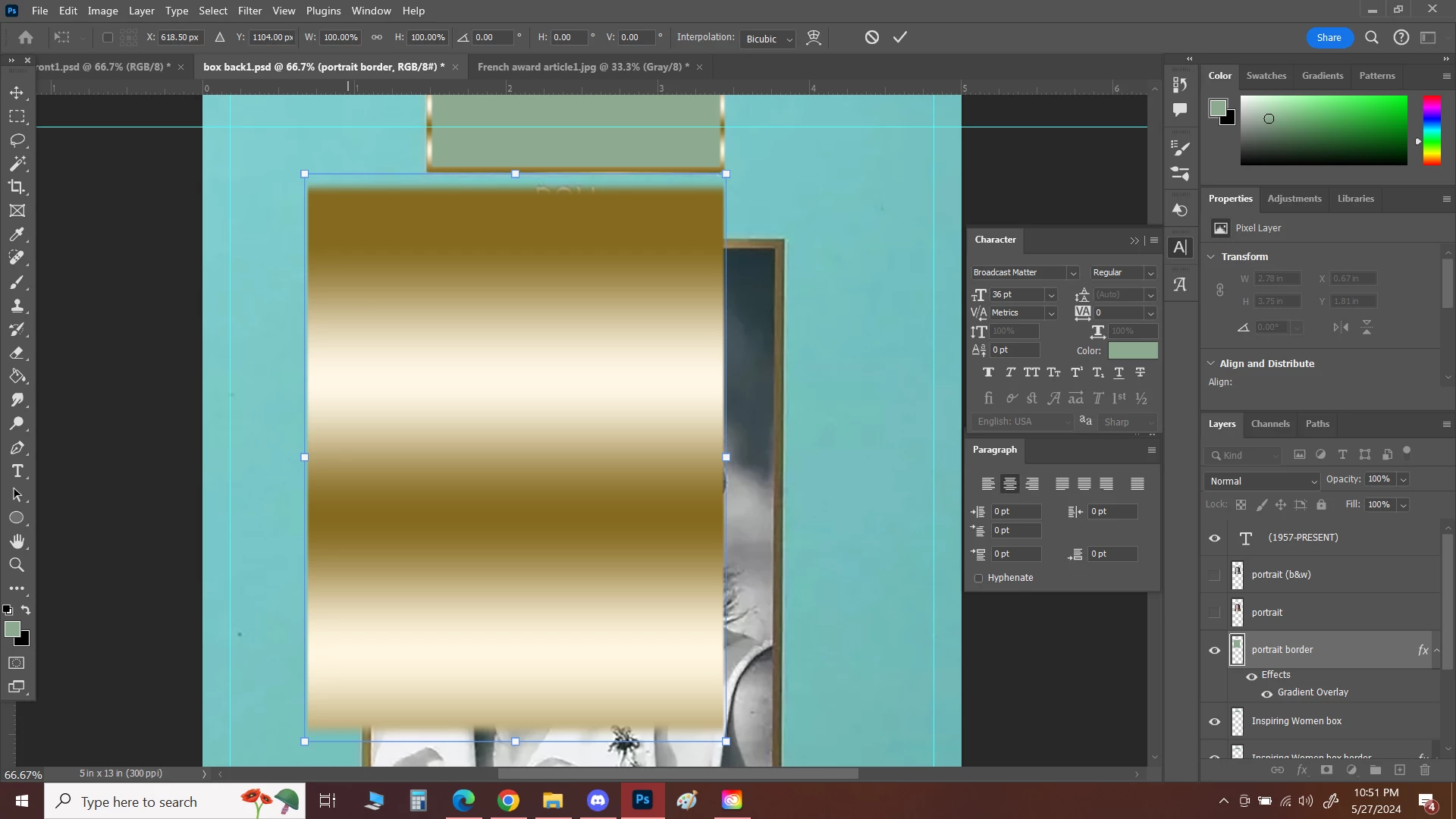
Since the latest update, I've noticed an extra border that shows around all my objects. This affects sizing, because there's basically an invisible box around the entire object that gets sized in addition to the graphic. What is this and how can I get rid of it?
This topic has been closed for replies.

2 replies

Jeff Arola
Community Expert
Community Expert
May 29, 2024

What version of Photoshop are you using?

From within Photoshop go to Help>System Info and look at the top line Adobe Photoshop Version.


Perhaps a Photoshop preferences reset will fix the issue.

https://helpx.adobe.com/photoshop/using/preferences.html


Participant
May 30, 2024

i'm using this version it seems:

Adobe Photoshop Version: 25.9.0 20240516.r.573 296f739 x64

Jeff Arola
Community Expert
Community Expert
May 28, 2024
Participant
May 29, 2024

Tried turning all those options off and it's still doing it. It's not just when I hover; it's also when I'm using the Free Transform tool. And if I enter in a size in the Width and/or Height box, the empty space affects the size of what I'm trying to scale. I thought it might be the gradient, but it's doing it even on a box with a solid color. It does seem to be limited to boxes I draw, so copied/pasted graphics are no longer affected, but the boxes actually created in Photoshop have the issue.

c.pfaffenbichler
Community Expert
Community Expert
May 29, 2024

Can you provide one of the affected files?