
Participating Frequently
October 20, 2020
Answered

Fixed: Photoshop 22.0 neural filter style transfer not available

  • October 20, 2020
  • 42 replies
  • 124389 views

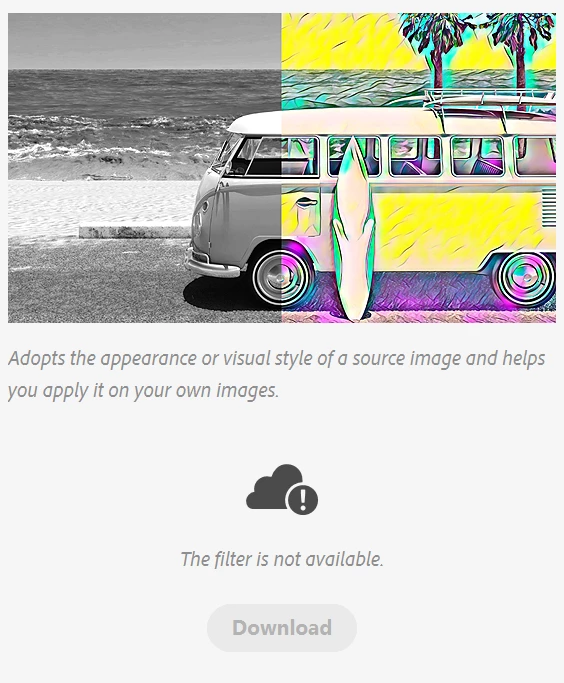
I am pumped for the style transfer feature in photoshop 2021, but it is the only neural filter that wont work. The download button is unclickable and greyed out and it says the filter is not available.
{Moderator Note: Edited thread title, LFP-1846, PS-57169}

Correct answer Corvette1968

Finally I could install these filters... First I had to set the temporary path (TEMP and TMP) to c:\windows\temp. Second I had to run PS as administrator. Then the download worked.


Then I started PS without admin-rights and the filters were not installed... So I had to change the rights for all of the directories in folder c:\users\....\Appdata\Roaming\Adobe\UXP\PluginsStorage\PHSP\22\Internal\com.adobe.nfp.gallery\ that I am authorised to access it.


Afterwords the filters worked!! *halleluja*

42 replies

Participant
May 26, 2022

To anyone who is still experiencing this problem and can't use the Neural Filter, try disabling Photoshop in compatibility mode if you have it enabled.
After all the above manipulations from this thread, my neural filter still didn't want to work. And after that, I just happened to turn off "run in compatibility mode" and after that, immediately, the neural filters worked!

Inspiring
March 10, 2022

I have my Photoshop updated to the most latest release 23.2.1 yet none of the Neural Filters working or downloading except Color Transfer. I'm always getting the same "the filter is not available" error no matter what. 

Inspiring
March 10, 2022

UPDATE: I just started Photoshop with "Admisnistrator" mode (I'm on Windows 10 btw and I simply despise it) and now being able to download the filters.

Known Participant
March 10, 2022
That was my solution as well.
Then I located the files/folders created for the administrator and copied
them into my user folder. No more problems.
All this, even though I supposedly have administrator privileges
associated with my own login.
Go figure.
Participant
January 28, 2022

I had the same issue today with latest PS. I resolve the issue with open the PS with "run as administrator" (right click on the app icon, select run as adminstrator", then go to download the new filters).

PECourtejoie
Community Expert
Community Expert
February 4, 2022

Hello, could you try if it works as another regular user as well?

Participant
January 22, 2022

I found the solution, run photoshop as administrator. 


PECourtejoie
Community Expert
Community Expert
January 26, 2022

I'm wondering if it would also have worked as another user, with fresh user preferences...

Participant
January 20, 2022

New Laptop, Windows 11, Photoshop v23.1.1

I got the option to download but it would say "filter not available".


I added folders as per previous suggestions because my Pc only showed folders up to the one named 22.

But still no joy.


I then opened Ps as Administrator and then they all downloaded successfully.


I then checked the folders I added and above, and everything from UXP, but see no files in any of them.


So running as Admin has sorted my problem. Hope this helps

Known Participant
January 20, 2022
I went a step further and copied the folders created by the admin login to
my user login following the same “path.”
Inspiring
October 28, 2021

Latest PS v23, installed from scratch. Windows 11. All updates performed.


Still happens, unavailable filters still won't download.


Update - worked after several PS restarts.

Participant
October 28, 2021

I had the same problem. I started Photoshop "as Administrator" After that the neural filters were downloaded normally (I am using Windows 10 latest version and all updates, 10-2021)

Dio Vayne
Known Participant
July 21, 2021

I had my system variables set to another drive (K:\windows temp). Changing the TMP and TEMP to C:\Windows Temp fixed it. This video was the one that helped me fix it (not Adobe by the way): https://www.youtube.com/watch?v=noHjFYPN9tU

Inspiring
June 27, 2021

I just updated my PC with a RTX 3080ti to be able to use some of these new Ai features in Photoshop and to my surprise Adobe halfway released a feature that a tone of people are having problems with. I've done every little adjust that people have mentioned on these forums, from deleting that folder inside the AppData folder to checking the TEMP/TMP file names and nothing seems to work. I still have greyed out boxes but I can download the plugins. I tried using bot raw and jpg files of headshots and nothing seems to work. I have also updated my drivers and still nothing. 

So why do we pay for a service that halfway releases a feature? Or a feature that only works for some people? This is ridiculous. Adobe, fix this issue or don't release it until you get it right now. I hate wasting my time on products that you want us to fingure out without you providing real customer support. And by customer support I don'y mean you giving us a list of forums to read, you guys need to do a better job with videos on how to fix issues or actually answering email or phone calls.

Participant
June 21, 2021

Well, here we are at the end of June 2021. I am running PS 22.4.2 on OSX Mojave and still neural filters just start downloading and then revert back to wanting them to be downloaded. It's been 10 months (!) since these issues were first reported. I'm happy for those of you running Windows 10 who have been successful in employing some complicated workarounds involving Admin accounts, user permissions, reinstalls, etc. but shouldn't Adobe have fixed this for all users by now? Especially for us Mac users?

Known Participant
June 21, 2021
Thinking that it had been corrected for Mac I purchased a MacBook Pro.
I just opened Photoshop and downloaded and used a few neural filters.
Not much help, admittedly but .......

My Mac, being the M1 chip variety, isn't supported by Adobe for native
applications except for Photoshop and Raw. Everything else they want to
install an Intel version -- Bridge, Lightroom CC -- but I just won't do
it.

The M1 seems very capable but currently not being used much. How long
should we wait on Adobe?