Sameer K
Community Manager
Community Manager
October 14, 2024
Question

Generative Fill, Expand & Similar in Photoshop just got better!

  • October 14, 2024
  • 33 replies
  • 4165 views


Try it in the App

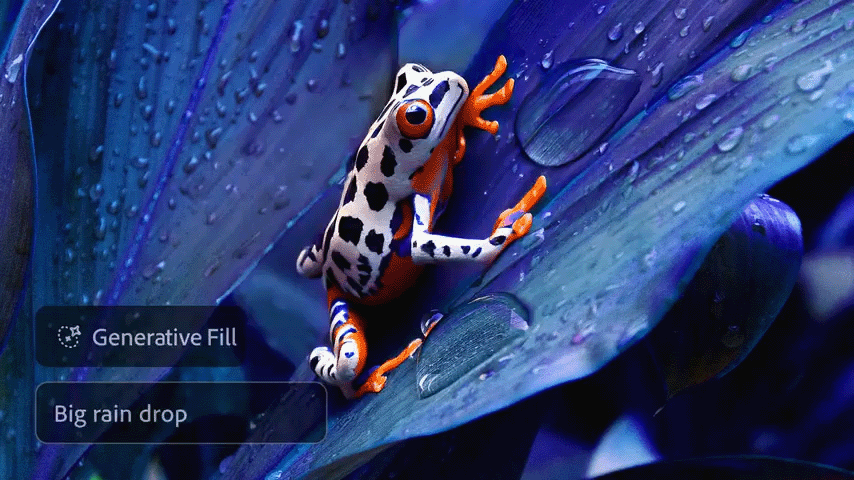
Photoshop 2025 comes equipped with the Firefly Image 3 Model. 


Improved results with Generative Fill, Generative Expand, & Generate Similar 

Get richer, more photorealistic image results with the latest Adobe Firefly Image Model 3

The generated outputs will be of higher quality, enabling you to create with more confidence, control, and details to bring your vision to life.
  

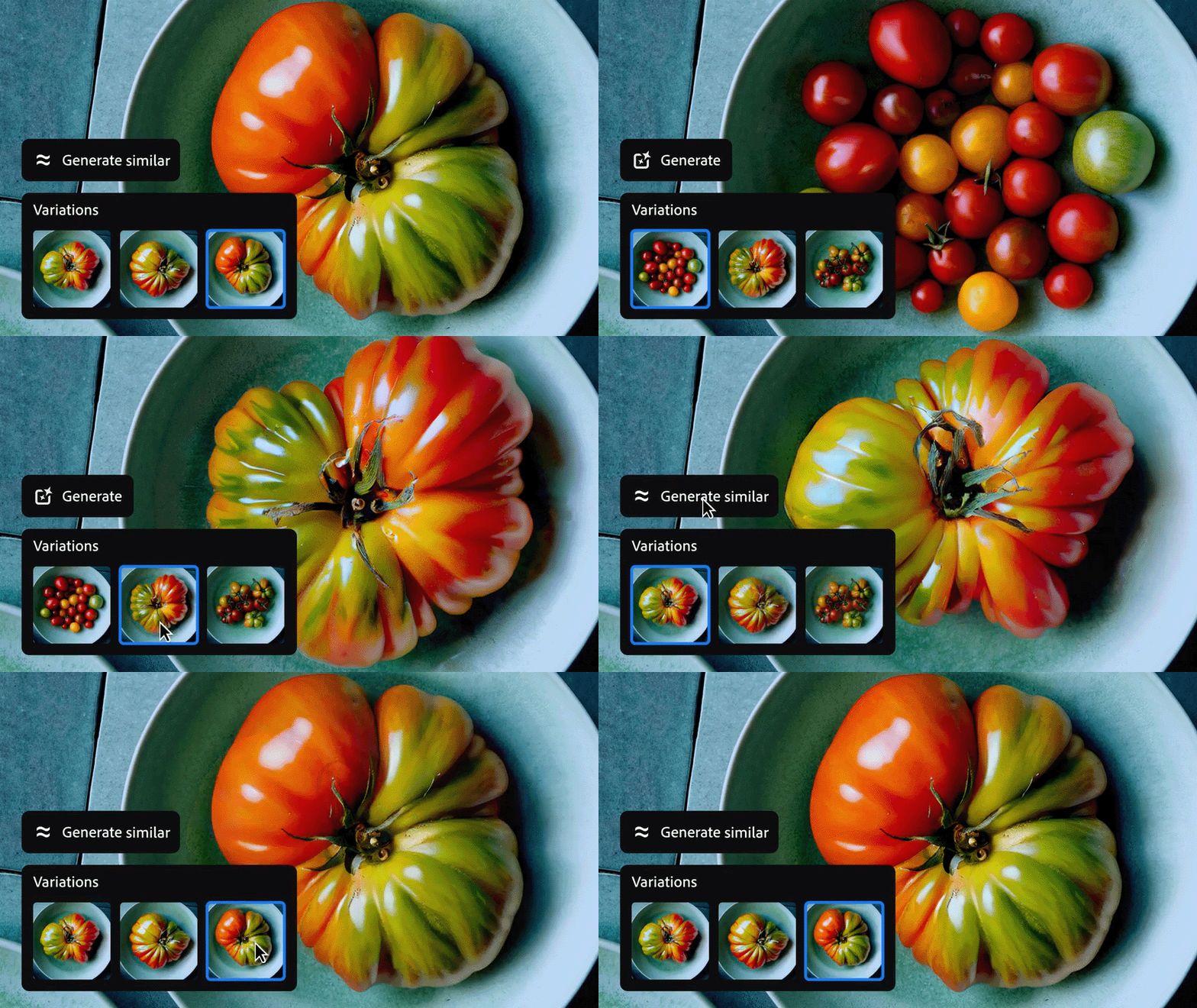
Create variations of an existing output with Generate Similar

When working with Generative Fill, Generative Expand, Generate Background, and Generate Image, use a generated variation to produce similar variations with Generate Similar.


It is time to revisit projects and reimagine them with higher-quality photorealistic results. Give it a go & let us know if you like the results! 

 

Note:  To learn more, check out Generative FillGenerative Expand, and Generate similar in Photoshop on desktop. 

If this was helpful, please click the  Upvote icon in the top left corner of this post. Your feedback helps us improve the experience. Thank you!

Have questions? Click 'Reply' below to ask.

Click 'Follow' below to bookmark this thread for easy reference.


This topic has been closed for replies.

33 replies

Peru Bob
Community Expert
Community Expert
November 2, 2024

Christelle RD
Community Expert
Community Expert
November 1, 2024

Generative expand blows my mind!
I was wondering what result I would get with a sharp foreground and a blurry background ...

Picture of Viktoriia Yatsentiuk on Unsplash


EuanWilliamson
Community Expert
Community Expert
October 31, 2024

 Add a nice retro yacht

image (c) https://www.mollymccammon.com/


Best regards, Euan.
Kevin Stohlmeyer
Community Expert
Community Expert
October 29, 2024

Greatly improved. From this:

To this:

Removed the obtuse tote and distracting bags below the table.

Expanded down first, then added legs to the barista.

Then expanded L/R.

Michelle Chocolita
Community Expert
Community Expert
October 28, 2024


Added some rocks to the scene, reflections are coming out nice!

Original:

creative explorer
Community Expert
Community Expert
October 28, 2024

Before Pic:


After Pic:


This would have taken me few minutes vs seconds with the new Generative AI

m
Monika Gause
Community Expert
Community Expert
November 2, 2024

But now they're out of energy.

Henrik Heigl
Community Expert
Community Expert
October 27, 2024

I needed a black glassball, but I did not have one so I "made" one.

regards,Henrik
creative explorer
Community Expert
Community Expert
October 28, 2024

whoa...that's insane @Henrik Heigl 

m
Community Expert
October 24, 2024

A simple addition.

creative explorer
Community Expert
Community Expert
October 28, 2024

@DeanUtian this was like 'waldo,' except, I was trying to figure out what I am looking for...then I saw it! 

m
Inspiring
October 24, 2024

Yesterday, Gen fill stoped working as well as it had since it came out and was the beta version. I photograph events taken indoors on astroturf. Often, I use gen fill when I've not framed the subject and need to fill in the astroturf at the bottom of the image because I shot the image too low in the frame. Since yesterday, the AI isn't working as well. It now makes it look horrible. I've been filling the same exact subject matter forever. Now it comes out looking wrong. Sad that Content Aware fill now works better than the AI (gen fill.)  It's like they took my Christmas presents away from me.  Who stole my candy? This is all I do all day, every day with the exception of the handful of days a year that I photograph these events. So, it's not like I don't know the difference.  So sad that now 10% of the images I was able to use are no longer going to be viable and my workflow is going to take me so much longer again... I got spoiled!

They've done something to the "I" part of AI in the past two days. I've already been on a remote session with Adobe, so they've seen it.  The CSR did not have an answer and will forward this to the development team (I hope!)

I've had to roll back to previous versions of both.  Working fine again. Please tell me how to stop getting emails from this thread!!!

Amybeth M. ACI G7
Community Expert
Community Expert
October 24, 2024


Amybeth MACI G7 Certified Expert