



Graphics Glitches
Ever since like last week Photoshop has been acting very strange with me. Whenever I click on a layer I have to hit ctrl/sht + T to transform it instead of there always being a transformation box around the layers, the dotted boxes are a different style and color, and whenever I move anything I continue to have like random artifacts of the previous graphic still being there, not on the actual page but on the grid behind it. When I add guide lines where they end on the page does not line up with where the guide starts in the grid behind the file.
I've reset the program entirely but it did nothing. Short of totally uninstalling and reinstalling it, I really have no idea what is happening. I thought for some reason maybe the 3D mode thing was activated, but I didn't see any options to turn it off, so I can't be sure if that's the problem or not.
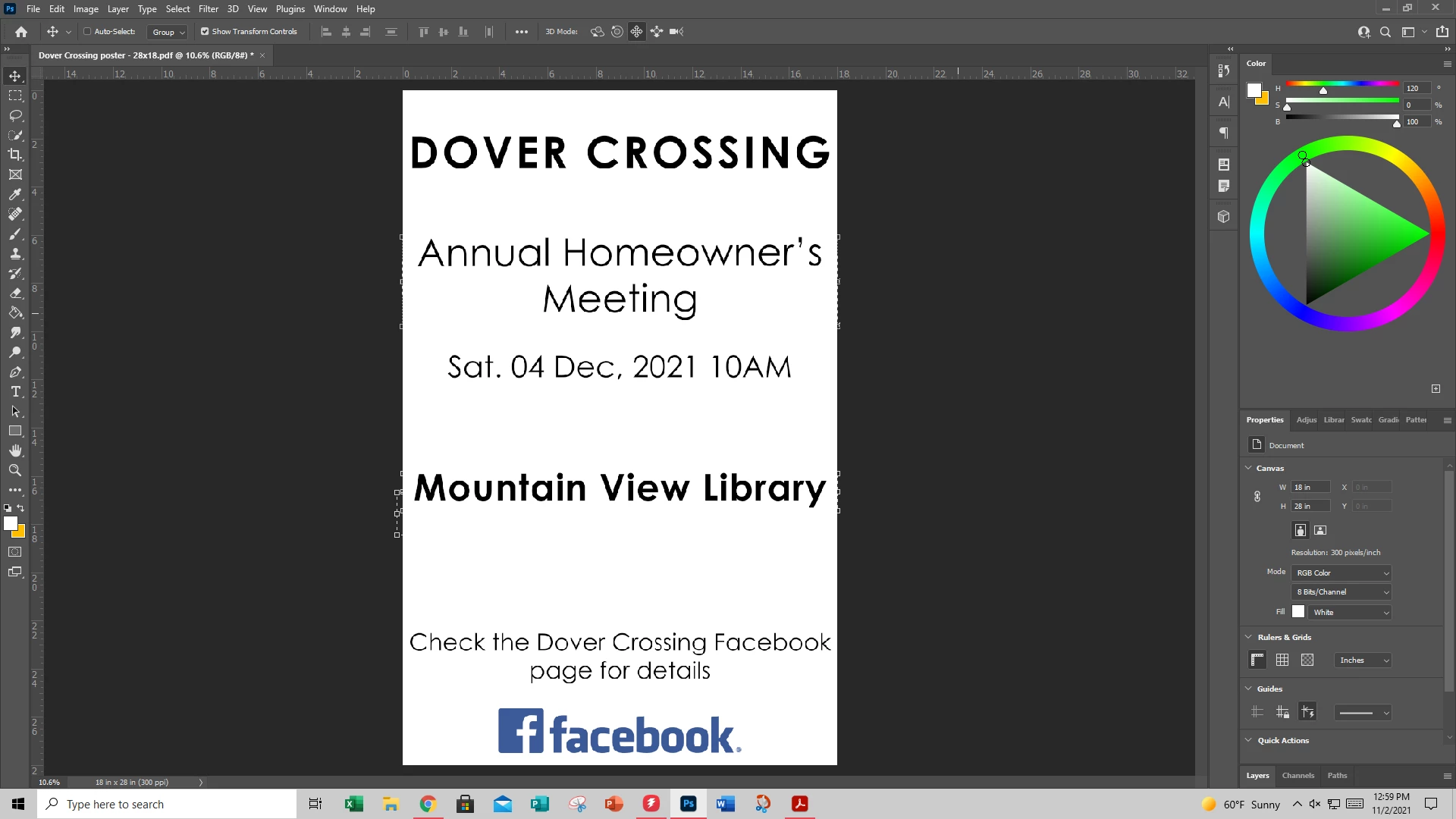
You can see on the side of the file, there are random boxes around text layers that I do not have selected even if I have moved them to another spot - the one right under "Mountain View Library" was that one's transformation box, but I moved it up to show that it would leave the first one and show the new one following the text.
 AdChoices