



Hand tool remains selected in several menu's
Hi,
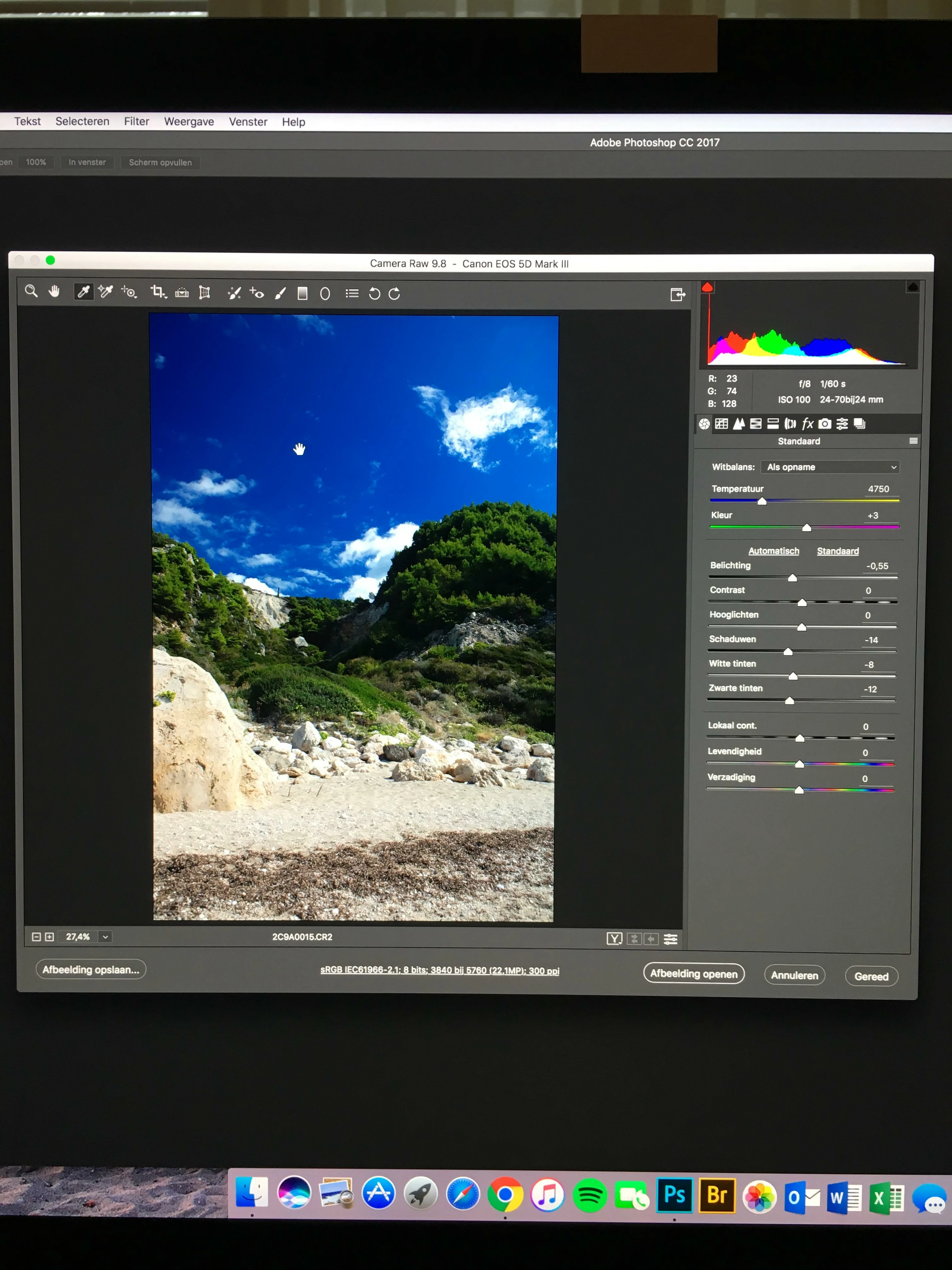
Since a week the hand tool in PS CC remains selected when I am opening an image in the Camera Raw menu or in the Liquify menu. If I select another tool in these menu's the hand tool remains selected. I am also using a Bamboo Fun CTH-661 mouse pen. The hand tool could be selected by pushing the lower button on the mouse pen if I zoomed in on an image. Also that doesn't work anymore.
I already tried several solutions, like;
- Reset Preferences On Quit within the Photoshop Preferences menu. Does work for a couple of minutes and then it remains selected again.
- A sticky keyboard/spacebar is not the case. Tried two other keyboards.
- My iMac is just 2 months old: iMac (Retina 5K, 27-inch, Late 2015). Working on Sierra.
- PS CC is also updated.
- I don't think it's the Bamboo mouse pen, because without and only the regular mouse, the problem stays the same.
Yesterday I was in contact with Adobe Chat and the employee took over my computer with Adobe Remote Support. I showed him some examples on the screen. He tried some things, but had no solution at that moment. He told me to call me back by today, but I haven't had any call yet.
This problem is really annoying. Unfortunately I can't find anything on the community. I hope the Adobe employee is calling me back, but perhaps someone else knows a solution for this issue?
Really appreciated!
Thanks!
Below one example from the Camera Raw, while the white balance tool is selected and the hand tool remains there.
 AdChoices