Participating Frequently
November 26, 2023
Answered

How do I fix PS making one of my layers black and white when I export

  • November 26, 2023
  • 1 reply
  • 1086 views

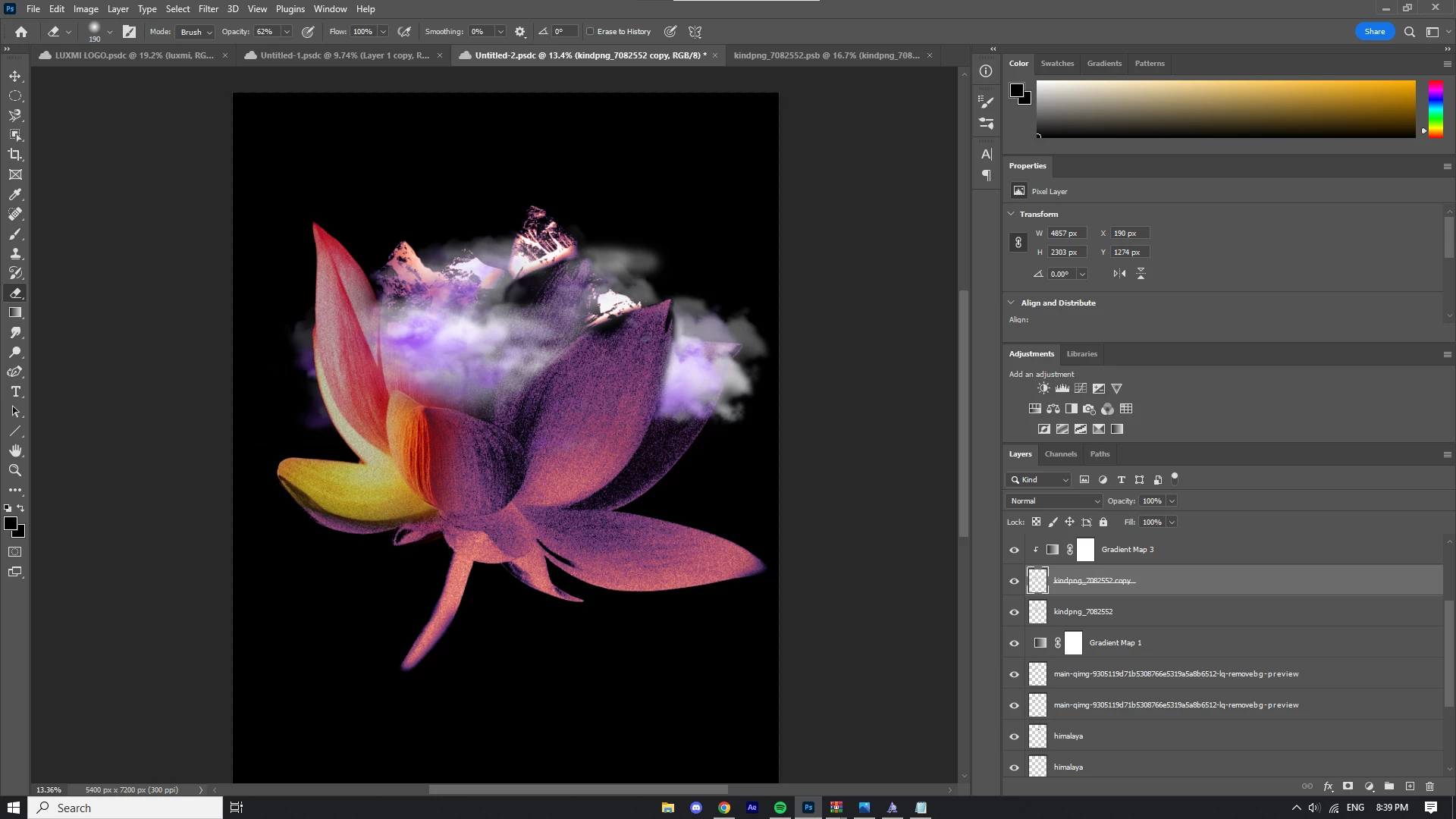
I was about to export this project assuming it would export the same way I edited it. But when I go into the export tab it shows one of the layers as black and white. I clicked Embed colour profile. I waited a few minutes in the window to see if it was fixed, but nothing happened. I exported it and checked the image; the layer was still black and white. 


This topic has been closed for replies.
Correct answer davescm

What should I do then


100% zoom is the accurate preview of your document blend. When zoomed out you are not seeing an accurate preview but a blend based on combined pixels in each layer. For 99% of images the difference is not noticeable, but when fine noise is involved the difference can be dramatic, as you have seen in your document.


So you need to remake your layer blending so it looks the way you want at 100% zoom. That will flatten and export OK.


Dave

1 reply

D Fosse
Community Expert
Community Expert
November 26, 2023

That's a pretty big file for web/screen/mobile, which is what Export is intended for. Are you sure you don't want Save As/Save A Copy instead?


But yes, there is clearly something wrong here. This is a layer compositing error, and layer compositing is (AFAIK) executed in the GPU nowadays. So that would make it a GPU driver bug. Try to update the driver, and use the Studio driver, not the Game Ready driver.


If you really do need Export and not Save, you can try Save For Web as an alternative (although I'm not sure it will handle the file size).


Is this a laptop with dual GPUs? That's a constant source of problems and you may need to disable the integrated GPU to avoid conflicts.

Participating Frequently
November 26, 2023

Im updating the driver right now. Ill let you know if that works. I have a PC with an RTX 3060