Participant
October 17, 2017
Question

How to clear Scratch Disks

  • October 17, 2017
  • 1 reply
  • 12514 views

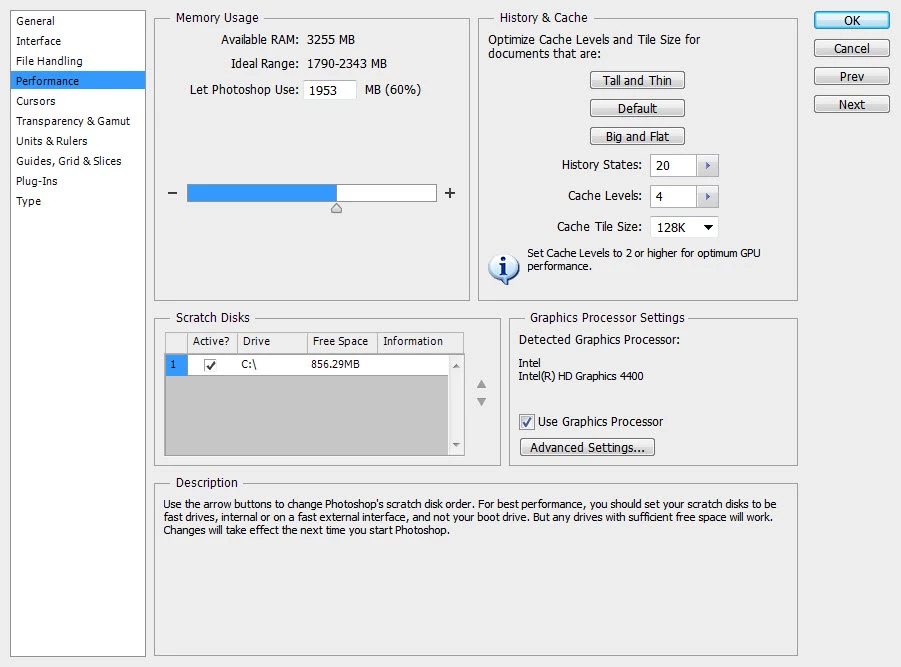
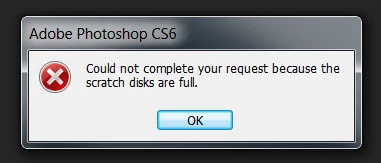
I'm trying to open a 500MB file and received the following Photoshop message: "Could not complete your request because the scratch disks are full."  I went to Edit/Preferences/Performance and only one drive is listed, i.e. my C:.  The active box is checked and it shows 856MB under Free Space.  I read somewhere to uncheck that box to purge/clear the scratch disk, but it wouldn't let me de-select the check box. 

I wasn't able to find technical support on Adobe's site; hopefully someone can help with this.  Thanks!
    This topic has been closed for replies.

    1 reply

    Legend
    October 17, 2017

    If photoshop is open, go to the Edit menu and choose Purge > All

    Legend
    October 17, 2017

    After that, well, it's your disk, full of your files. Only you can decide what to delete, or decide to but more disk.

    Peru Bob
    Community Expert
    Community Expert
    October 17, 2017

    Please don't ask the same question on two different threads.

    Please see here to continue discussion:

    How to clear scratch disks for Photoshop CS 6???

    I am locking this thread.