



How to convert the distance from/to the text in Photoshop into CSS margin/padding?
Distances from text elements (paragraphs) in Photoshop do not correspond to margins/paddings in the CSS. Distances are measured, for example, using smart guides:
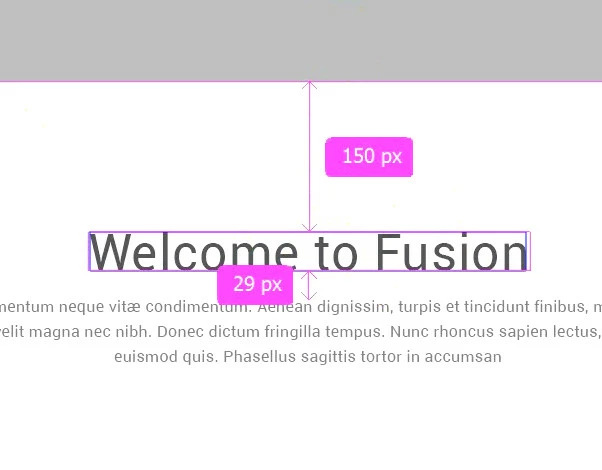
All because the line height is not used in the distances calculation. Therefore, the first recommendation I found is to use the formula:
margin_in_CSS = distance_in_PS - (line-height - font-size) / 2or shorter:
CSS = PS - (line-height - font-size) / 2This is the distance from some obvious border (line) to the text element. For the distance between two paragraphs we use, respectively:
CSS = PS - (line-height_1 - font-size_1) / 2 - (line-height_2 - font-size_2) / 2As the font size increases, it becomes clear that this formula is not enough. The actual height of the line (obtained with the selection tool) in Photoshop is even less than the font size!
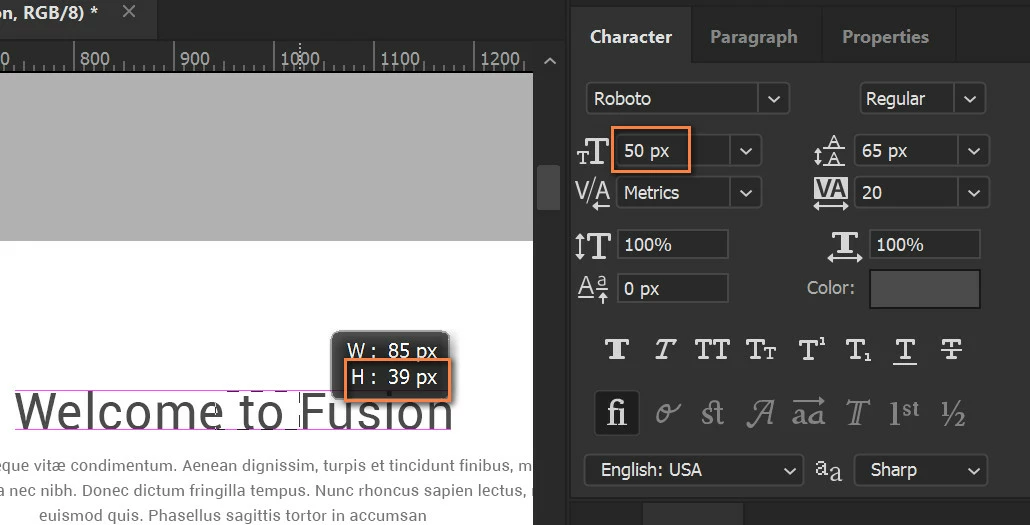
Although the photoshop still considers the height of the element to be approximately equal to the font size, which does not affect the distance to it  , for example on the Properties tab:
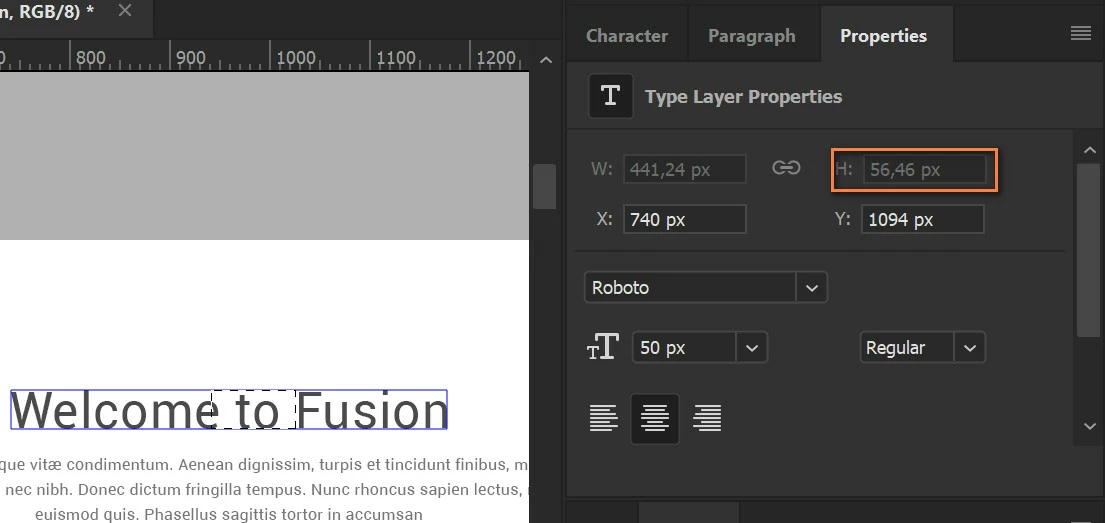
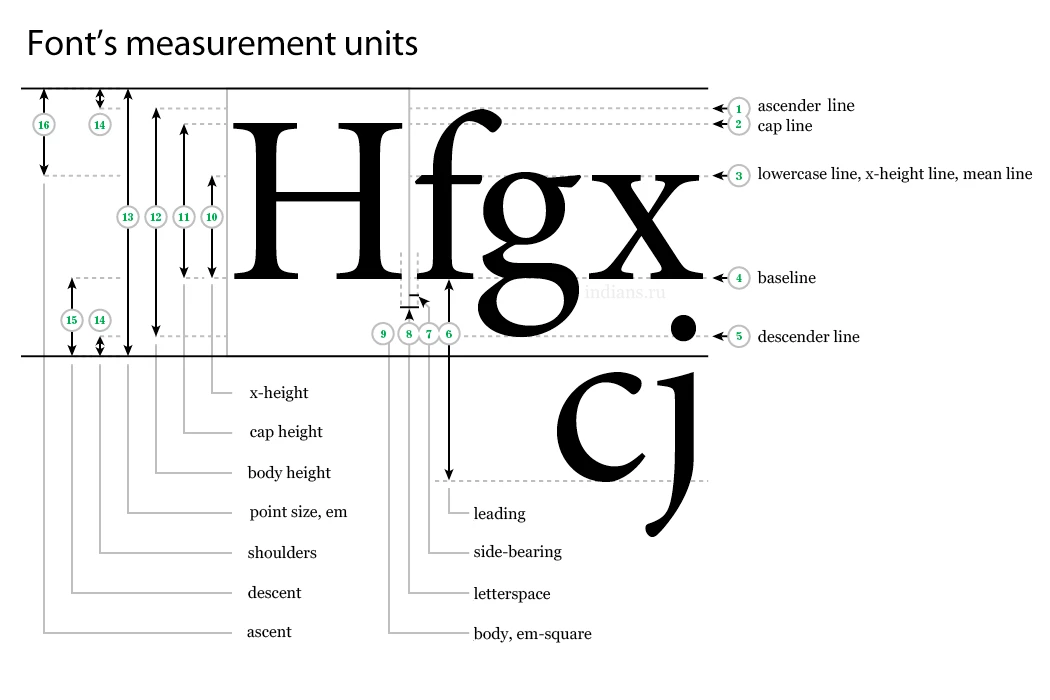
I calculated that the difference between the real height of the line and the font size is about 30% or 15% at the top and bottom of the text (I'm not saying this is 100% true!). And now I use the formula:
CSS = PS - (0.15 * font-size + (line-height - font-size) / 2)Or between two paragraphs:
CSS = PS - (0.15 * font-size_1 + (line-height_1 - font-size_1) / 2) - (0.15 * font-size_2 + (line-height_2 - font-size_2) / 2)Similarly, we can not rely on the correct definition of the height of a paragraph in several lines by Photoshop. But here the situation is simpler, the real height of the paragraph in the CSS will be:
height = line-height * num_of_linesThe question is, is there a simpler way? 
Sorry for my English 
 AdChoices