


Inspiring
May 25, 2017
Answered

How to Create Frame Animation in Photoshop CS6 Standard

  • May 25, 2017
  • 1 reply
  • 5229 views

The tutorial I am working on is Photoshop Tutorial: How to Create GIF Animations from Video, Graphics & Photos! - YouTube

The Create Frame Animation button is not an option in CS6 unless you have the Extended version--which I don't have. I was able to find a way around this in an earlier tutorial I completed but never really knew how I was able to accomplish this task. It seems to me it was something to do with the mini bridge feature. I was able to show the image in the Timeline again this morning. I was curious as to how I managed this, closed out of Photoshop to figure out what I did and now I can't show the layers in my Timeline again because I don't have any idea how I accomplished it in the first place????
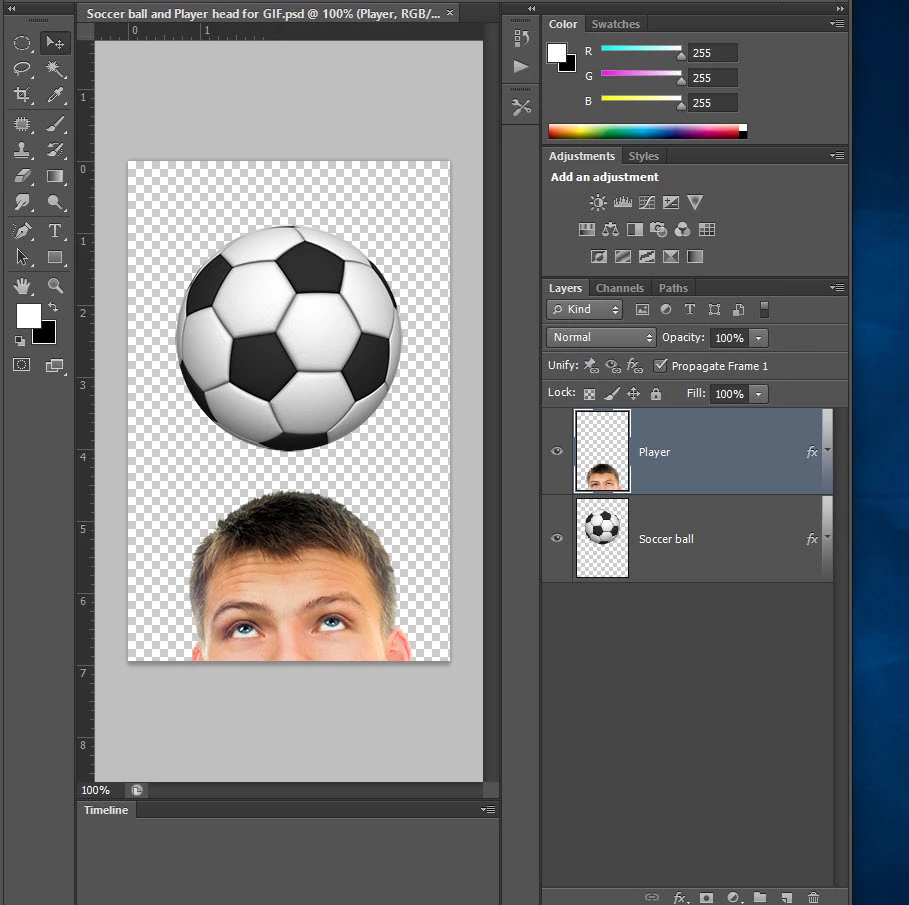
    This topic has been closed for replies.
    Correct answer Silkrooster

    It has been quite awhile since CS6. If I recall on the standard version you can do frame animation and exporting gif's but it is limited.

    You can not do timeline animation or export to a movie format.

    Therefore for each frame you will need a layer to represent that frame.

    In the time line window you will see a cog icon in the upper right hand corner of that panel.

    Click on it and see if there is a layers to frames option or something similar.

    You can then use the export to web and devices to export an animated gif.

    That said, it has been a long time and my memory is not what it use to be. That's my disclaimer and I am sticking to it. LOL.

    1 reply

    Silkrooster
    SilkroosterCorrect answer
    Legend
    May 26, 2017

    It has been quite awhile since CS6. If I recall on the standard version you can do frame animation and exporting gif's but it is limited.

    You can not do timeline animation or export to a movie format.

    Therefore for each frame you will need a layer to represent that frame.

    In the time line window you will see a cog icon in the upper right hand corner of that panel.

    Click on it and see if there is a layers to frames option or something similar.

    You can then use the export to web and devices to export an animated gif.

    That said, it has been a long time and my memory is not what it use to be. That's my disclaimer and I am sticking to it. LOL.

    Inspiring
    May 26, 2017

    Oh golly, I can't remember how to post the animated gif I created?