


ANPE
Participant
August 30, 2020
Answered

HOW to DISABLE "Extras" in photoshop, it keeps appearing even when I disable it!!
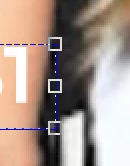
THIS IS SO ANNOYING to see these edges ALL THE TIME!
I cannot be going to "View > Extras" over and over again! HELP

JJMack
JJMackCorrect answer
Community Expert
August 31, 2020

Make sure You Display device driver and system software are up to date and you do not have use Legacy Compositing performance section checked. Reset all Photoshop Tools.


Make sure your move tool option bar is not set to show Transform controls.


If this does not fix your issue try resetting your Photoshop.  Extras should not be part of your image and the should be able to be hidden and set not to be displayed. Are you using a PC or Mac?  

JJMack

40 replies

Beauteous_perspectivec7df
Participant
October 9, 2026

The easiest way , View > Show > None , Even when you restart , It will not show “Extra” (ctrl+h) anymore


Translate
Participant
April 3, 2025

Its terrible, the settings arent sticky and this issue is totally amateur hour from Adobe

Translate
D Fosse
Community Expert
Community Expert
October 5, 2026

​@jamieg67566371 

“Extras” is a toggle; it’s not supposed to be permanent.

The individual items covered under Extras are disabled/enabled permanently under “Show” in the menu (giving you a lot more control).


Translate
Participant
March 18, 2025

I'm having this issue, everytime I use command to select an object on a layer extras turn back on and I have to turn them it off again - driving me insane! I've tried everything suggested in this thread but everytime I 'command click' on a layer it's back on again!

Translate
Participant
December 17, 2024

With Move tool selected, click on the little cog icon and make sure you untick these options: 'show layer bound on hover' and 'show hover bound from layers'


Translate
Participant
October 5, 2026

This is what solved it for me.

Translate
Participating Frequently
September 15, 2024

This worked for me, the other stuff didnt. Thank you reddit. I have no ideal why this is an issue years later. For me, I was only getting spammed with Extras every time I did control-T with my wacom tablet. 


Translate
Participating Frequently
December 12, 2024

Indeed this is SOOOO ANNOYING, I'm dealing with this thing for months now.

As I don't want to die from an epileptic crisis I finally searched a solution online and landed here.
The only trick that seems to work so far for me is:

_ View > Show > Show Extra Options ... > Untick everything


I spoke too soon. It looks like, no matter what, View > Extras always comes back on!
Does anyone knows how to PERMANENTLY disable this useless 'Extras' and annoying option without constantly pressing Ctrl+H each time it's activated again?

Translate
Huff©
Participant
August 6, 2024

OMG! Yes... This has been the most annoying thing Ever in PS

*FIXED* hopefully... 

Img attached (uncheck boxes in menu bar)

Cheers Thanks!

- Huff™

Translate
viktorc92663764
Inspiring
April 26, 2024

I think I've figured it out. I would have deleted my previous post, but I can't seem to do that.
However, in previous versions, «Show Transform Controls» did not switch on by itself, and there was no problem with it.
I didn't intentionally switch it on.


Translate
Participant
May 19, 2024

In the latest version, the show transform tool Adobe seems to have moved the checkbox to here.  See image


Translate
viktorc92663764
Inspiring
April 26, 2024

This has really become very annoying in recent versions of photoshop: the blue extras outlines appear by themselves even after I switch them off (Ctrl+H). For this reason I uninstalled beta (white) photoshop and used version 25.6, but after the update these annoying blue extra lines appeared in it too.
Where is Legacy Compositing performance section in Photoshop 25.7.0 ?
I've been working in photoshop since 2000 and I don't remember such annoying stuff. Now we are advised to update the driver, reset the settings. Are you seriously?

Translate
Participating Frequently
March 27, 2024

Sur MAC, il suffit de faire cmd+" pour désactiver cette fonction de façon permanente. Si vous faîtes cmd+H ce n'est pas permanent.
Vous pouvez aussi faire Affichage>afficher>grille

On Mac, just do cmd+" to deactivate this function permanently. If you do cmd+H it is not permanent.

Translate
Participating Frequently
March 27, 2024

This is exactly the same as going up to View, so not exactly a solution.  It doesn't fix the probelm permanently, only for the document you're working on.

The problem is that Extras is automatically turned on for every new PS document.

Can Adobe not have it be OFF automatically?  It used to be.  

Translate
Participating Frequently
March 28, 2024

That's strange because for me cmd + " fix the problem permanently...

Translate
Participant
July 2, 2023

I clicked on View/Show/None and saved the file and it fixed it for me.

Translate
Participating Frequently
November 3, 2023

OP says in the initial post that "I cannot be going to "View > Extras" over and over again! HELP"

So this is not an option, as we have to do it EVERY time we open a new psd file.

Sure, if you are continually editing a file and disable it before you save it will stay off.  I recieve multiple new files from art directors daily and it is always on when I open them up.  Madness.

Translate
