

Kharbertson
Participant
February 8, 2026
Question

How to reduce glare on glossy black acrylic without affecting overlapping metallic chains (no manual tracing) in Photoshop

  • February 8, 2026
  • 4 replies
  • 33 views

I’m working in Photoshop on a product photo that includes a high-gloss black acrylic board with metal chains and gold elements hanging in front of it. The problem is that the specular glare on the acrylic overlaps and intersects with the chains, and any attempt to select the board also selects parts of the chain.

Key constraints:

  • The acrylic board and the chains share similar brightness and color in places

  • The glare overlaps the chains (not cleanly separated)

  • I do not want to manually trace or lasso the chains or board

  • I want a non-destructive workflow (adjustment layers / masks preferred)

My goal:

  • Reduce or control glare/reflections on the black acrylic

  • Keep the chains, gold bar, and lettering completely untouched

  • Ideally use tonal, luminosity, object-based, or mask-driven techniques rather than hand masking

Is there a recommended Photoshop workflow for protecting complex metallic objects and adjusting the surface behind them when selections overlap like this?

Screenshot attached.
Photoshop version:
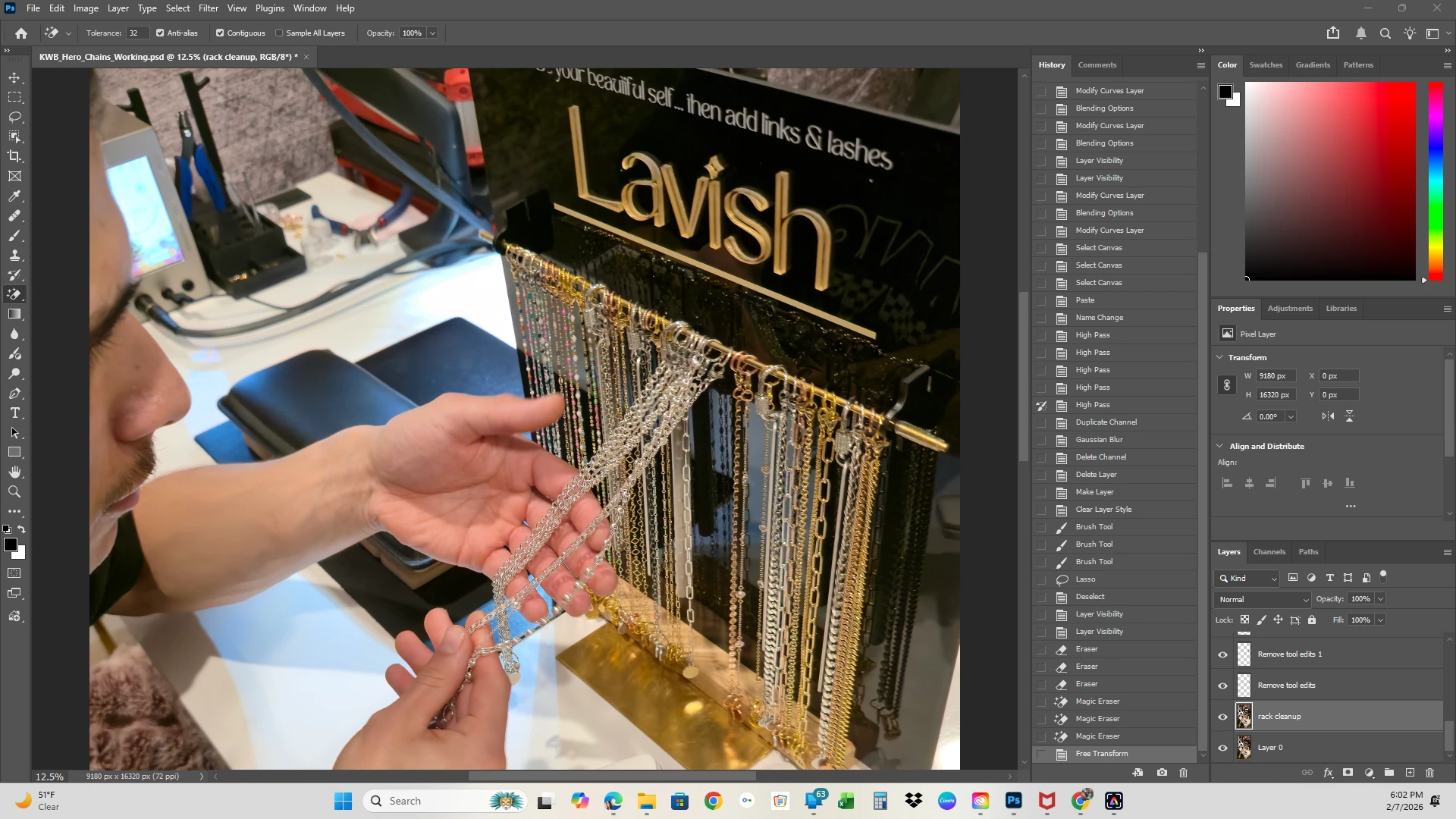
Photoshop 2026 (v27.3.1, Windows 11, 64-bit)

    4 replies

    D Fosse
    Community Expert
    Community Expert
    February 9, 2026

    This is a double posting. It has been asked and answered before.

    https://community.adobe.com/questions-712/how-to-reduce-glare-on-glossy-black-acrylic-without-affecting-overlapping-metallic-chains-no-manual-tracing-1549141


    To summarize my previous reply, reshoot, and have someone hold a piece of black fabric behind the person’s head to remove the window reflections.

    Legend
    February 9, 2026

    This should mostly be handled in camera. Invest in a copy of the book Light Science and Magic which is the best on the market for teaching controlled studio lighting.

    You can consider shooting the items separately and compositing them to avoid this problem.

    For existing images, you may have to manually select with the pen and lasso. I don’t see an easy way to handle your example, and it looks natural. A snapshot of a POP display won’t be perfect.

    Peru Bob
    Community Expert
    Community Expert
    February 8, 2026
    kglad
    Community Expert
    Community Expert
    February 8, 2026

    @Kharbertson 


    post in the photoshop forum.