


How to restore default 3D object lighting to previous version's default
Hello,
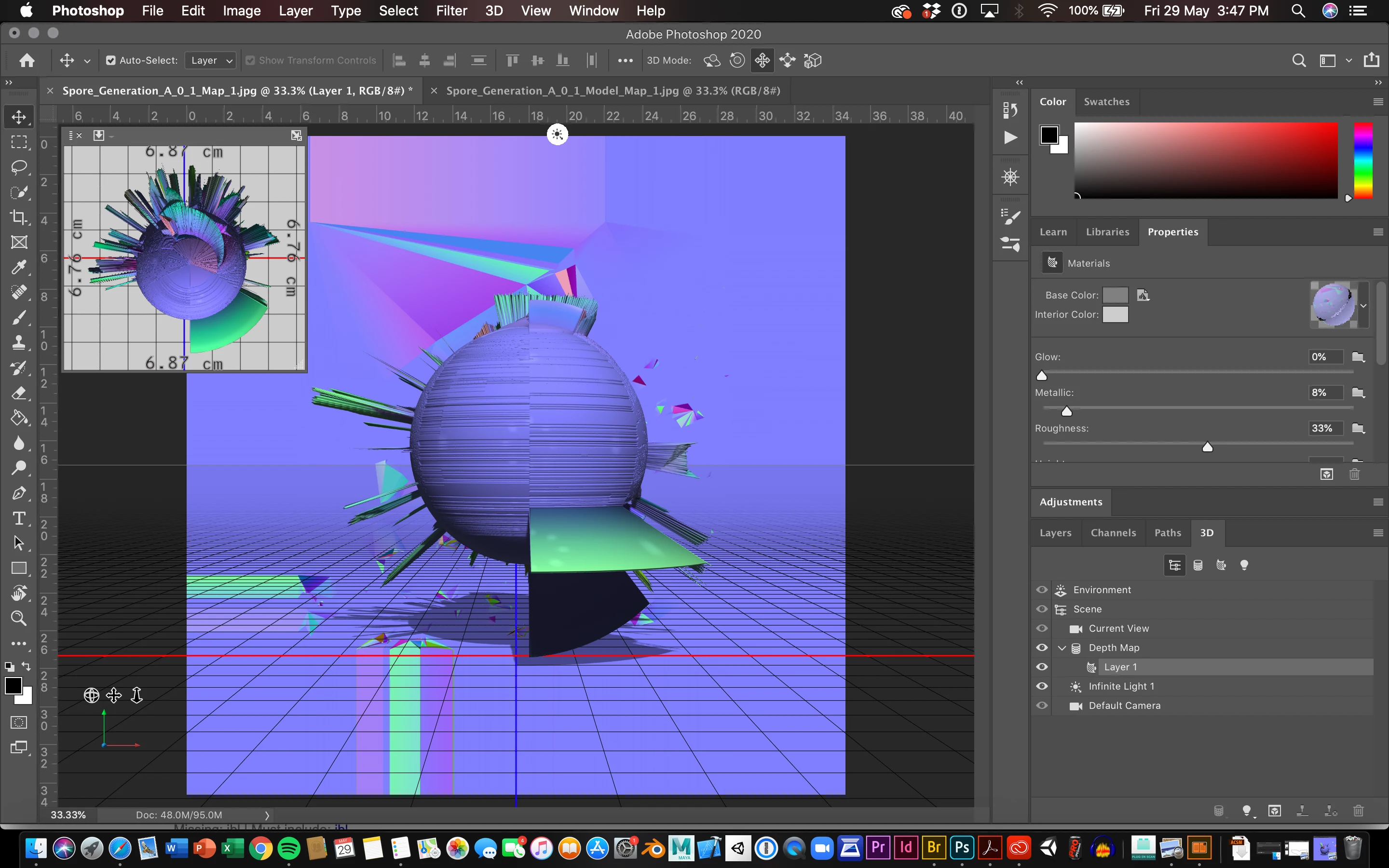
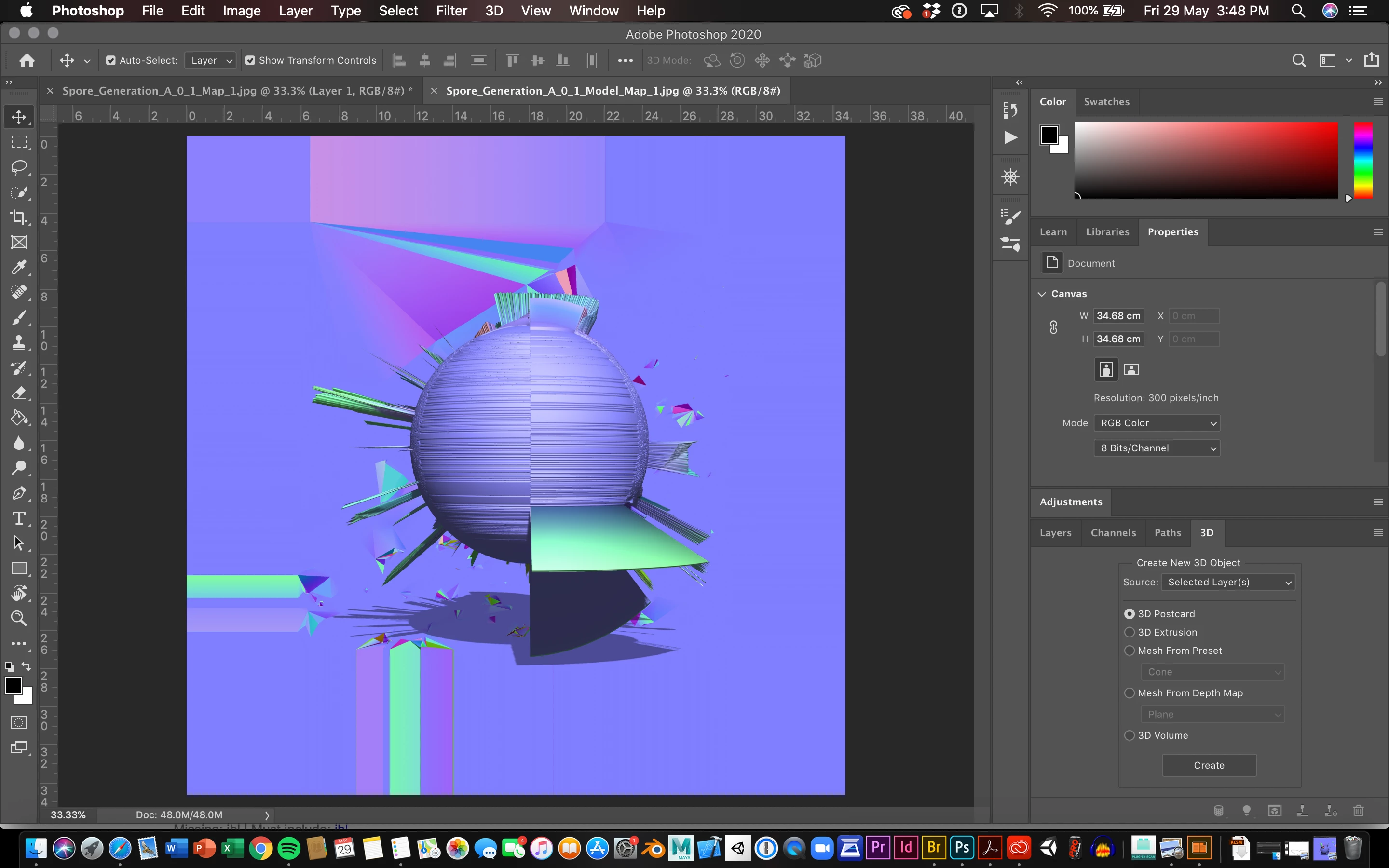
I use Photoshop's 3D mesh extrusions function to generate fractal 3D models, I recently updated to 2020 version 21.1.3 and I am finding that extrusions from the same image now appear vastly different in terms of texture and lighting.
(Please see images below)
Since I work generatively I produce between hundreds and thousands of these models for my art, and consistency in the old generations vs. the new is critical. I would really like to avoid having to remake all of my work thus far. I am wondering if there's an easy fix I am missing to remove this new default IBL that is appearing, and whether that will hopefully remove the new spotlights and uneven lighting? Or, whether it is better to try and reinstall whichever version I had before?
Thanks so much!
Top: Current default lighting
Bottom: Previous default lighting in artworks
 AdChoices