


Participating Frequently
Oct 28, 2026 1:35 AM UTC
Question

How to show the true colour of metallic gold

Hi!

I have a studio photograph of glasses with a gold metal frame. The image will be used for online shopping, so colour accuracy is very important.

The issue is that the highlights and shadows obscure the actual gold colour of the frame, making it difficult to represent the product accurately.

What would be the best way to reduce the highlights and minimize the shadows in Photoshop while preserving the natural gold colour and metallic appearance of the frame?
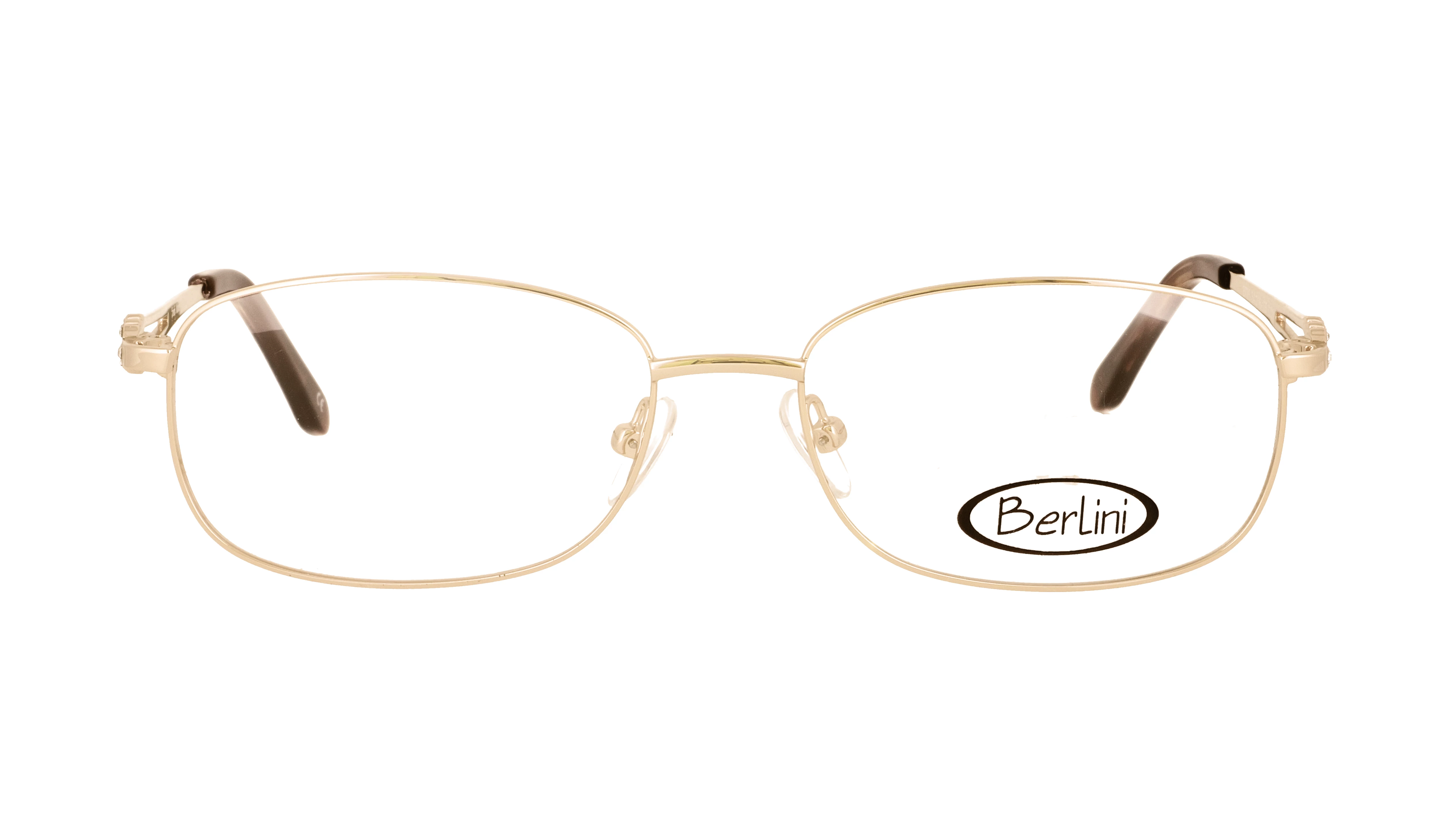
Golden frames


    4 replies

    D Fosse
    Community Expert
    Community Expert
    Oct 28, 2026 12:14 PM UTC

    ​@feiga_4918 

    “What would be the best way to reduce the highlights and minimize the shadows in Photoshop while preserving the natural gold colour and metallic appearance of the frame?”


    That’s exactly the point I was trying to make in your other thread just below: you can’t. You have to choose. You can get one, but not the other at the same time. The very quality of “metal-ness” is defined by the strong surface reflections, producing brilliant highlights and deep shadows, and obscuring the inherent material color.

    Without the hard deep shadows and the brilliant specular highlights, it doesn’t look like metal. It looks like matte plastic.

    And again, you don’t do this in Photoshop. You do it with the lighting setup when shooting.


    (BTW, multiple threads on the same subject is not popular here. Most often that gets one of them locked).

    Translate
    justlearn
    Community Expert
    Community Expert
    Oct 28, 2026 10:43 AM UTC

    ​@feiga_4918 I would select the gold frame and add a Curves adjustment layer. Lower the highlights slightly to recover detail in the bright reflections, then brighten the darker areas just enough to reveal the gold colour. Be careful not to remove all contrast, because the highlights and shadows are what make the metal look metallic. If needed, use a mask so the adjustments affect only the frame and not the lenses or background. You can also try the Shadows/Highlights adjustment to reduce bright reflections, use it sparingly. Work on a calibrated monitor and compare the result to the actual glasses to keep the gold colour accurate. For the eyeglasses shown, I'd make only small adjustments. The frame is a very light gold, and if you reduce the highlights and shadows too much, the metal can quickly start to look beige rather than gold.

    Granted, sustomers will still recognize the frame as gold, but don't reduce the highlights and shadows so much that the metal loses its natural shine and texture. A small adjustment is usually enough.

    Translate
    m
    kglad
    Community Expert
    Community Expert
    Oct 28, 2026 1:55 AM UTC

    post this in the ps forum, https://community.adobe.com/p/photoshop 


    and change your title slightly to avoid a duplicate post error.

    Translate
    Participating Frequently
    Oct 28, 2026 2:48 AM UTC

    Okay, thank you!

    Translate