
How to Stop Rich Tooltips in Photoshop, Persistently
Most times when I choose the Move tool, a rich tooltip video pops up. I’ve used Photoshop since the 1990s. I know how the Move tool works. I’ve seen this pop up so many times, it’s beyond annoying, now infuriating territory.
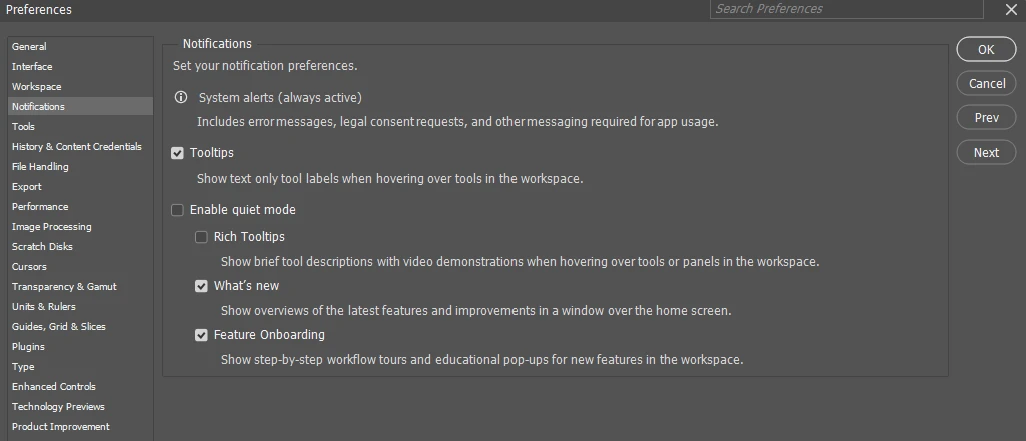
I toggled it off in Preferences > Notifications > Rich Tooltips. I clicked OK. This isn’t where most instructions say this setting is located, but it’s where I find it in my v27.11, Windows, Chrome.
Blissfully, the Move tool popup tooltip remained suppressed as I worked for the remainder of the evening.
When I booted Photoshop up the next day, the popup is back. Where I unselected Rich Tooltips, it was selected again.
How do I make the unselection persistent? Forever?!
I do appreciate What’s new and Feature Onboarding. I don’t need a tooltip for something as simple as the Move tool, after 30 years. Is this a bug?
 AdChoices