Participant
December 29, 2024
Answered

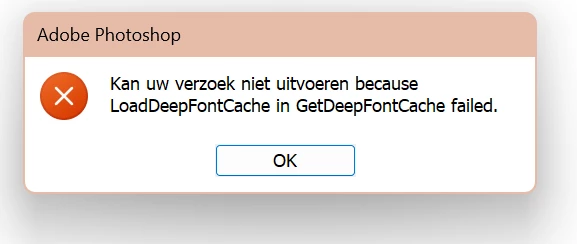
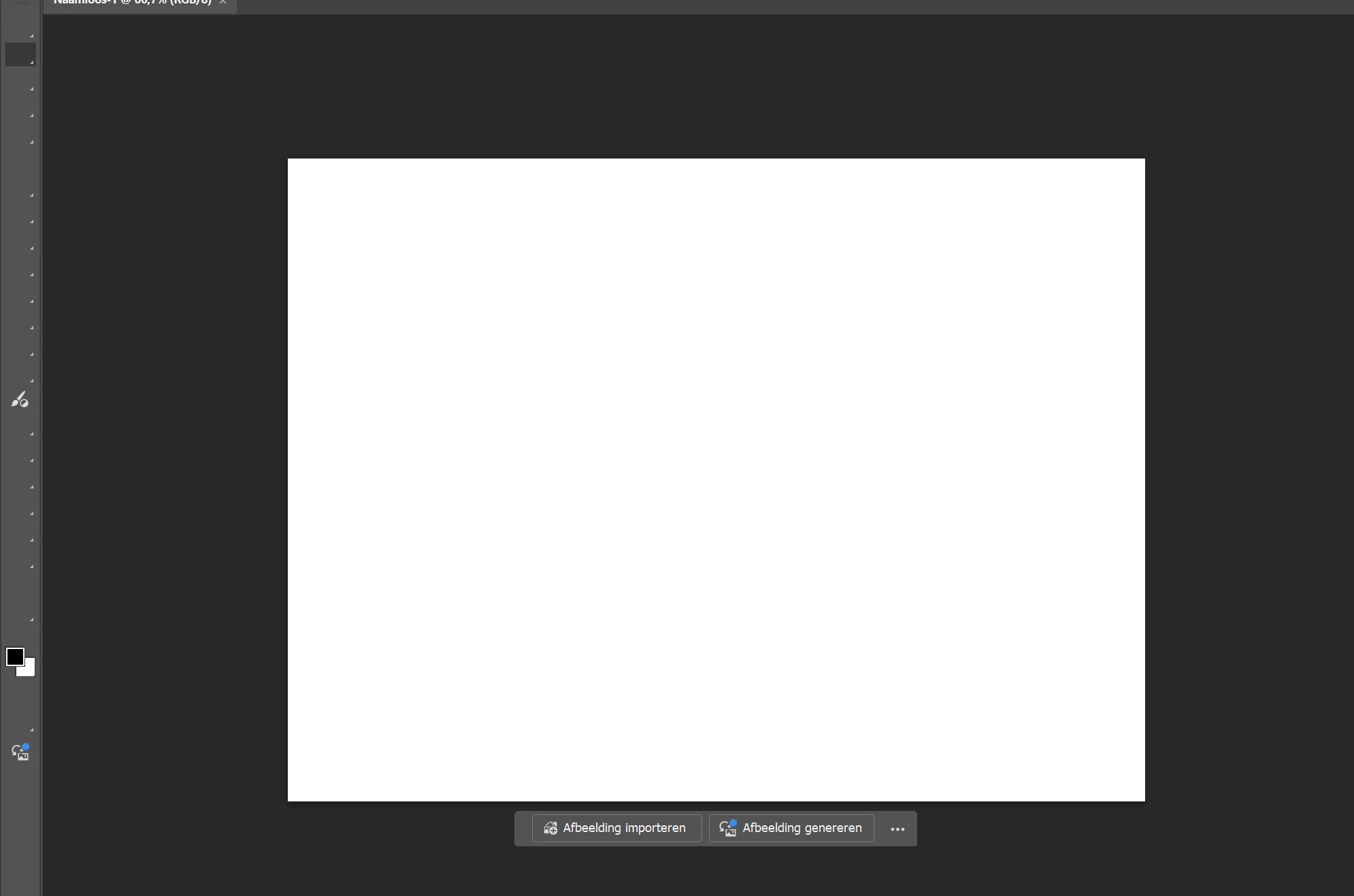
I can;t see my tools and my fonts don't work in Photoshop

  • December 29, 2024
  • 2 replies
  • 266 views

Hi everyone,


Below I've added screenshots.

I've pretty much tried anything the internet tells me to try to solve these problems. I spoke to three different Adobe-agents. All of them tried to solve the problems via remote assistance, and none of it worked. Sometimes I cán see my tools, but then they disapear again. I've been trying to fix these problems for at least six hours now and I don't know what to try anymore. Is there anyone here that knows why my Photoshop isn't working properly? 

Thanks in advance!
Kind regards, 
Anna


This topic has been closed for replies.
Correct answer Ged_Traynor

@anna_5992 have a look at the correct answer in this thread in relation to the missing toolbar icons

https://community.adobe.com/t5/photoshop-ecosystem-bugs/photoshop-tool-icons-are-missing/idi-p/13895...

2 replies

Ged_Traynor
Community Expert
Ged_TraynorCommunity ExpertCorrect answer
Community Expert
December 30, 2024

@anna_5992 have a look at the correct answer in this thread in relation to the missing toolbar icons

https://community.adobe.com/t5/photoshop-ecosystem-bugs/photoshop-tool-icons-are-missing/idi-p/13895...

anna_5992Author
Participant
December 30, 2024

Wow Ged, this worked! Not on;y for my tools, but for my fonts as well!!! Thank you very much!

Ged_Traynor
Community Expert
Community Expert
December 31, 2024

@anna_5992 you're welcome

kglad
Community Expert
Community Expert
December 29, 2024

in the future, to find the best place to post your message, use the list here, https://community.adobe.com/

p.s. i don't think the adobe website, and forums in particular, are easy to navigate, so don't spend a lot of time searching that forum list. do your best and we'll move the post (like this one has already been moved) if it helps you get responses.


<"moved from cc desktop">
anna_5992Author
Participant
December 30, 2024

Thank you!