


New Participant
January 31, 2023
Answered

Image size dialog box issue

  • January 31, 2023
  • 2 replies
  • 619 views

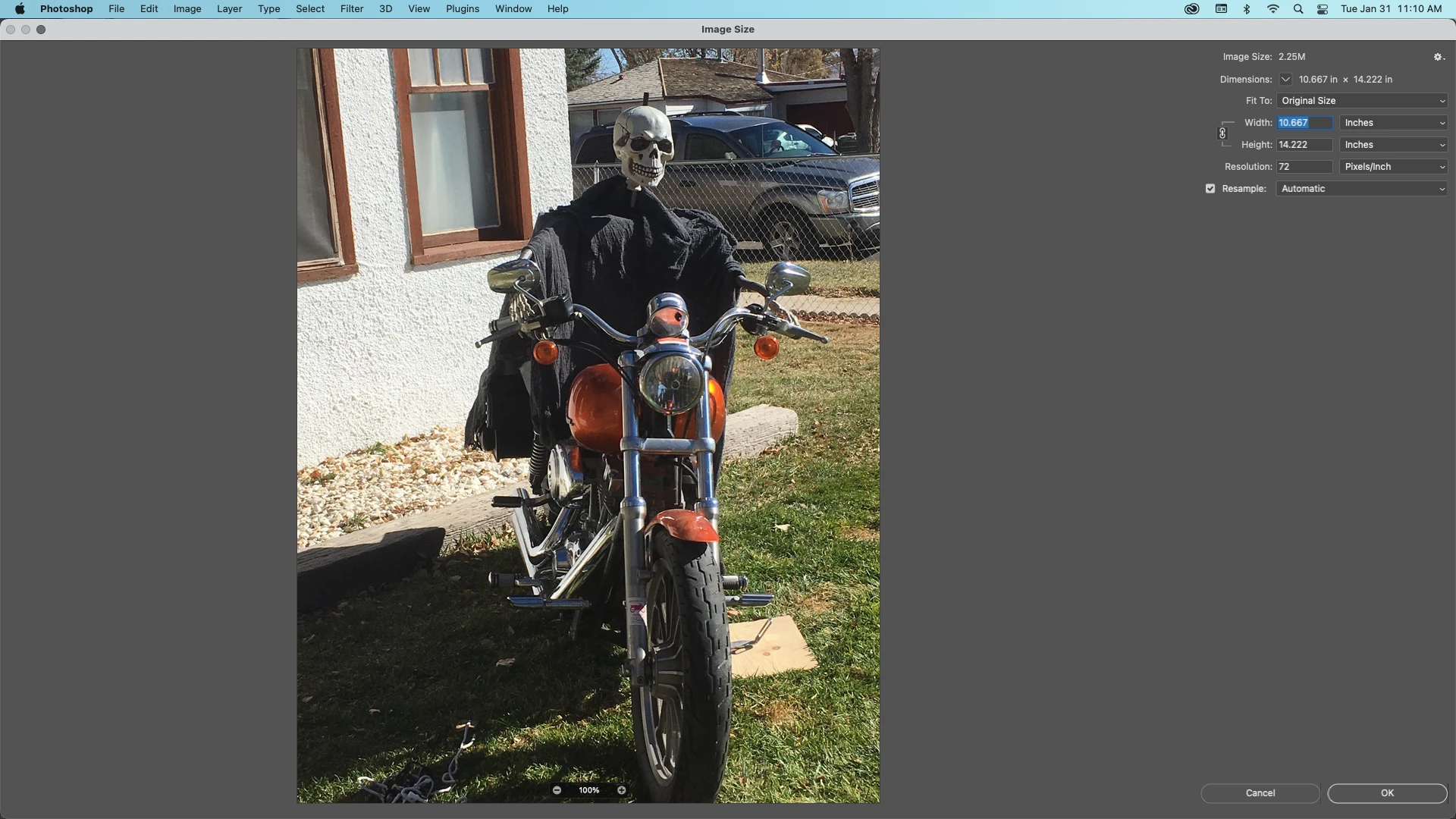
My photoshop as just start to make the image size option take up my whole screen rather than just give me the small image size box. Any ideas on how to reset this so I just get the small image size box. 


The image is what it is doing I would like it not to do this. 
This topic has been closed for replies.
Correct answer Kevin Stohlmeyer

You should be able to hover over the corners to get and adjustment arrow then click and resize your window.

2 replies

Jeff Arola
Community Expert
January 31, 2023

You can also click on the Zoom button at the top left of the Image Size dialog.


Kevin Stohlmeyer
Kevin StohlmeyerCorrect answer
Community Expert
January 31, 2023

You should be able to hover over the corners to get and adjustment arrow then click and resize your window.

Kevin Stohlmeyer
Community Expert
January 31, 2023

If your corners are off screen, grab the top bar and drag the entire window first.

New Participant
January 31, 2023

Thank you that fixed the issue.