


Inspiring
July 28, 2020
Question

Load files into stack

  • July 28, 2020
  • 1 reply
  • 620 views

Hello forum.


a bit of a tricky question tonight.


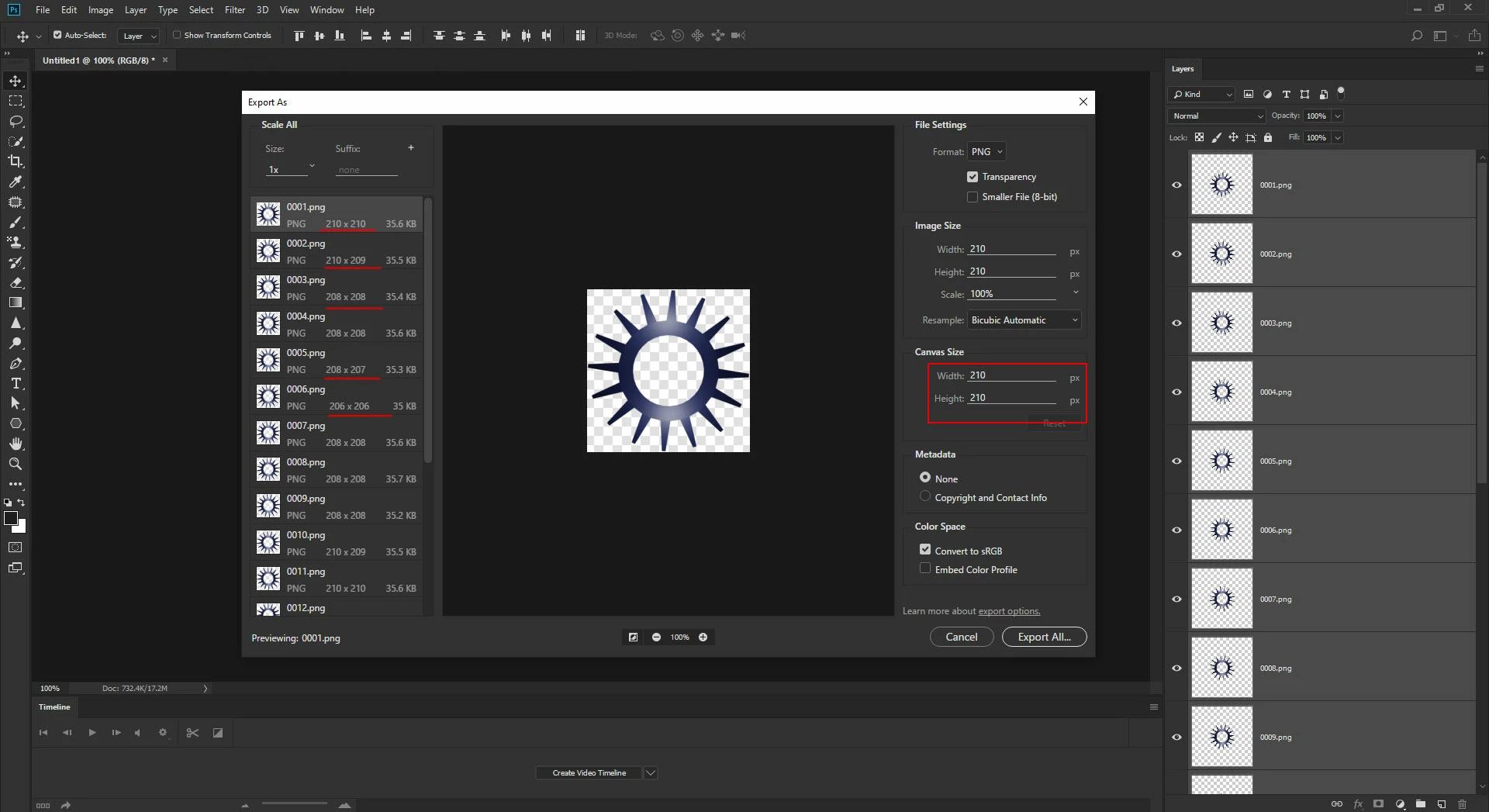
I have a PNG sequence (50 frames) which were created with a 3D software, which I am importing into PS, so I'm doing a load files into stack, till here no problem. But when I do an: export as I notice in the dialogue pallet of the left, that the layer size isnt the same for each layer. which seems rather odd, since all the layers which were imported were all 150 x 150 pixels. So in order to be sure, in the dialogue box I just make to  the canvas size larger so they're all the same. (But again when exporting the sequence into another animation software, its causing issues of the pivot point to jolt all over the place, not getting a smooth animation).


This topic has been closed for replies.

1 reply

c.pfaffenbichler
Community Expert
Community Expert
July 28, 2020

Assuming the layers represent a rotation it would not seem unexpected that the widh and height change as the object’s outline is not circular. 

Inspiring
July 28, 2020

Thank you for your reply, but this is a circular rotation with a default circle which is 100% accurate, so it just seems odd that even rotating it has a different width and height.

c.pfaffenbichler
Community Expert
Community Expert
July 28, 2020

»it just seems odd that even rotating it has a different width and height«

Do you mean that the total dimension changes at all or that width and height are not identical in all cases? 

In the first case: That’s what happens when rotating an object that does not have a circular outline. 

In the second case: Would that not be the rendering application’s doing? 


Why do you Export As? 

Have you considered using File > Export > Layers To Files or File > Export > Render Video > Photoshop Image Sequence?